Starting with crypto can feel overwhelming. There are thousands of coins, strange terms and plenty of stories about people who lost money. The good news is that the first steps are much simpler than they look, especially when you start with crypto on Binance, one of the largest and best-known exchanges.
This guide walks you through everything a beginner needs, in the right order. You’ll learn how to create and protect your account, how to add money without a bank card and how to buy your first coin. After that, we cover fees, wallets, rewards, withdrawals, scams and the mistakes that cost beginners the most money.
Take your time with it. You don’t need to do everything today, and you don’t need much money to begin. In fact, starting small is one of the smartest things you can do.
What Binance Is and Why Beginners Use It
Binance is a cryptocurrency exchange, which means it’s a platform where you can buy, sell, store and swap digital coins. It launched in 2017 and quickly grew into one of the largest crypto exchanges in the world by trading volume.
For beginners, Binance has a few clear advantages. It lists all the major coins, its fees are low compared with many rivals, and the app offers simple tools like Convert, which lets you swap coins in a few taps. It also supports Binance Gift Cards, so you can add crypto without linking a bank card at all.
Binance at a glance
Of course, Binance isn’t the only option, and it isn’t perfect. It’s a centralised exchange, so it holds your coins for you while they sit in your account. That’s convenient for beginners, but it also means you need to protect your login carefully. We’ll cover exactly how to do that later in this guide.
Key Crypto Terms for Beginners
Crypto comes with its own vocabulary, and the Binance app uses many of these words without explaining them. Before you go further, here are the terms you’ll see most often:
| Term | What it means |
|---|---|
| Exchange | A platform where you buy, sell and swap crypto |
| Wallet | A place that stores your coins, either on an exchange or under your own control |
| Stablecoin | A coin that aims to keep a steady value, usually 1 US dollar |
| Network | The blockchain a coin travels on when you send it |
| Network fee | The small fee paid to the network for each transfer |
| Volatility | How much and how quickly a price moves up and down |
| Market cap | The total value of all coins of one type in circulation |
| Seed phrase | 12 or 24 words that restore a personal wallet |
You don’t need to memorise all of them today. Instead, come back to this list whenever a word in the app confuses you. For a longer list, see our glossary of crypto terms for beginners.
Before You Start
A little preparation saves you time and stress later. Before you open an account, make sure you have the following ready:
- A valid ID: a passport, national ID card or driving licence for identity verification.
- A phone with a camera: you’ll need it for the selfie check and for two-factor authentication.
- A secure email address: ideally one that only you use and that has its own strong password.
- A small starting budget: an amount you could lose without it hurting your daily life.
It’s also worth checking that Binance is available where you live. Rules differ from country to country, and some regions use a separate local platform. If Binance doesn’t work in your country, our guide on what to do when a crypto exchange isn’t available in your country explains the alternatives.
Finally, decide how much you want to put in. There’s no minimum that makes sense for everyone, but most beginners start with somewhere between 20 and 100 EUR. Our guide on how much crypto to start with helps you pick a sensible amount.
Create Your Binance Account
Opening a Binance account to buy crypto only takes a few minutes. You can do it on the website or in the app, and the steps are almost the same:
Be careful with the download. Scammers sometimes publish fake apps or copycat websites with similar names. Always use the official app store listing, and check the address bar before you type your password.
Once you’ve signed up, Binance asks you to complete identity verification. You can explore Binance before that, but you can’t deposit or buy crypto until you’re verified.
Verify Your Identity
Like any regulated financial service, Binance has to check who its users are. This process is often called KYC, which stands for “know your customer”. It protects you as well, because it makes it much harder for someone else to open an account in your name.
Verification usually works like this. First, you enter your personal details, such as your name, date of birth and address. Next, you take a photo of your ID document. Then you record a short selfie video so Binance can match your face to the document.
In most cases, the check finishes within minutes. Sometimes, however, it takes longer, especially if a photo is blurry or the details don’t match exactly. To get it right the first time, keep these tips in mind:
- Use good light: take the photo in daylight, without glare on the document.
- Show the whole document: all four corners should be visible in the picture.
- Match your details exactly: type your name just as it appears on your ID.
- Remove hats and glasses: make sure your face is clearly visible in the selfie.
Binance only allows adults to trade crypto, so you need to be at least 18 years old. Also, each person can only have one verified account, so don’t try to open a second one.
Secure Your Account Before You Deposit
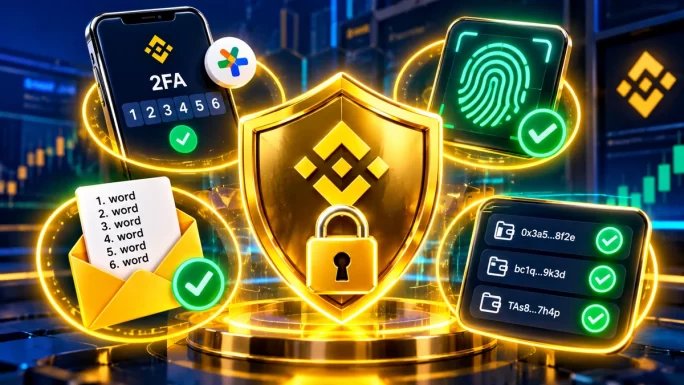
This is the most important part of the whole guide. Most people who lose crypto on an exchange don’t lose it because of the market. Instead, they lose it because someone else got into their account. Fortunately, Binance gives you several strong tools to prevent that.
| Security feature | What it does | Where to find it |
|---|---|---|
| Two-factor authentication | Asks for a second code when you log in or withdraw | Profile, then Security |
| Passkey | Lets you log in with your fingerprint or face instead of a password | Profile, then Security |
| Anti-phishing code | Adds your own secret word to every real Binance email | Profile, then Security |
| Withdrawal whitelist | Only allows withdrawals to addresses you approved | Profile, then Security |
| Device management | Shows every device logged in to your account | Profile, then Security |
As a minimum, turn on two-factor authentication with an authenticator app, not just SMS. Attackers can sometimes intercept text messages, while an authenticator app is much harder to attack. If your phone supports it, add a passkey as well.
Next, set up an anti-phishing code. Once it’s active, every genuine email from Binance shows your secret word. So if an email claims to be from Binance but doesn’t show your code, you know it’s fake.
The withdrawal whitelist is worth turning on too. With it, your crypto can only go to addresses you saved in advance. Even if someone got into your account, they couldn’t send your coins to their own wallet straight away.
ImportantBinance staff will never ask for your password, your 2FA codes or your gift card codes. Anyone who does is a scammer, even if their message looks official.
Finally, check the device management page from time to time. If you see a device or location you don’t recognise, log it out, change your password and contact Binance support through the app.
Understand Your Binance Wallets
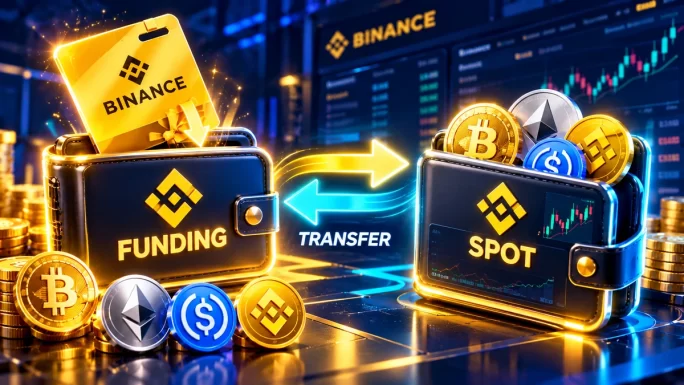
Your Binance account has several wallets inside it, and beginners often get confused when coins seem to “disappear”. In reality, they’ve usually just landed in a different wallet. The two you’ll use most are the Funding wallet and the Spot wallet.
Funding wallet
Main purposeReceiving and sending
Gift card redemptionsLand here
ConvertWorks from here
Trading ordersNot possible
P2P and Binance PayUsed here
Spot wallet
Main purposeTrading on the market
Gift card redemptionsNot here
ConvertWorks from here
Trading ordersPossible
P2P and Binance PayNot used
In short, the Funding wallet is like your inbox, while the Spot wallet is your trading desk. You can move coins between them for free in a few seconds, using the Transfer button in the app.
If something is missing, check both wallets before you panic. Our guide to the Funding wallet vs Spot wallet explains the difference in more detail.
Add Money Without a Bank Card
Now you’re ready to put crypto into your Binance account. Binance offers several ways to do this, and the right one depends on where you live and how you prefer to pay:
| Method | Bank card needed | Speed | Good to know |
|---|---|---|---|
| Buy with a card | Yes | Instant | Easy, but usually the most expensive option |
| Bank transfer | Bank account | Minutes to days | Cheap, but not available in every country |
| P2P trading | Depends on the seller | Minutes | You trade with other users, so extra care is needed |
| Binance Gift Card | No | Instant | Loads crypto straight into your Funding wallet |
Card purchases are quick, but they often come with higher fees, and some banks block payments to crypto platforms altogether. P2P trading can be cheap, yet it means dealing with strangers. For a first deposit, a Binance Gift Card is usually the simplest choice, since there’s no bank involved and no one else to trust.
A Binance Gift Card is a code that carries a fixed amount of a specific coin, such as BTC, ETH, BNB or USDC. Here’s how to redeem one:
The coin on the card is the coin you receive. For example, a Binance Gift Card BTC gives you Bitcoin, while a USDC card gives you a dollar stablecoin that you can convert later.
BTC, ETH, BNB, USDC and more
Binance Gift Cards
Redeem the code in the Binance app and the crypto lands in your Funding wallet. Small amounts available.
Shop Binance Gift CardsFor a full walkthrough with screenshots, see our guide on how to redeem a Binance Gift Card. If a code doesn’t work, our guide to Binance Gift Card errors lists the usual fixes.
Gift cards also work well as a budgeting tool. Because each card has a fixed value, you always know exactly how much you’re putting in, and you can’t overspend by accident. That makes them a good fit for people who want to buy a small amount every month. If you don’t have a bank account at all, our guide on how to buy crypto without a bank account covers more options.
Only buy gift cards from trusted sellers, and keep the code private until you redeem it yourself. Our guide to whether a Binance Gift Card is safe explains what to check, and the guide on how to add a Binance Gift Card to your account shows where the balance appears.
Buy Your First Crypto
Once you have some crypto or stablecoins in your Binance account, you can swap them for other coins. Binance gives beginners two main ways to do this: Convert and Spot trading.
Convert is the easiest option. You pick the coin you have, the coin you want and the amount. Binance then shows you a quote, and the number you see is exactly what you get. There’s no trading fee, although the price includes a small difference from the market price.
Spot trading is the more flexible option. Here, you place orders on the market yourself. With a market order, you buy straight away at the best available price. With a limit order, you choose your own price, and the order only goes through if the market reaches it.
For your first few purchases, stick with Convert. It’s harder to make a mistake, and you always see the result before you confirm. Later, once you feel comfortable, you can try small limit orders on the Spot market. Our guide to Binance Convert covers the details.
Market Orders and Limit Orders
When you move on from Convert to the Spot market, you’ll meet several order types. Knowing how they differ helps you avoid paying more than you planned. These are the three you’ll see first:
| Order type | How it works | Best for |
|---|---|---|
| Market order | Buys or sells straight away at the best current price | Small, quick trades |
| Limit order | Waits until the price reaches the level you set | Buying at a specific price |
| Stop-limit order | Places a limit order once the price hits a trigger level | Experienced users who want to limit losses |
Here’s a simple example. Say Bitcoin trades at 80,000 dollars and you want to spend 50 USDC. A market order buys right away at roughly that price. A limit order at 78,000 dollars, on the other hand, waits and only fills if the price drops to that level. If the price never gets there, nothing happens, and you keep your USDC.
To place a Spot order, first move your coins from the Funding wallet to the Spot wallet. Otherwise, your balance shows as zero on the trading screen. Then open Trade, pick a trading pair such as BTC/USDC, choose Market or Limit, enter the amount and confirm.
ImportantStay away from margin and futures trading as a beginner. These products let you trade with borrowed money, and losses can grow far beyond what you put in.
Most long-term holders never need anything more advanced than market and limit orders. So there’s no rush to learn the rest of the trading screen.
Choose What to Buy
With so many coins available, picking the first one can feel like the hardest step. For beginners, it usually makes sense to start with large, established coins rather than small, hyped ones. These are the main options most people look at first:
- Bitcoin (BTC): the first and largest cryptocurrency, often seen as digital gold.
- Ethereum (ETH): the biggest platform for apps, tokens and smart contracts.
- BNB: the coin of the Binance ecosystem, which also gives you a discount on trading fees.
- Stablecoins like USDC: coins that aim to stay at $1, useful for parking money between trades.
- Other large coins: Solana, XRP, Litecoin and Dogecoin each have their own strengths and risks.
If you want to learn more before you buy, our beginner guides explain what BNB is, what Solana is, what XRP is and what USDC is.
Many beginners also split a small budget across two or three coins instead of putting everything into one. For example, you could hold mostly Bitcoin, a little Ethereum and some stablecoins as a buffer. Our guide to stablecoins vs volatile coins explains why that mix can help.
Whatever you choose, look at a coin’s size and history before you buy. Large coins still move a lot, but they tend to be less extreme than tiny tokens that appeared last month. If you’re starting with a very small budget, our list of the best crypto for small amounts can help you narrow it down.
Each of the main coins is also available as its own Binance Gift Card, so you can buy exactly the coin you want:
Binance Gift Cards by coin
Redeem straight into your Funding wallet
Understand Binance Fees
Crypto fees are small on Binance, but they add up over time, so it’s worth knowing where they appear. Here are the main ones a beginner meets:
Binance fees for beginners
Spot trading
0.1% per trade
Tip: Pay fees with BNB to get 25% off.
Convert
No trading fee
Tip: Compare the quote with the market price on larger swaps.
Card purchases
Higher than other methods
Tip: Use a gift card or bank transfer instead where you can.
Withdrawals
A network fee
Tip: Pick a cheaper network that the receiving wallet supports.
Binance Pay transfers
Free
Tip: Send crypto to other Binance users at no cost.
On a $100 trade, a 0.1% fee is just 10 cents. Still, frequent trading multiplies that quickly, which is one more reason not to trade too often as a beginner. Our guide to Binance fees breaks down every cost in more detail.
Buy Regularly With Auto-Invest
Trying to buy at the perfect moment is stressful, and even professionals rarely get it right. A calmer approach is to buy a fixed amount on a regular schedule, whatever the price. Binance offers a tool for this called Auto-Invest, and it works like a savings plan:
Keep enough stablecoins in your account, otherwise the plan can’t buy on schedule. One easy routine is to redeem a USDC gift card at the start of each month and let the plan spend it in small parts. You can pause or cancel the plan at any time.
Regular buying won’t protect you from losses if a coin keeps falling. However, it removes the pressure of timing, and it helps you build a position step by step instead of betting everything on one day.
Earn Rewards on Your Crypto
Once you hold some crypto, you might notice the Earn section in the Binance app. It offers ways to receive rewards on coins you’d keep anyway. The simplest product for beginners is Simple Earn, which comes in two main types:
Flexible
Access to your coinsWithdraw any time
Typical rewardsLower
Best forMoney you might need soon
Risk of missing a price moveLow
Locked
Access to your coinsLocked for a set period
Typical rewardsHigher
Best forMoney you plan to hold anyway
Risk of missing a price moveHigher
Rewards depend on the coin and change over time, so the rates in the app are never guaranteed. In addition, earning rewards doesn’t protect you from price drops. If the coin falls by 20%, a small reward won’t make up for that.
For beginners, Flexible products are usually the safer starting point. You keep access to your coins, and you can learn how rewards work without committing. Our guide to Binance Earn explains every option.
Send and Withdraw Crypto
At some point, you may want to move crypto out of Binance, either to your own wallet or to another person. Before you do, it helps to understand one key idea: networks.
Many coins exist on more than one blockchain. For example, you can often send the same coin on its own network or on BNB Smart Chain. The sender and the receiver must use the same network, otherwise the coins can be lost. So always check which network the receiving wallet supports before you send anything. Our guide to crypto networks explained shows how the most common ones compare.
Always send a small test amount first when you use a new address. If it arrives safely, send the rest. It costs one extra network fee, but it can save you from a costly mistake.
If the person you’re paying also uses Binance, there’s an easier way. Binance Pay sends crypto to another user for free and almost instantly, as our guide on how to send crypto with Binance Pay shows. For withdrawals to your own wallet, see our guide on how to withdraw crypto from Binance.
How to Cash Out Your Crypto
Sooner or later, you may want to turn some crypto back into regular money. The options depend on your country, but most people use one of these routes:
- Sell and withdraw to a bank: where Binance supports your local currency, you sell crypto for it and send the money to your bank account.
- P2P trading: you sell crypto to another user who pays you directly, while Binance holds your coins in escrow until you confirm the payment.
- Move to another platform: you send crypto to a service in your country that pays out in local money.
With P2P, only release the coins once the money has actually reached your account. Never rely on a screenshot or a message saying the payment was sent, because fake payment proofs are a common trick. Also, stick to traders with a long history and good ratings.
Before you sell, it also helps to think about timing and fees. Selling in one go is simple, yet splitting a larger sale into parts can reduce the impact of a sudden price move. Our guides on how to cash out crypto and on gift cards vs P2P trading compare the routes in more detail.
Should You Use Your Own Wallet
Leaving crypto on Binance is convenient, and for small amounts many beginners do exactly that. However, you don’t fully control coins that sit on an exchange. That’s why people often say “not your keys, not your coins”.
A personal wallet gives you full control. The trade-off is responsibility: you get a secret recovery phrase, and if you lose it, nobody can restore your wallet for you. Likewise, if someone else sees it, they can take everything.
A sensible approach for beginners is to keep small amounts on Binance while you learn. Once your holdings grow, consider moving long-term savings to a wallet you control. Our guides to crypto wallets and the seed phrase explain how to do it safely.
Avoid the Most Common Scams
Crypto attracts scammers, and Binance users are a popular target because nobody can reverse a transfer. Fortunately, most scams follow the same few patterns, and once you know them, they’re much easier to spot:
Common scams aimed at Binance beginners
WhySomeone contacts you on social media or by phone, claiming to be from Binance.
FixOnly contact support through the official app, and never share codes.
WhyA link leads to a copy of the Binance login page.
FixType binance.com yourself or use the app, and check your anti-phishing code.
WhyA post promises to double any crypto you send.
FixIgnore it, since no real giveaway asks you to send money first.
WhySomeone asks you to “verify” or “activate” your Binance Gift Card code.
FixOnly enter the code in your own Binance app, never anywhere else.
WhyA chat group promises guaranteed daily profits.
FixLeave, because guaranteed returns in crypto don’t exist.
The golden rule is simple: never share your password, 2FA codes or gift card codes with anyone. Our guides to common crypto scams and why you should never enter your code anywhere but Binance cover more warning signs.
Beginner Mistakes to Avoid
Scams aren’t the only way to lose money. Many beginners also hurt themselves with simple, avoidable mistakes. These are the most common ones:
- Investing more than you can afford to lose: crypto prices can fall by half, so only use money you won’t need soon.
- Chasing hype: coins that jump in a single day often drop just as quickly.
- Panic selling: selling every time the price dips usually locks in losses.
- Ignoring fees: buying with a card and trading often can eat a large share of a small budget.
- Picking the wrong network: sending coins on a network the receiver doesn’t support can mean losing them.
- Skipping security: an account without two-factor authentication is an easy target.
One simple habit protects you from several of these at once: buy small amounts regularly instead of all at once. This approach is often called dollar-cost averaging. It smooths out the ups and downs, and it stops you from trying to time the market perfectly.
Taxes and Record Keeping
In many countries, crypto gains you make on Binance are taxable. For example, selling a coin for more than you paid, or swapping one coin for another, can count as a taxable event. The rules differ a lot from country to country, so it’s worth checking how they work where you live.
Whatever the rules are, good records make life easier. Keep a note of what you bought, when, at what price and what you paid in fees. Binance lets you download your crypto transaction history, so export it regularly and store it somewhere safe.
If you’re unsure, ask a local tax adviser. This guide explains how Binance works, but it isn’t tax or financial advice.
Your First Week on Binance
If you’re wondering where to begin, here’s a simple plan for your first week. It keeps things slow and safe, so you build good habits from day one:
First dayCreate your account and turn on two-factor authentication and a passkey.
Second dayComplete identity verification and set your anti-phishing code.
Third dayRedeem a small Binance Gift Card and find the coins in your Funding wallet.
Fourth dayTry a small Convert swap and check the result in your wallets.
Fifth dayExplore Simple Earn Flexible and read how rewards work.
End of the weekReview your security settings and write down what you’ve learned.
By the end of the week, you’ll have a secure Binance account, your first crypto and a clear idea of how everything fits together. From there, you can grow step by step, at your own pace.
Frequently Asked Questions
Create an account in the official Binance app, verify your identity and turn on two-factor authentication. Then add money, for example by redeeming a Binance Gift Card, and use Convert to buy your first coin.
You can start with a small amount, often 10 to 20 EUR is enough to learn how everything works. Only invest money you can afford to lose, and increase the amount slowly as you gain confidence.
Yes. A Binance Gift Card loads crypto straight into your Funding wallet, so you don’t need to link a bank card. You redeem it in the app under Gift Card, then Redeem.
Binance offers strong security tools, such as two-factor authentication, passkeys, an anti-phishing code and a withdrawal whitelist. Most problems come from scams and weak account security, so turning these features on makes a big difference.
Binance Convert is the easiest way. You choose the coin you have and the coin you want, see the exact quote and confirm. There’s no trading fee, and you always see the result before you pay.
Not at the start. Many beginners keep small amounts on Binance while they learn. Once your holdings grow, moving long-term savings to a wallet you control gives you more independence, as long as you keep your recovery phrase safe.
Key Takeaways