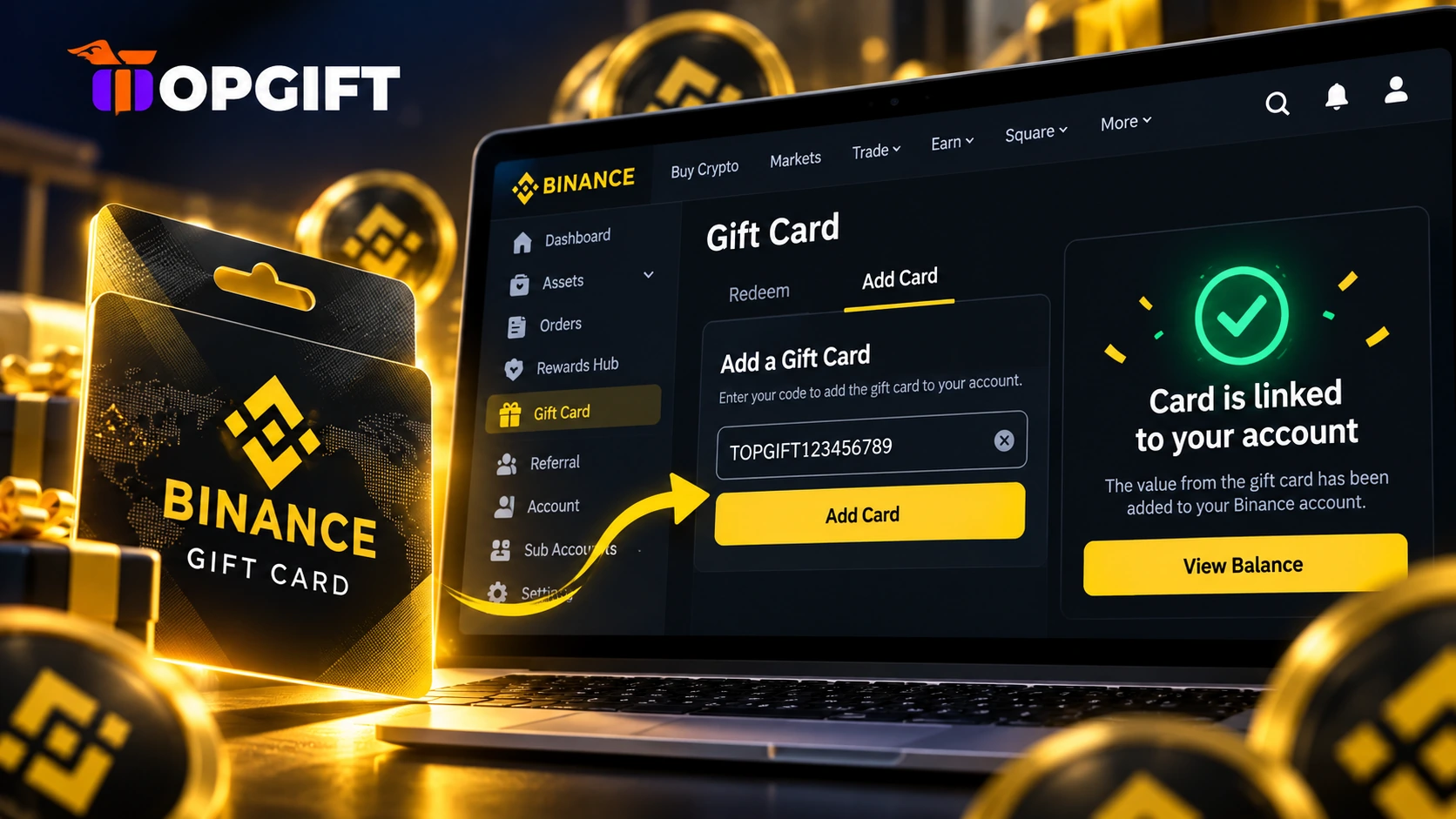
Not every Binance Gift Card needs redeeming the moment you get it. Maybe you’re not ready to move the crypto into your wallet yet. Or you simply don’t want a code sitting in your notes until you decide. For these cases, Binance has a quiet but useful feature called Add Card.
Log in at binance.com/en/gift-card, open the Add Card tab, paste your 16-character redemption code and click Add. Binance confirms that the card is linked to your account. When you’re ready, redeem it from the same page.
This guide shows how to add a Binance Gift Card to your account step by step. It also explains when saving a card makes more sense than redeeming it straight away.
What Add Card Does
The Binance Gift Card page has three tabs: Redeem, Add Card and Check Card. Most people only ever use the first one.
Redeem turns the code into crypto and sends it to your wallet at once. Add Card works differently. It links the card to your Binance account without redeeming it, so the value stays on the card for now.
As a result, you can hold on to a card inside your account and decide later. Binance even confirms it on screen with a short message: “Card is linked to your account.”
What You Need Before You Start
You only need two things. First, a Binance account you can log in to. Second, the card’s redemption code.
The redemption code is 16 characters long and mixes letters and digits, for example A1BC23D4EFG78H56. If you bought the card on TopGift, you’ll find it in your account dashboard and on the order confirmation page right after payment.
How to Add a Binance Gift Card on the Website
On a computer, the whole process takes under a minute.
That’s it. The card now sits in your account, and you haven’t redeemed anything yet.
If you’d rather watch than read, this short video shows the full flow on a computer. It covers the Redeem, Add Card and Check Card tabs one by one.
Redeeming the Card Later
When you’re ready to use the crypto, head back to the same page. Then switch to the Redeem tab.
Keep your code somewhere safe until then. On TopGift, it stays in your order history, so you can always find it again. For more detail on this last step, including the app route, see our guide to redeeming a Binance Gift Card.
Add Card or Redeem Right Away
Both options are useful, and the right one depends on your plans.
| Option | What happens | Best when |
|---|---|---|
| Redeem | Crypto lands in your wallet at once | You want to use or hold the crypto now |
| Add Card | The card links to your account, value stays on it | You aren’t ready to redeem yet |
In most cases, redeeming straight away is the simplest route. However, if you collect several cards or plan to decide later, adding them first keeps everything in one place.

Adding a Card on Your Phone
The steps above use the Binance website, and they work in a phone browser too. Simply open binance.com/en/gift-card in Safari or Chrome, log in and follow the same four steps.
If you’d rather redeem straight from your phone, the Binance app route is quick as well. Our redemption guide covers it step by step.
Keep Your Code Private
A redemption code works like cash. Anyone who enters it first can claim the value, so never share it, post it or send it to someone who contacts you out of the blue.
Enter it only on binance.com or in the official Binance app. No real support agent will ever ask for your code to “verify” or “unlock” a card.
If you need a new card, TopGift sells Binance Gift Cards from $0.50 to $200 across more than fifty cryptocurrencies, with instant delivery.
Frequently Asked Questions
How do I add a Binance Gift Card to my account?
Log in at binance.com/en/gift-card, open the Add Card tab, paste the 16-character redemption code and click Add. Binance confirms that the card is linked to your account.
Does adding a card redeem it?
No. Add Card only links the card to your account. The crypto reaches your wallet when you redeem the card.
How do I redeem a card I added earlier?
Go back to binance.com/en/gift-card, stay on the Redeem tab, paste the redemption code and click Redeem.
What code do I need to add a card?
The redemption code, which is 16 characters long and mixes letters and digits. TopGift customers find it in their account dashboard and on the order confirmation page.
Can I add a Binance Gift Card on my phone?
Yes. Open binance.com/en/gift-card in your phone’s browser, log in and use the Add Card tab the same way as on a computer.