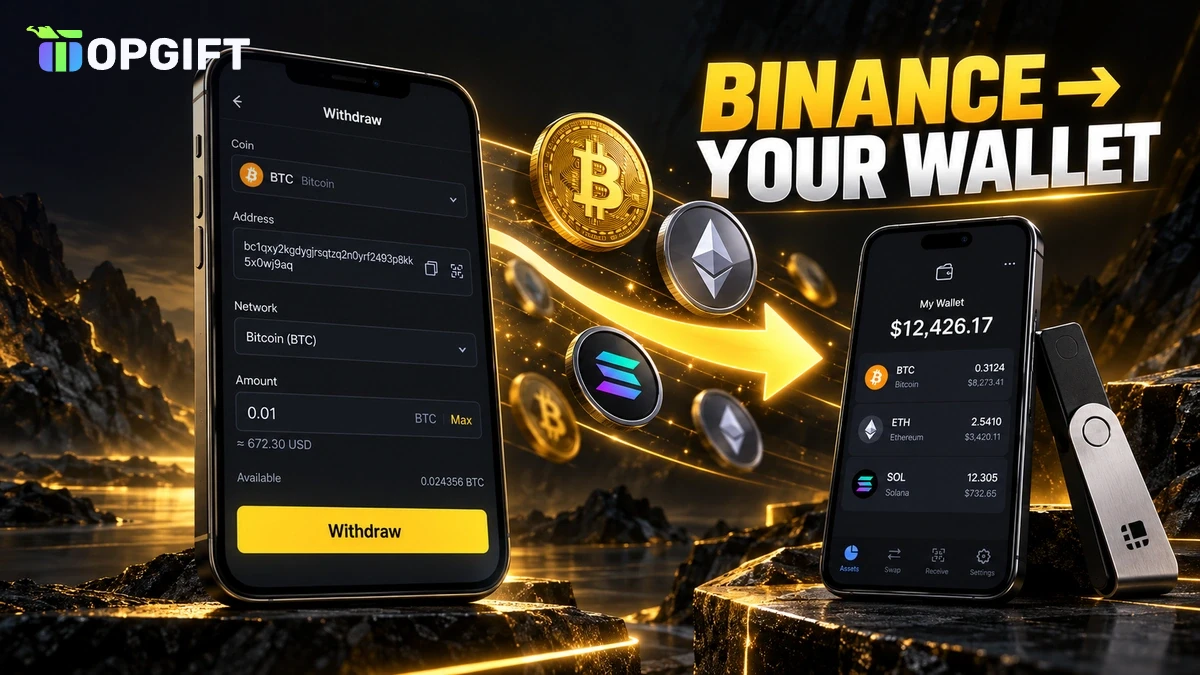
Keeping crypto on Binance is convenient, but many people prefer to hold it in a wallet they control themselves. To do that, you withdraw crypto from Binance to that wallet, and it only takes a few minutes once you know which details to check.
This guide shows how to withdraw crypto from Binance to your own wallet, step by step. It also explains how to choose the right network, when you need a memo, what the fees look like and why a withdrawal is sometimes delayed.
What You Need Before You Withdraw
Before you start, make sure you have these four things ready:
- A verified Binance account with a passkey or two-factor authentication turned on.
- A wallet of your own that supports the coin you want to send, such as a mobile wallet or a hardware wallet.
- Your wallet’s backup, because once the crypto arrives, only your seed phrase can restore access.
- A little extra balance to cover the network fee.
If you haven’t picked a wallet yet, our guide to crypto wallets explained compares the main types. It’s also worth reading how a seed phrase works before you move a large amount.
How to Find Your Wallet’s Receive Address
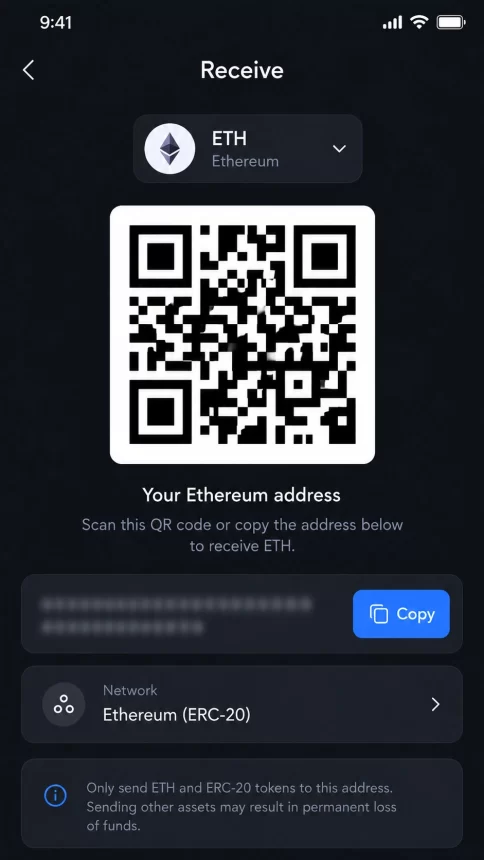
Every wallet app has a Receive button. Tap it, choose the coin and, if the wallet asks, the network. The app then shows your address as text and as a QR code.
Copy the address with the copy button instead of typing it by hand. A single wrong character sends the crypto to someone else, and nobody can reverse that.
Also note which network the wallet shows next to the address. You’ll need to pick exactly the same network on Binance.
How to Withdraw Crypto From Binance in the App
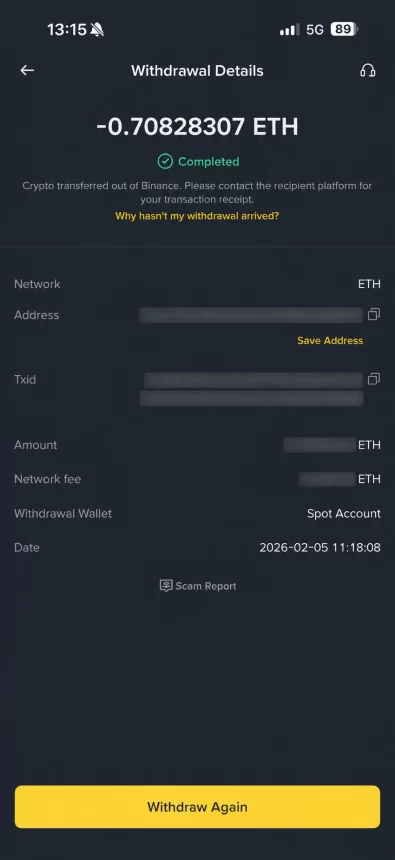
Once you have the address, the withdrawal itself is quick. Here’s how it works in the Binance app:
On the website, the path is almost the same: go to Assets, then Overview, and click Withdraw. If you’re unsure which network to choose, Binance offers a “No, I’m not sure” option that helps you check what the receiving platform supports.
How to Choose the Right Network
The network is the most important detail in any withdrawal. Binance often lets you send the same coin over several networks, and each one has its own fee. However, the cheapest option isn’t always the right one. Your wallet has to support the network you choose.
Here’s how to recognise the most common networks by their address format:
| Network | Address starts with | Used for |
|---|---|---|
| Bitcoin | 1, 3 or bc1 | Bitcoin |
| Ethereum (ERC20) | 0x | ETH and Ethereum tokens |
| BNB Smart Chain (BEP20) | 0x | BNB and BNB Chain tokens |
| Solana | Letters and numbers, no 0x | SOL and Solana tokens |
| Tron (TRC20) | T | TRX and Tron tokens |
Notice that Ethereum and BNB Smart Chain addresses look exactly the same. That’s why you can’t rely on the address alone: always check which network your wallet says it’s using. For a deeper comparison, see our guide on TRC20 vs ERC20 vs BEP20.
ImportantBinance warns that sending crypto over a network the receiving wallet doesn’t support can lead to permanent loss. Double-check the network before you confirm.
When You Need a Memo or Tag
Some coins need an extra field called a memo, sometimes also called a tag or payment ID. XRP and EOS are common examples.
Personal wallets usually don’t need a memo, because the address belongs only to you. Exchanges are different. They often use one shared address for many customers and tell them apart by the memo. So if you’re sending to another exchange, copy the memo too. Without it, the funds may not reach your account.
Withdrawal Fees, Minimums and Timing
Binance charges a network fee on every withdrawal. The amount depends on the coin and the network, and it changes with blockchain traffic. You’ll see the exact fee on the withdrawal screen before you confirm.
When you enter the amount, you can also choose how the fee is applied:
- Receive amount: your wallet gets exactly the amount you entered, and the fee is added on top.
- Withdrawal amount: the fee comes out of the amount you entered, so your wallet gets a little less.
Every coin also has a minimum withdrawal, and Binance shows it on the same screen. As for timing, most withdrawals arrive within minutes, but busy networks can take longer. To track one, open the Transaction History in your Binance assets, where you’ll also find the transaction ID.
Send a Small Test Amount First
The first time you withdraw to a new address, Binance shows a safety pop-up and recommends a small test transfer. It’s good advice. Send a small amount, wait for it to arrive in your wallet and only then send the rest.
TipSave addresses you use often in the Binance address book. You can also turn on the withdrawal whitelist, so your account can only send crypto to addresses you’ve approved.
Why a Binance Withdrawal Can Be Delayed
Most withdrawals go through without problems. If yours is stuck, one of these reasons is usually behind it:
- Network maintenance: Binance sometimes pauses withdrawals on a network while it’s being upgraded.
- Recent security changes: after you change your password or security settings, withdrawals can be paused for a while to protect your account.
- Extra checks: in some countries, Binance asks a few questions about the recipient, for example whether the wallet is your own. That’s part of the Travel Rule.
- Busy blockchain: high traffic can slow down confirmations.
If a withdrawal shows as completed on Binance but hasn’t arrived, check the transaction ID on a block explorer. In most cases, the transfer is simply still waiting for confirmations.
Withdrawing Crypto From a Binance Gift Card
When you redeem a Binance Gift Card, the crypto goes to your Funding wallet. You can withdraw it straight from there: just choose Funding as the account to send from in the first step.
You can also swap it first. For example, some people buy a Binance Gift Card USDC and then use Binance Convert to turn part of it into another coin before withdrawing. If you’re new to gift cards, our guide on how to redeem a Binance Gift Card covers the first step.
TopGift has Binance Gift Cards for BTC, ETH, SOL, USDC and many other coins. This guide explains how the process works, but it isn’t financial advice.
Frequently Asked Questions
Most Binance withdrawals arrive within minutes. The exact time depends on the blockchain and how busy it is, and you can track the status in your Transaction History.
Binance charges a network fee that depends on the coin and the network you choose. The exact fee appears on the withdrawal screen before you confirm.
Yes. When you start a withdrawal, you can choose the Funding wallet as the source, so crypto from a redeemed gift card can be sent without moving it first.
If the receiving wallet doesn’t support that network, the funds can be lost for good. Always pick the same network your wallet shows next to its address.
Usually not. Personal wallets rarely need a memo. Exchanges often do, especially for coins like XRP, so copy the memo whenever the receiving platform shows one.
Once the transaction reaches the blockchain, it can’t be cancelled or reversed. That’s why it’s worth checking the address and network twice before you confirm.
Key Takeaways