Binance is known for low costs, but “low” doesn’t mean free. Binance fees show up in several places: when you buy crypto, when you trade, when you convert and when you withdraw. However, each one works a little differently, and some of them are easy to miss.
This guide breaks down every fee you’re likely to meet as a regular user. You’ll see what each one costs, where it appears and how to keep it as low as possible, from the BNB discount to free transfers between Binance users.
How Binance Fees Work
Binance doesn’t charge a single flat fee. Instead, the cost depends on what you do. Broadly, there are four kinds of fees: buying fees when you pay with a card or bank, trading fees when you swap one coin for another, conversion costs, and network fees when you withdraw.
The good news is that a lot of everyday actions cost nothing at all. Depositing crypto is free, redeeming a gift card is free, and sending crypto to another Binance user is free as well. Knowing which actions cost money is the first step to paying less.
Also, all figures below are for a regular account at the time of writing. Binance can change them, and its app always shows the exact fee before you confirm.
Binance Fees at a Glance
Here’s a quick overview of the most common costs:
Binance fees at a glance
Spot trading
0.1%
Tip: Pay with BNB for 25% off
Futures
0.02% / 0.05%
Tip: Pay with BNB for 10% off
Card purchase
About 2%
Tip: Use a gift card instead
Convert
No fee
Tip: Compare the quote first
P2P (buyer)
Usually 0%
Tip: Watch the seller’s price
Withdrawals
Network fee
Tip: Pick a cheaper network
Next, the sections below explain each one in more detail.
Spot Trading Fees
First, spot trading is where you buy and sell coins at market prices. On a regular account, Binance charges 0.1% per trade, whether you place an order on the book or take one. On a $1,000 trade, that’s $1.
Luckily, you can cut that fee by a quarter. If you hold BNB and turn on the option to pay fees with it, the rate drops to 0.075%, so the same $1,000 trade costs $0.75. Our guide to what BNB is explains how the discount works.
In addition, very active traders can reach VIP levels with lower rates, but those depend on large monthly volumes. For most people, the BNB discount is the only one that matters.
Futures Fees
Futures, on the other hand, work differently from spot trading. Regular accounts pay 0.02% when they add an order to the book and 0.05% when they take one. Paying in BNB gives about 10% off these rates.
Binance charges the fee on the full position size, not only on your own money. On top of that, futures have funding fees that are paid between traders every few hours. Futures also carry a much higher risk, so they aren’t a good place for beginners to start.
Buying Crypto With a Card or Bank
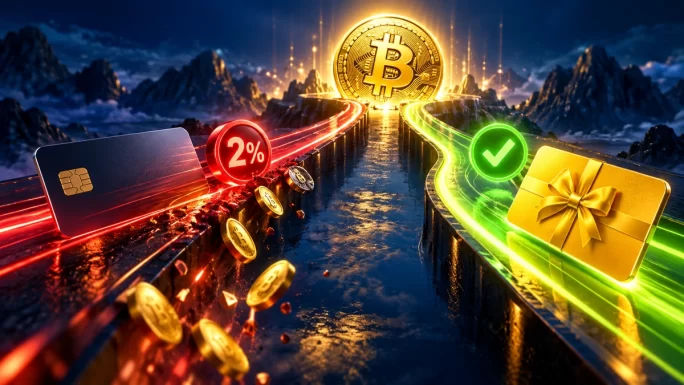
This is where many people pay the most without noticing. When you buy crypto on Binance with a Visa or Mastercard card, the fee is around 2%. The same applies to Apple Pay and Google Pay. So a 100 EUR purchase costs about 2 EUR on top.
By contrast, bank transfers are usually cheaper. In Europe, for example, a SEPA deposit costs around 1 EUR. However, it takes longer, and you still need to buy the coin afterwards.
P2P trading is another option, too. Here you buy crypto directly from other users, and in most currencies buyers pay no Binance fee at all. The catch is the seller’s price, which is often a little above the market rate. In other words, the cost is hidden in the price instead of shown as a fee.
Binance Convert Fees
Binance Convert is the easiest way to swap one coin for another. According to Binance, there’s no fee for using it. You see a quote, and the amount shown is exactly what you receive.
Still, that doesn’t mean every quote is perfect. The price is based on current market conditions and can differ slightly from the last price on the trading screen. For small swaps, Convert is usually the simplest choice. For larger amounts, it’s worth comparing the quote with the spot price first. Our guide to Binance Convert shows how to use it step by step.
Deposit and Withdrawal Fees
Depositing crypto into Binance is generally free. Withdrawals are different: you pay a network fee, and its size depends on the network you choose rather than the amount you send.
As a result, the difference between networks can be huge. Here are a few examples from the time of writing:
| Coin | Network | Withdrawal fee |
|---|---|---|
| BTC | Bitcoin network | About 0.000015 BTC |
| BTC | BNB Smart Chain | About 0.00000028 BTC |
| ETH | Ethereum | About 0.0001 ETH |
| ETH | BNB Smart Chain | About 0.00001 ETH |
However, a cheaper network only helps if the receiving wallet supports it. Our guide on how to withdraw crypto from Binance explains how to pick the right one.
ImportantAlways choose a network that the receiving wallet supports. Sending crypto over the wrong network can mean losing the funds, and Binance can’t reverse it.
If the person you’re paying also uses Binance, skip the withdrawal altogether. Transfers through Binance Pay are free and arrive in seconds, as our guide on how to send crypto with Binance Pay shows.

Which Costs Less, a Gift Card or a Bank Card
If you mainly want to get crypto into your account, how you pay matters more than any trading fee. Here’s how a Binance gift card compares with buying by card:
Binance gift card
Binance feeNone, redeeming is free
Bank card neededNo
Risk of a declined paymentNone on Binance
Where the coin landsFunding wallet, in seconds
Price you payThe shop’s price for the card
Buying with a bank card
Binance feeAbout 2% per purchase
Bank card neededYes
Risk of a declined paymentBanks often block crypto purchases
Where the coin landsSpot wallet, after the payment clears
Price you payThe market price plus the fee
In short, a gift card skips the card fee and the risk of a declined payment. It’s especially handy if your bank blocks crypto purchases or you don’t want to link a card to Binance at all.
BTC, ETH, BNB, SOL and more
Binance Gift Cards
Gift cards for many coins, from small amounts. Redeem the code in the Binance app and the crypto lands in your Funding wallet.
Shop Binance Gift CardsHow to Pay Lower Binance Fees
Finally, a few simple habits keep your costs down:
- Pay trading fees with BNB: it cuts spot fees by 25%.
- Avoid card purchases when you can: a gift card or bank transfer usually costs less than a 2% card fee.
- Use Convert for small swaps: there’s no fee, and you see the exact amount upfront.
- Choose cheaper networks: for withdrawals, BNB Smart Chain is often far cheaper than Ethereum.
- Send to friends with Binance Pay: transfers between Binance users are free.
- Batch your withdrawals: since the network fee is fixed, one bigger withdrawal costs less than several small ones.
This guide explains how Binance fees work, but it isn’t financial advice. Always check the fee shown in the app before you confirm.
Frequently Asked Questions
On a regular account, spot trading costs 0.1% per trade. If you pay the fee with BNB, it drops to 0.075%. Futures cost 0.02% for orders that add to the book and 0.05% for orders that take from it, with about 10% off in BNB.
Yes. Buying crypto with a Visa or Mastercard card, Apple Pay or Google Pay costs around 2% of the amount. Bank transfers are usually cheaper, and redeeming a Binance gift card has no Binance fee at all.
Yes, Binance says there’s no fee for using Convert. The quote you see is the amount you receive. However, the price is based on current market conditions, so it can differ slightly from the last price on the trading screen.
Withdrawals cost a network fee that depends on the coin and the network, not the amount. For example, withdrawing BTC on BNB Smart Chain costs far less than on the Bitcoin network. The app always shows the exact fee before you confirm.
Yes. Binance currently doesn’t charge anything to redeem a gift card. You enter the code in the app, and the crypto appears in your Funding wallet right away. Only verified users can redeem, and the full amount is credited at once.
Pay trading fees with BNB for a 25% discount, avoid card purchases, use Convert for small swaps, pick cheaper networks for withdrawals and send crypto to other Binance users through Binance Pay, which is free.
Key Takeaways