Want to check a gift card balance but cannot find a “balance” button anywhere? You are not alone. Most digital gift cards, such as Steam, PlayStation, Xbox, Apple or Google Play, do not have a public balance checker at all. Instead, the value moves into your account wallet the moment you redeem the code, and that is where you check the balance. Only a few cards, like Paysafecard, let you check the remaining value with the PIN itself.
Below, we show exactly where to find the balance for more than 15 popular brands, on consoles, phones and the web. In addition, we explain why some balances look wrong and how to avoid fake balance-checker sites that steal codes.
How to Check a Gift Card Balance in 30 Seconds
First of all, here is the short version that works for almost every brand. The exact menu names differ, but the logic is always the same.
The universal way to check a balance
In other words, for most cards the real question is not “how much is on my card” but “how much is in my account”. The sections below show where that number lives for each brand.
Also, remember that the balance is always shown in the currency of the account, not the currency you paid in. For example, if you paid in euros for a US Steam card, the wallet shows dollars. This is normal and does not mean any value was lost.
Code or PIN and Why It Matters
Before checking anything, it helps to know which kind of card you hold, because the two types behave very differently.
Wallet code or reusable PIN
Verdict: with a wallet code, the balance lives in your account, so you check it there after redeeming. With a PIN card, the balance stays on the PIN until it reaches zero.
So, if you bought a digital code, the value printed on the card or in your order email is the full balance until you redeem it. Once redeemed, the code itself is empty, and the money now sits in the account wallet.
Check a Steam Gift Card Balance
Steam makes this easy. After you sign in, your current wallet balance appears in the upper-right corner, next to your profile name. This works in the Steam client and on the Steam website.
- Open Steam and sign in
- Look at the top right, next to your name
- For details, click your name and choose Account Details
- Select View purchase history to see every top-up and purchase
For a direct route, open your Steam Account Details page while signed in. Moreover, the purchase history there shows when each wallet code was added, which is useful if you are unsure whether a code was already used.
29 regions
Steam Gift Card
Steam Wallet credit for PC games, DLC and in-game items, in the currency of your Steam account.
Buy Steam Gift CardIf a code will not add funds at all, see our guides on redeeming a Steam gift card and fixing Steam wallet errors.
PlayStation Wallet on PS5 and the Web
On PlayStation, there is no way to check a PSN card before you redeem it. After redeeming, however, the balance is easy to find in three places.
- PS5: open PlayStation Store, press the Triangle button and select More. Your wallet balance appears next to your profile icon.
- PS5 settings: go to Settings, then Users and Accounts, Account and Payment and Subscriptions.
- Web: sign in at the PlayStation Store, click your profile icon and choose Payment Management. The balance is at the top.
Keep in mind that the wallet shows money in the currency of your account region. Therefore, a card from the wrong region will not add funds at all, as our PSN gift card regions guide explains.
Xbox and Microsoft Account Balance
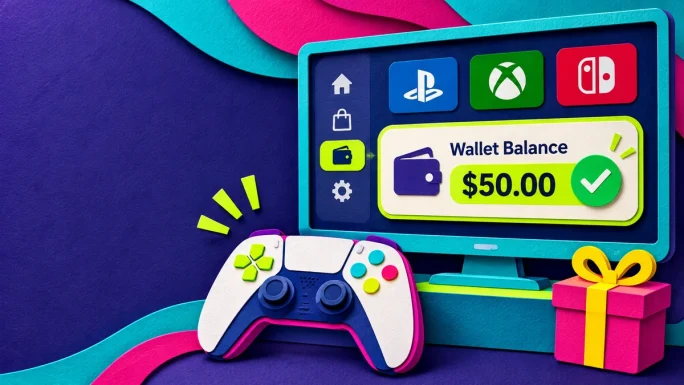
Xbox gift cards add money to your Microsoft account balance, which you can then spend on Xbox, Windows and the Microsoft Store. Consequently, you check the Microsoft account balance rather than a separate Xbox wallet.
- Console: press the Xbox button, then go to Profile and system, Settings, Account and Payment and billing
- Web: sign in to the Microsoft payment options page and look under your Microsoft account
- Xbox app: open your profile, then Settings and Payment and billing
If the balance is lower than the price at checkout, Microsoft usually uses the balance first and charges the rest to another payment method. For help with failed payments, see our Xbox payment declined guide and how to redeem an Xbox gift card.
Meanwhile, keep in mind that Microsoft account money cannot always pay for every subscription. Therefore, if the balance is not offered at checkout, check whether that product accepts account balance at all.
Nintendo eShop Funds
Nintendo works a little differently. According to Nintendo, an eShop card always holds either its full balance or no balance at all, because the whole value moves to the account at once. As a result, a card is simply used or unused. If you are not sure, try it in the eShop, which tells you when a card has already been redeemed.
- On Switch 2 or Switch: open Nintendo eShop, select your user icon in the upper-right corner and check Available Funds
- Online: sign in to your Nintendo Account, open the Shop Menu and look under Nintendo eShop Funds
Also note that eShop funds are tied to your account country. If you change the region, the old balance does not carry over. Our Nintendo eShop card guide covers regions in detail.
Apple and Google Play Credit
Apple and Google both show your balance inside their app stores, so you can check it in a few taps.
- iPhone or iPad: open the App Store and tap your photo or initials. If you have a balance, it appears below your name.
- Mac: open the App Store. The balance is shown at the bottom of the sidebar.
- iPhone Wallet: in some countries, you can add your Apple Account to Wallet and see the balance there.
- Android: open Google Play, tap your profile icon, then Payments and subscriptions, Payment methods and Google Play balance.
Note that if no amount appears in the App Store, Apple simply has no balance on file for you. Similarly, a Google Play card has to be redeemed before its value shows up. Our guides on the Apple gift card and Google Play gift card regions explain redeeming.
In addition, some account changes, such as switching the country of an Apple Account, require a zero balance first. So it is worth checking your balance before you plan such a change.
Roblox Credit and Robux
Roblox gift cards do not add Robux directly. Instead, they add Roblox Credit, which you then convert into Robux or use for Premium. This is why many players think their card did not work.
- Credit only shows in a web browser, not in the Roblox apps
- On the Roblox redeem page, your available credit appears below the Redeem button
- In Billing settings, your credit balance is listed next to Roblox Credit
- Your Robux balance is shown in the top right of the site
22 regions
Roblox Gift Card
Roblox Credit for Robux and Premium. Redeem it in a web browser, then convert the credit to Robux.
Buy Roblox Gift CardFor more details, read our Roblox gift card regions guide. You can also browse every platform in our gaming cards section.
Check an Amazon Gift Card Balance
Amazon is the trickiest brand. Amazon no longer offers a public checker, and entering a claim code on the website applies it straight to your account. Therefore, any third-party site promising to check an Amazon code without redeeming it is useless at best and a scam at worst.
- After redeeming, open Your Account and then Gift Cards to see your balance
- To check an unredeemed card, contact Amazon customer service and share only the serial number, never the claim code
- If you bought the card yourself, the value is also in your order confirmation
Moreover, Amazon cards only work on the store of their country, so a German card will not add funds on Amazon UK. Our Amazon gift card regions guide lists the options.
Netflix, Zalando and Delivery Apps
Store and subscription cards usually show their balance inside the account after redeeming.
- Netflix: when you redeem at the redeem page, the balance appears on the next screen. Later, you can see it on the Billing Details or Membership page.
- Zalando: add the code in the Gift Cards section of your account. The total is shown under the gift card total.
- Uber Eats: redeemed value becomes Uber Cash, which you see in the Wallet section of the app.
- Airbnb: the gift card credit appears in the payments area of your account settings.
In addition, Netflix gift cards do not expire, and if you hold several, Netflix uses them one at a time in the order you redeemed them. For more, see our guides on Netflix without a local card, Uber Eats gift cards and Airbnb gift cards.
Check a Paysafecard Gift Card Balance With the PIN
Paysafecard is one of the few cards you can check without spending it. Because a Paysafecard PIN can be used again and again until it is empty, Paysafecard offers an official balance check.
Check a Paysafecard PIN balance
12 regions
Paysafecard
A prepaid PIN you can use in many online shops. The PIN keeps the remaining value until it is spent.
Buy PaysafecardWhen the whole amount has been spent, the balance shows 0.00. For tips on paying with a PIN, read our Paysafecard guide, and see Paysafecard not working if a PIN is rejected. Other prepaid options are in our payment cards section.
Binance Gift Card Status and Expiry
A Binance gift card has a fixed value, so its “balance” is simply the amount it was created with. However, two things are worth checking before you redeem it.
- Expiry: in the Binance app, open Gift Card, then the Redeem section, and enter the 16-digit gift card number to see its expiry status and date
- Code safety: the gift card number can be shared, but the redemption code must stay private, because anyone who has it can redeem the card
55 coins
Binance Gift Card
Official Binance gift cards for BTC, ETH, USDC, BNB and more, redeemed straight to a Binance account.
Buy Binance Gift CardBinance gift cards created on or after April 10, 2024 expire six months after creation, so check the date early. Our guides on redeeming a Binance gift card and Binance gift card expiry explain the details.
Gift Card Balance Check Table by Brand
To sum up, here is where to find the balance for each brand at a glance.
Where to check your balance
| Brand | Check before redeeming | Where to see the balance |
|---|---|---|
| Steam | No | Top right, next to your name |
| PlayStation | Not possible | Store, More menu or Payment Management |
| Xbox | Redeem first | Payment and billing, Microsoft account |
| Nintendo | Used or unused only | eShop user icon or Shop Menu |
| Apple | After redeeming | App Store, below your name |
| Google Play | Not before use | Payments and subscriptions |
| Roblox | Redeem first | Redeem page or Billing, browser only |
| Amazon | Via support only | Your Account, Gift Cards |
| Netflix | Shown when redeeming | Billing Details or Membership |
| Paysafecard★ Checkable | Yes, with the PIN | Official balance check page |
| Binance | Expiry only | Gift Card, Redeem section |
As you can see, Paysafecard is the only card in this list with a true balance check before use.
Why Your Balance Looks Wrong
Sometimes the balance looks lower than expected, or the money seems missing. Usually, there is a simple reason.
Common balance problems
You checked the wrong accountFix: sign in to the exact account where you redeemed the code, especially on shared consoles.
The region does not matchFix: a card for another country often will not redeem, so nothing reaches the wallet.
A purchase used the balance automaticallyFix: check the purchase history, since many stores spend the balance first.
Roblox credit is missing in the appFix: open the redeem page in a web browser instead, because credit only shows there.
If none of these apply, our gift card not working guide walks through the next steps.
Fake Sites That Check Gift Card Balance
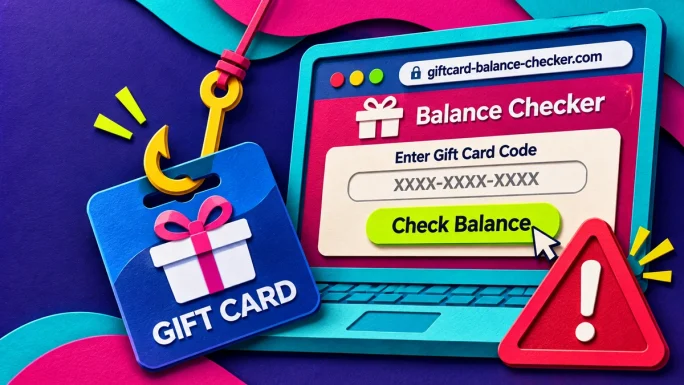
Search for a balance checker and you will find many unofficial sites. Unfortunately, most of them exist to collect gift card codes. Once you type a code into such a site, someone else can redeem it before you do.
- Only enter codes on the brand’s official website or app
- Never share a code with someone who “just wants to check the balance”
- Be suspicious of any site that asks for the code and your email together
- Remember that real companies never ask to be paid in gift cards
For more warning signs, read our guides on gift card scams and spotting a fake gift card seller.
Keep Track of Several Cards
If you buy cards often, or received several as gifts, a little organisation saves a lot of searching later.
TopGift tip
Keep every order email in one folder, and note the account you redeemed each code on. That way, you always know which wallet holds the money, even months later.
In addition, redeem cards soon after you get them. Not only does this protect the value from loss or theft, but it also shows the balance in your account straight away. You can find more cards in our gift cards section.
Check a Gift Card Balance Before Gifting It
Christmas raises a special problem. If you want to give a gift card to someone else, you cannot redeem it to see the balance, because then the value lands in your own account. Fortunately, there are safe ways to confirm the value first.
- Check the order email or receipt, which always shows the face value
- Look at the product name, since digital cards are sold in fixed amounts such as €20 or $50
- For Paysafecard, use the official balance check, which does not spend the PIN
- For Binance, verify the expiry with the gift card number, not the redemption code
Above all, do not test a code you plan to give away. Once redeemed, most codes cannot be moved to another account. Instead, pass the card on unopened, together with a note on how to redeem it. Our guide to the best gift cards for Christmas has more ideas for presenting a digital code.
Check Gift Card Balance FAQ
For most digital cards, such as Steam, PSN, Xbox or Apple, no. The value moves to your account when you redeem it. Paysafecard is an exception, since its PIN can be checked on the official balance page.
After redeeming, your Steam Wallet balance appears in the top right corner next to your profile name.
Roblox Credit only shows in a web browser. Open the redeem page or Billing settings in a browser.
Only use the brand’s official site or app. Unofficial checkers often steal codes.
Amazon has no public checker. Contact Amazon customer service and share only the serial number.
Key Takeaways