

An Uber Eats gift card is a prepaid code that adds credit to your Uber account, so you can order food without using a bank card. You redeem it once in the app, the value turns into Uber Cash, and Uber then uses it first at checkout. In this guide, you will learn how the card works, where you can use it, which region to choose and how to avoid the most common mistakes.
Whether you want to treat yourself to dinner, control your delivery budget or send a meal to someone far away, the steps are the same. So, let us start with the basics.
What Is an Uber Eats Gift Card
An Uber Eats gift card is a digital or physical card with a fixed value, for example 25 GBP, 50 USD or 100 AED. Each card carries a unique code. When you add that code to your account, its value goes into your Uber Cash balance, or into Uber credits, depending on your country.
In practice, this credit works like prepaid money inside the Uber apps. You cannot spend it in shops or withdraw it as cash. Instead, you use it to pay for food delivery, takeaway orders and, in many cities, groceries and other items from local stores.
Uber Eats gift card at a glance
There are two main formats. Digital cards arrive as a code by email or in your order, which suits last-minute plans. Physical cards, by contrast, come from stores and hide the code under a scratch-off strip. Once you redeem them, both formats work in exactly the same way.
How an Uber Eats Gift Card Works
The idea behind an Uber Eats gift card is simple. First, you buy a card in the currency of the country where you order. Next, you add the code in the Wallet section of the app. Finally, Uber applies your Uber Cash to orders before it charges any other payment method.
A few rules shape how the balance behaves:
- The value is fixed. You cannot reload a card after purchase; to add more, you simply redeem another one.
- Cards stack. You can add several gift cards to one account, and their values combine into one balance.
- Leftovers carry over. Any unused credit stays on the account for your next order or ride.
- It is personal. Once you add a card to an account, you cannot transfer the value to someone else.
- No cash out. Uber does not refund or exchange gift card credit for money, except where the law requires it.
In addition, Uber sets a limit on how much gift card value one account can hold. In the United States, for example, the cap is 2,000 USD in total. As you spend the credit, you can add more cards again.
Can You Use It for Uber Rides Too
Yes, and this surprises many people. Uber treats Uber Eats gift cards and Uber gift cards as the same product. Once you redeem the code, the same Uber Cash balance covers both food orders in the Uber Eats app and rides in the Uber app, as long as you use the same account.
That flexibility makes the card more useful than it first looks. For instance, you can use part of the balance for a Friday night takeaway and the rest for a ride home from the airport. Both apps read the same Wallet, so you do not need to split the credit yourself.
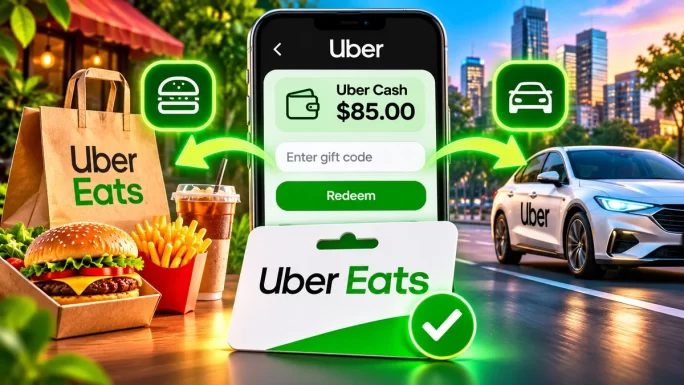
However, there are a few ride types the balance does not cover. Uber excludes scheduled rides, rides on Family Profiles and rides paid through university campus cards. For a normal on-demand ride or a standard food order, the credit works without any extra steps.
Which Uber Eats Gift Card Region to Choose
Choosing the right region is the key step. According to Uber, a gift card only works in countries that accept payment in the currency it was issued in. So, a card in British pounds works for orders in the UK, while a card in dirhams works in the United Arab Emirates.
Because several countries share the euro, a euro card follows the same rule. Even so, the safest choice is always the card for the country where you live and order most often. The table below lists every Uber Eats gift card region on TopGift.
Uber Eats gift card regions and currencies
| Region | Currency |
|---|---|
| United States | USD |
| United Kingdom | GBP |
| Canada | CAD |
| Australia | AUD |
| New Zealand | NZD |
| Spain | EUR |
| Italy | EUR |
| Portugal | EUR |
| Netherlands | EUR |
| Belgium | EUR |
| Switzerland | CHF |
| Sweden | SEK |
| Poland | PLN |
| Romania | RON |
| Turkey | TRY |
| United Arab Emirates | AED |
| Saudi Arabia | SAR |
| Egypt | EGP |
| South Africa | ZAR |
| Japan | JPY |
| Mexico | MXN |
| Chile | CLP |
Travelling soon? Then pick the card for your destination instead. If you are spending a week in Dubai, for instance, a UAE card lets you order food and book rides there with local credit.
Match the currency to the countryBuy the Uber Eats gift card in the currency of the country where you will order. A card in another currency will not pay for orders in that market.
22 regions
Uber Eats Gift Card
Add Uber Cash to your account and pay for food delivery and rides without a bank card. The code arrives within minutes.
Buy Uber Eats Gift CardHow to Redeem an Uber Eats Gift Card
Redeeming an Uber Eats gift card takes less than a minute. You need an Uber account, so sign up first if you do not have one. It is also a good idea to update the app before you start, because older versions sometimes hide the gift card option.
How to redeem an Uber Eats gift card
In some countries, Uber stores gift card value in a personal Uber Money account instead. In that case, the app asks you to sign up for it and verify your identity before the credit appears. This step only happens once, and it protects your balance from misuse.
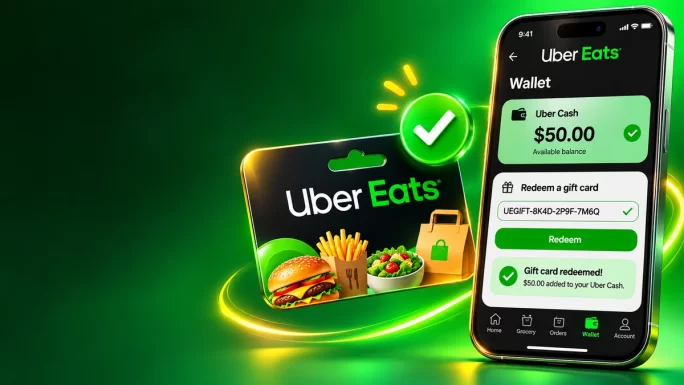
After you redeem the code, keep the order email for a few days. That way, you have proof of the card if you ever need to contact support.
Paying for an Order With Uber Cash
Once the credit is in your Wallet, ordering works as usual. Add food to your basket, go to checkout and look at the payment section. In most cases, Uber selects Uber Cash first, so the balance pays for the order straight away.
If the app shows another payment method instead, simply tap the payment section and choose Uber Cash. Better still, turn on the toggle that tells Uber to always use your Uber Cash first. That way, you will never pay with your card by accident while credit is still waiting in your account.
A few quick habits help, too:
- Check the total before you confirm, including delivery fees and service fees.
- Look at the payment line to see how much Uber Cash the order will use.
- Keep a backup method on file, because Uber may ask for one even when the credit covers everything.
After the order, any remaining balance stays in the Wallet. For example, if a 50 GBP card pays for a 32 GBP dinner, the other 18 GBP waits for your next meal or ride.
You can check your balance at any time. Simply open Account and tap Wallet, and the Uber Cash card shows the exact amount left. Uber does not offer a separate balance-check website, so the app is the only place to look.
What the Balance Cannot Pay For
Uber Cash from a gift card is flexible, yet it does have limits. Besides the ride types we mentioned earlier, keep these points in mind:
- Orders in another currency. A card issued in euros cannot pay for an order in pounds or dollars.
- Family Profiles. Shared family payment profiles cannot use gift card value.
- Scheduled rides. Rides that you book in advance do not accept gift card credit.
- University campus card rides. These follow their own payment rules.
- Cash withdrawals. You cannot move the balance to a bank account or exchange it for cash.
Other than these cases, the balance covers the main things people pay for in the apps. As a result, a single card often pays for several meals rather than just one.
It also helps to know how promotions work alongside your credit. In most cases, a promo code or discount lowers the order total, and your Uber Cash then pays what remains. In other words, a gift card does not stop you from using deals. Still, check the final total on the checkout screen, since offers vary between countries.
When the Order Costs More Than Your Balance
Many orders, especially group dinners, cost more than one card. In that case, Uber first uses your Uber Cash and then charges the remaining amount to your backup payment method. For example, if you have 20 USD in credit and the order costs 34 USD, the gift card covers 20 USD and your card pays the other 14 USD.
Alternatively, you can redeem several cards and combine them. Two 25 USD cards, for instance, give you a 50 USD balance, which is often enough for a family order. This also works well for office lunches, where colleagues each add a card to one shared account.
If you have no backup method on file, however, the app will ask you to add one or redeem another code before it lets you finish the order. Therefore, it is worth checking your balance before a big order, so you are not surprised at checkout.
Does an Uber Eats Gift Card Expire
In the United States, the value that you load from an Uber gift card never expires, and the card carries no fees. In countries that use Uber Money, Uber also says that the funds never expire once they sit in your verified account.
Rules can still differ by country, so it is worth checking the local gift card terms if you are unsure. Even so, the best habit is the same everywhere: redeem the card as soon as you get it. A code in an old email is easy to lose, while credit in your Wallet is safe and visible.
Uber also separates gift card value from promotional credit. Bonus Uber Cash that Uber gives you as a reward or apology can have its own expiry date, and the app tells you about it in advance. The value you load from a gift card, by contrast, follows the gift card terms. So, if you see two different amounts in your Wallet, the promotional part is usually the one with a time limit.
Redeem early, spend laterAdd the code to your Wallet as soon as you receive it. The credit then stays in your account, ready for your next order or ride.
Uber Eats Gift Card Problems and Fixes
Most redemptions work on the first try. Still, a few problems come up again and again. Here is how to solve them quickly.
Common Uber Eats gift card problems
| Problem | Likely cause | What to do |
|---|---|---|
| Code not acceptedMost common | Spaces, typo or wrong region | Enter the code again with no spaces and check that the currency matches your country |
| No gift card option | Old app version | Update the Uber or Uber Eats app and try again |
| Balance not used at checkout | Another method selected | Choose Uber Cash in the payment section and turn on the use-first toggle |
| Order needs a card | Balance too low or no backup method | Add a backup payment method or redeem another code |
| Credit does not appear | Uber Money not set up | Complete the Uber Money sign-up and identity check |
If none of these fixes helps, contact Uber support through the Help section of the app. Similarly, if you bought the card on TopGift and the code itself does not work, reach out to our support team with your order number, and we will check it for you.
In short, most issues come down to three things: the currency, the app version and the payment selection. Check those first, and the credit almost always shows up where it should.
An Uber Eats Gift Card as a Present
An Uber Eats gift card makes a thoughtful and practical present. Everyone eats, so the gift is always useful, and the recipient chooses exactly what they want, from sushi to pizza to a weekly grocery order.
It works especially well for people who are busy, unwell or far away. For instance, you can send dinner to a friend after a long week, help a student during exams or treat a relative abroad on their birthday. Because the card also works for rides, they can even use the rest for a trip across town.
Before you send the code, however, keep two points in mind:
- Pick the recipient’s country, because the currency must match where they order.
- Send the code privately, for example in a personal message, and ask them to redeem it soon.
Finally, add a short note with the gift, such as a favourite restaurant or a dish you know they love. It turns a simple code into a personal surprise.
How to Avoid Uber Eats Gift Card Scams
Because gift cards work like cash, scammers target them often. Fortunately, a few simple rules keep your money safe.
- Never pay with gift card codes over the phone. Real companies, tax offices and support teams do not ask for payment in Uber gift cards.
- Never share your code with a courier, driver or anyone who claims to be from Uber support.
- Ignore payment links in messages that promise free food or credit in exchange for your code.
- Avoid huge discounts. Offers that look far too good, especially on social media, are often stolen or fake codes.
- Buy from established sellers that deliver a working code and offer support if something goes wrong.
If anyone pressures you to buy gift cards and read out the codes, stop and hang up. That request is a classic scam, whatever the story behind it.
Why Use an Uber Eats Gift Card
Paying with an Uber Eats gift card has several practical benefits. Above all, you do not need to share a bank card for most orders, which suits students, younger users and anyone who prefers to keep card details offline.
- Budget control. You can only spend what you loaded, so delivery costs never creep up unnoticed.
- One balance, two apps. The same credit pays for food and rides.
- Easy sharing. Friends and colleagues can each add a card to one account for group orders.
- Travel friendly. A local card lets you order and ride abroad with credit in the local currency.
- Fast delivery. A digital code arrives in minutes, ready for tonight’s dinner.
On the other hand, gift cards are not ideal for every case. For instance, you still need a backup payment method on file, and you cannot use the credit for scheduled rides. Even so, for everyday orders, an Uber Eats gift card is one of the simplest ways to pay. If you also want a card for other online payments, our guide to the virtual prepaid Visa and Mastercard is a good next read.
Where to Buy an Uber Eats Gift Card
TopGift offers Uber Eats gift cards for 22 countries across Europe, the Americas, the Middle East, Africa and Asia-Pacific, with instant digital delivery. To order, choose the country where you or the recipient will order, select the value and pay with one of our payment methods. The code then arrives in your order within minutes.
Here are two popular options:
GBP credit
Uber Eats Gift Card United Kingdom
Sterling Uber Cash for UK accounts. Pay for food delivery, groceries and rides, and keep the rest for later.
Buy Uber Eats Gift Card UK
USD credit
Uber Eats Gift Card United States
US dollar Uber Cash for US accounts. Order from thousands of restaurants and use the same balance for rides.
Buy an Uber Eats Gift Card USAPlanning to stock up during the sales? Then see our Black Friday gift card guide for the key dates and tips.
Frequently Asked Questions
It is a prepaid card with a fixed value. When you redeem it, the amount goes into your Uber Cash or Uber credits balance, which you can use for Uber Eats orders and Uber rides.
Open the Uber or Uber Eats app, go to Account and Wallet, tap Add Funds or Add Payment Method, choose Gift card, enter the code with no spaces and tap Add.
Yes. The balance from the card covers both Uber Eats orders and on-demand Uber rides on the same account, but not scheduled rides or Family Profiles.
Only in countries that accept the currency the card was issued in. Choose the card for the country where you will order.
In the United States, gift card value never expires. Local terms can differ, so redeem the card soon after you get it.
Uber uses your Uber Cash first and charges the rest to your backup payment method, or asks you to add another code.
Key Takeaways


