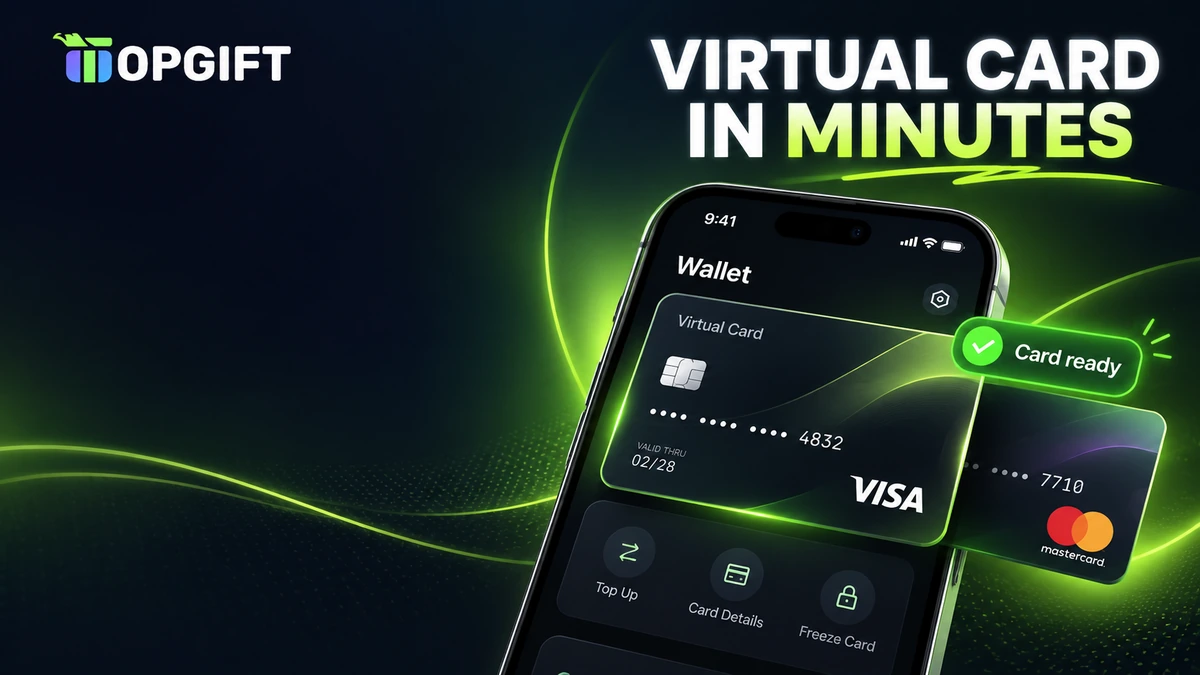
A virtual prepaid card is a Visa or Mastercard that exists only as card details: a number, an expiry date and a security code. You load it with a fixed amount, use it to pay online and never connect it to your bank account. For anyone who shops online without a bank card, or simply wants to keep their main card private, it is one of the most flexible payment tools available.
This guide explains how virtual prepaid Visa and Mastercard cards work, how to get one with a prepaid code and where you can use it. It also covers 3D Secure, Apple Pay and Google Pay, subscriptions, reloading, fees and the most common problems, so you know exactly what to expect before you buy.
What a Virtual Prepaid Card Is
A virtual prepaid card works like a normal debit card, but it has no plastic and no bank account behind it. Instead, you receive the card details on screen and use them wherever online shops accept Visa or Mastercard. The balance comes from money you load in advance, so you can only spend what is already on the card.
The cards in this guide come from Rewarble, a redemption platform run by Centiward B.V. in Eindhoven, the Netherlands. You buy a prepaid code from a partner shop, redeem it on the Rewarble website and receive a virtual card. A licensed card issuer stands behind each card under its own cardholder terms, while Rewarble handles the redemption.
Because there is no credit line, a virtual prepaid card can never go into overdraft. There is also no credit check and no bank account to open. If you want to learn more about the platform itself, our guide to what Rewarble is explains all its card types.
Virtual prepaid card at a glance
How a Virtual Prepaid Card Works
The idea is simple: a prepaid code holds the value, and Rewarble turns that value into a card. In practice the process looks like this.
From prepaid code to card
After that, the card behaves like any other card at checkout. The shop sees a Visa or Mastercard number, sends the payment to the card network and receives an approval if the balance covers the amount. Your own bank is never involved, so the shop never sees your real card or account.
One detail is worth knowing from the start. The name and billing address you enter on Rewarble become the official details of the card. Therefore, you must use the same name and address whenever a shop asks for them, otherwise the payment can fail.
Visa or Mastercard
Both networks work in almost the same way, and both are accepted by millions of online shops. Still, there are a few small differences between the cards you can buy.
Visa vs Mastercard payment cards
| Card | Code currencies | Amounts | Good for |
|---|---|---|---|
| Visa Payment CardBest pick | USD | $30, $50, $60, $100, $150 or custom | Most online shops worldwide |
| Mastercard Payment Card | USD or EUR | $30–$150, €30–€150 or custom | Shops that prefer Mastercard and buyers paying in euros |
For most people the choice comes down to habit. If a shop accepts both networks, either card will do. Some merchants, however, take only one of them, so it is worth checking the payment logos at checkout before you buy.
The euro option is useful if you want to buy the code in your own currency. Rewarble issues its virtual cards in US dollars, so when you redeem a euro code, check the card amount shown on screen before you confirm.
How to Get a Virtual Prepaid Card
Getting a card takes only a few minutes, and you do not need an account anywhere in advance. Here is the full process from purchase to first payment.
- Choose the card. Pick Visa or Mastercard and the amount you want to load.
- Pay for the code. You can use any payment method the shop offers, including options that do not need a bank card.
- Copy the code. It appears in your account shortly after payment.
- Redeem on Rewarble. Enter the code at rewarble.com/redeem and choose the card network.
- Set up the card. Select the options you need, enter a name and billing address and confirm.
Rewarble issues the card on the spot, and in most cases it is ready within two minutes. Save the card details straight away, ideally in a password manager, because you will need them every time you pay.
Check before you confirmBefore the card is created, Rewarble shows the card price, the spending limit and any charges from the card issuer. Read this screen carefully, because it tells you exactly how much you can spend.
If you plan to use the card for one specific service, think about the amount first. A card loaded with $50 for a single purchase is simpler to manage than a large balance spread across many shops.
3D Secure, Apple Pay and Google Pay
When you create the card, Rewarble lets you choose how it should work. These options matter more than they seem, because they decide where the card will be accepted.
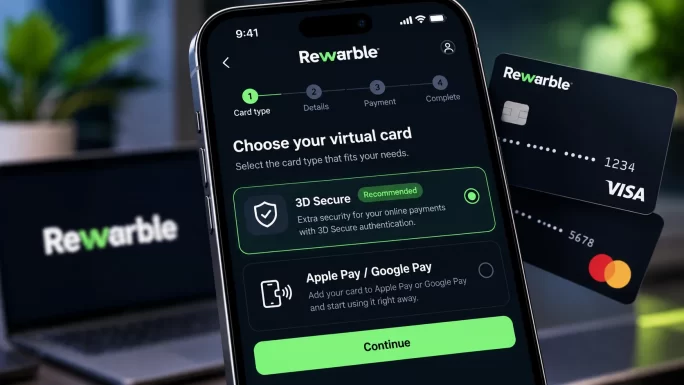
- With 3D Secure. The card supports the extra security check that many European shops require. You confirm payments with a code, which helps a lot with stores that ask for verification.
- Without 3D Secure. Payments go through without the extra step. This can suit some international sites, but shops that require 3D Secure may decline the card.
- With Apple Pay or Google Pay. You can add the card to your phone wallet and pay contactless in physical shops wherever Visa or Mastercard is accepted.
For most users in Europe, a card with 3D Secure is the safer choice, since many shops now ask for it by default. On the other hand, if you mainly want to pay in shops with your phone, choose the version with mobile wallet support. You cannot change these settings later, so decide before you confirm.
Where You Can Use a Virtual Prepaid Card
A virtual prepaid card works almost anywhere that accepts Visa or Mastercard online. In particular, people use it for:
- Online shopping on marketplaces and web shops, from electronics to clothes.
- Subscriptions such as streaming, music, software and AI tools.
- Games and app stores, including in-game purchases and digital stores.
- Advertising on platforms like Facebook, Instagram and Google.
- Travel and transport bookings that do not need a deposit.
- Shops in person, if you added the card to Apple Pay or Google Pay.
The card also works for partial payments. If an order costs more than your balance, some shops let you split the payment between two cards, although many online stores only accept one card per order. Overall, the safest approach is to load enough for the full amount.
For specific services, there are also ready-made cards built on the same system. For example, our guides explain how to pay for ChatGPT Plus without a credit card and pay on AliExpress without a bank card.
Where It May Not Work
No prepaid card works everywhere, and it helps to know the usual exceptions before you buy:
- Car rental and hotel deposits, where the company blocks an extra amount on a credit card.
- Merchants that refuse prepaid cards, which some do as a general rule.
- Recurring payments with a strict check, where a service tests the card with a small charge first.
- Shops that require 3D Secure, if you created the card without it.
If a shop declines the card, it is usually one of these reasons rather than a problem with your balance. In that case, a gift card for the specific service, such as a store or platform gift card, is often the easier route.
Who a Virtual Prepaid Card Suits Best
A virtual prepaid card is useful for many different people. In particular, it is a good fit if you:
- do not have a bank account or a credit card;
- want to keep your main card away from new or unfamiliar websites;
- prefer a strict budget for online shopping or subscriptions;
- run ads or pay freelancers and want a separate card for business costs;
- had your own card declined by a foreign shop or platform.
It is less practical if you need a card for hotel deposits, car rental or large everyday purchases. In those cases, a normal bank card is still the better tool. Many users therefore keep both and decide case by case which one to use.
It is also worth remembering that the card is for payments only. You cannot withdraw the balance as cash or send it back to a bank account, so load only the amount you actually plan to spend.
Using a Virtual Prepaid Card for Subscriptions
Subscriptions are one of the most popular uses for a virtual prepaid card. You add the card to your account once, and each renewal charges it automatically, just like a normal card.
Keep a balance before renewalsA renewal fails if the card does not have enough money on the day it charges. Check the renewal date of each subscription and reload the card a day or two before.
The fixed balance is also a strength. If you only want one or two months of a service, you load that amount and the subscription stops on its own when the money runs out. As a result, there is no risk of paying for months you forgot to cancel.
Many people create a separate card for each subscription. That way, every service has its own budget, and you always know which card pays for what.
Reloading, Refunds and Card Expiry
A big advantage of these cards is that you can reload them. When the balance gets low, you redeem a new code on Rewarble and add the funds to the same card. The card number stays the same, so you do not need to update your saved payment details in every shop.
Refunds work in a similar way. If a shop refunds a purchase, the money returns to the card balance, not to your bank. This can take several business days, depending on the merchant. If a refund does not arrive, contact Rewarble support with the card details and transaction information.
Every card also has an expiry date, which you see together with the card number. Make a note of it, because a card that has expired can no longer pay for renewals. When that happens, you simply create a new card from a fresh code.
Tips for Getting the Most Out of Your Card
A few simple habits make a virtual prepaid card easier to use and help you avoid declined payments.
- Save the details safely in a password manager rather than in notes or screenshots.
- Use one card per service if you pay several subscriptions, so each has its own budget.
- Keep a small buffer of a few dollars for currency conversion and price changes.
- Note the expiry date and the renewal dates of your subscriptions in your calendar.
- Reload instead of replacing, so you do not have to update your card in every shop.
With these habits in place, the card becomes a reliable everyday tool for online payments. Moreover, you always know exactly how much is left and where the money goes.
Fees and Limits
Fees for virtual prepaid cards come from two places: the price of the code and the card issuer. Rewarble shows the issuer’s charges and the spending limit on screen before you confirm the card, so nothing is hidden.
Fees and limits to know
If you pay in a currency other than US dollars, the shop or card network may convert the amount. Therefore, it is a good idea to keep a small buffer on the card, so a payment does not fail by a few cents because of the exchange rate.
Virtual Prepaid Card vs Bank Card
A virtual prepaid card is not a replacement for a bank account, but for online payments it has some clear advantages.
Virtual prepaid card vs bank card
| Feature | Virtual prepaid card | Bank debit or credit card |
|---|---|---|
| Bank account neededBest pick | No | Yes |
| Overdraft or debt | Not possible | Possible with credit cards |
| Spending limit | Only what you load | Your balance or credit limit |
| Shows your bank on payments | No | Yes |
| Works for deposits and car rental | Usually not | Usually yes |
| Best for | Online shopping, subscriptions, privacy | Everyday banking and large purchases |
In short, the bank card wins for everyday banking and big bookings, while the virtual prepaid card wins for privacy, budgeting and paying without a bank. Many people use both: their bank card for daily life and a prepaid card for online services.
Common Problems and How to Fix Them
- The code is rejected on Rewarble. Check for typos and make sure you entered the full code. If it still fails, contact us with your order number.
- The shop declines the card. Check that the name and billing address match what you entered on Rewarble, and that the balance covers the full amount.
- The shop asks for verification. If the card was created without 3D Secure, the shop may not accept it. Create a new card with 3D Secure.
- A subscription renewal failed. Reload the card with a new code and then retry the payment in your account.
- A refund has not arrived. Wait a few business days, then contact Rewarble support with the transaction details.
Most problems come from a mismatch in the billing details or a balance that is too low. Fixing those two usually solves the issue within minutes.
How to Stay Safe
Prepaid codes are popular with scammers because whoever has the code can use it. A few simple rules keep your money safe:
- Redeem codes yourself, only on rewarble.com.
- Never send a code or a photo of it to anyone, even if they claim to be support staff or a seller.
- Keep the card number, expiry date and CVV private, just like a normal bank card.
- Buy codes only from trusted shops.
No real company asks you to pay with a prepaid code in a private message. Read more about the common tricks in our article on gift card scams in 2026.

$30 to $150 or custom
Visa Payment Card USD
Get a virtual prepaid Visa for online shopping and subscriptions without a bank card. Codes arrive in your account within minutes.
Buy Visa Payment CardPrefer Mastercard or want to pay in euros? The Mastercard payment card works the same way and comes in both US dollars and euros.
USD and EUR
Mastercard Payment Cards
Load a virtual prepaid Mastercard and pay online anywhere Mastercard is accepted. Codes arrive in your account within minutes.
Shop Mastercard Payment CardsFrequently Asked Questions
It is a Visa or Mastercard that exists only as card details: a number, an expiry date and a CVV. You load it in advance and use it to pay online without a bank account.
Buy a Visa or Mastercard payment card code, redeem it at rewarble.com/redeem, choose the card options and enter a name and billing address. The card is ready in about two minutes.
Yes. Add it to your account like a normal card. Keep enough balance before each renewal, or the payment will fail.
Yes, if you choose the version with mobile wallet support when you create the card. You cannot add this option later.
Yes. Redeem a new code on Rewarble and add the funds to the same card. The card number stays the same.
Usually the billing details do not match, the balance is too low or the shop requires 3D Secure. Some merchants also refuse prepaid cards in general.
Key Takeaways