Yes, you can use PayPal without a bank account. Millions of people do it every day, either because they have no bank, or because they would rather keep their bank details away from online shops. However, a PayPal account without a bank works a little differently. You need other ways to add money, you face some limits, and getting money back out takes planning.
This guide covers all of it. First, you will see how to open the account and what it can do. Then, we walk through every way to fund it, including a PayPal Gift Card, cash at stores and payments from other people. Finally, we cover limits, fees, safety and the small mistakes that cause most problems.
Can You Use PayPal Without a Bank Account
Quick answerYes. You can open PayPal without a bank account, pay from your balance and receive money. Fund it with a PayPal Gift Card, cash at US stores or payments from others, then verify your ID when PayPal asks.
How PayPal Works Without a Bank
In short, yes. PayPal only needs an email address, a phone number and your personal details to open an account. A bank account is optional, and so is a card. As a result, you can sign up today and start receiving money before you link anything at all.
Still, it helps to understand what PayPal actually is. At its core, PayPal is a wallet that sits between you and the shop. When you pay, the money comes from a funding source. Usually, that source is a bank or a card. Without them, the only source left is your PayPal balance, so everything depends on keeping that balance topped up.
That is the key idea behind this whole guide. In other words, a PayPal account without a bank is a balance-first account. You put money in through other routes, and then you spend it like any other PayPal user. Meanwhile, the shop never sees the difference, because it only sees a normal PayPal payment.
Why People Use PayPal Without a Bank
There are plenty of good reasons to skip the bank link. For some, there is simply no bank account to link. For others, it is a deliberate choice.
- First, people with no bank account at all, which is still common in many countries
- Also, students and young adults who only have cash or a prepaid card
- Freelancers abroad whose local bank does not work well with PayPal
- In addition, privacy-minded shoppers who never want a bank linked to an online wallet
- People whose bank blocks or flags PayPal transfers
- Finally, anyone who wants a separate spending pot with a fixed budget
The last reason deserves a closer look. When your bank is linked, PayPal can pull money from it whenever your balance runs short. As a result, a forgotten subscription or an impulse purchase can quietly hit your main account. Without a bank link, that cannot happen, because PayPal can only spend what already sits in the balance.
Meanwhile, privacy matters to more people every year. A data breach at a small shop cannot expose your bank details if PayPal never had them in the first place. So, for many users, a bankless PayPal account is simply a calmer way to shop online.
Opening PayPal Without a Bank Account
Opening the account takes about five minutes. Here is the process, step by step.
Open PayPal without a bank
Pay attention to step four. Your name and address must match your official documents, because PayPal may ask you to prove them later. Moreover, a mismatch is one of the most common reasons why accounts end up limited. So, take an extra minute and type everything exactly.
Also note the age rule. You need to be at least 18, or the age of majority where you live, to hold a PayPal account. If you are younger, PayPal can close the account once it finds out, and sorting out any balance then takes time.
What a PayPal Account Without a Bank Can Do
Before you fund the account, it helps to know what works and what does not. The table below sums it up.
PayPal without a bank account at a glance
| Action | Works without a bank | Note |
|---|---|---|
| Pay online from the balance★ Most used | Yes | Simply keep enough money in the balance first |
| Receive money from people | Yes | However, limits apply until you verify |
| Send money to friends | Yes | Also, it comes straight from your balance |
| Pay subscriptions | Yes, with care | Otherwise, renewals fail when the balance runs low |
| Add money from a bank | No | Instead, use a gift card, cash or incoming payments |
| Withdraw to a bank | No | So, plan to spend the balance or use a card |
| Pay Later plans | Usually not | In most cases, repayments need a linked bank or card |
As you can see, the main gaps are money in and money out. Everything in between, from checkout to sending money, works the same as for any other user. Therefore, most of this guide focuses on those two gaps.
Verified vs Unverified Accounts
Every new PayPal account starts out unverified. In practice, this means PayPal does not yet know enough about you to lift its starting limits. Usually, the easiest way to verify is to link and confirm a bank account or a card. Without a bank, though, you need another route.
Depending on your country, PayPal may accept a credit card, a debit card or a reloadable prepaid card for verification. In addition, in the UK, the EU and several other regions, PayPal asks for photo ID and proof of address under anti-money-laundering rules. You upload them inside your account, and the check usually takes a couple of business days.
Here is the good news. You can do a lot before you verify. For example, you can pay from your balance and receive smaller amounts right away. However, once money starts flowing in more often, PayPal will ask for documents. So, it pays to prepare a clear photo of your ID and a recent bill in your name.
PayPal Limits Without a Bank Account
Limits are the part that surprises people most. In short, PayPal caps how much an unverified account can send, receive and withdraw. The exact numbers depend on your country and your account history, so PayPal shows your own limits inside the account.
To find them, log in and open your account settings or the notifications area. Then look for the section about limits. If you get close to a cap, PayPal usually warns you in advance, which gives you time to upload documents.
- First, sending limits cap the total you can send before you verify
- Receiving limits apply in the UK, the EU and other regions until PayPal confirms your identity
- Also, withdrawal limits matter less without a bank, since you rarely withdraw anyway
- Finally, extra limits can appear if PayPal spots unusual activity on the account
An account limitation is something different, though. A limitation is a temporary block that PayPal places when it needs more information. While it lasts, you may not be able to send or withdraw money. Usually, you fix it by uploading the documents PayPal asks for in your account alerts or the Resolution Center.
Never send ID documents by email, however. PayPal only asks for them inside your account, so any email that requests them is a scam.
Adding Money to PayPal Without a Bank
This is the heart of the matter. Without a bank, you need other ways to put money into the balance. Fortunately, there are several, and you can mix them as you like.
Ways to fund PayPal without a bank
| Method | Where it works | Best for |
|---|---|---|
| PayPal Gift Card★ Easiest | USD, EUR, GBP, CAD and AUD accounts | First, quick top-ups with an exact amount |
| Cash at stores | United States only | Also, people who get paid in cash |
| Payments from other people | Worldwide | For example, family transfers and sales |
| Direct deposit | United States, with a PayPal Balance account | Then, wages and benefits |
| A card as funding source | Most countries | Meanwhile, paying without loading the balance |
Each method has its own strengths and limits. Next, we go through them one by one, starting with the one that works in the most countries.
Funding PayPal With a PayPal Gift Card
A PayPal Gift Card is the simplest way to add money to PayPal without a bank account. In this case, the card is a prepaid Rewarble voucher. You buy it with any payment method you have, redeem the code on rewarble.com and use the value to top up your PayPal balance. As a result, the money lands in PayPal without a bank link or a card check.
Here is how the full route looks in practice.
Top up PayPal with a gift card
The best part is the payment step. At checkout, you can pay with crypto, Paysafecard, Skrill, Neteller and several other methods, not only cards. So, someone who buys a Paysafecard voucher with cash can turn it into a PayPal balance without touching a bank at all.
Moreover, a voucher has a fixed value. Because of that, it doubles as a budget tool, since you only ever load what you planned to spend.
5 currencies
PayPal Gift Card
Tops up a PayPal balance in USD, EUR, GBP, CAD or AUD with a code instead of a bank link.
Buy PayPal Gift CardWhich PayPal Gift Card Currency to Choose
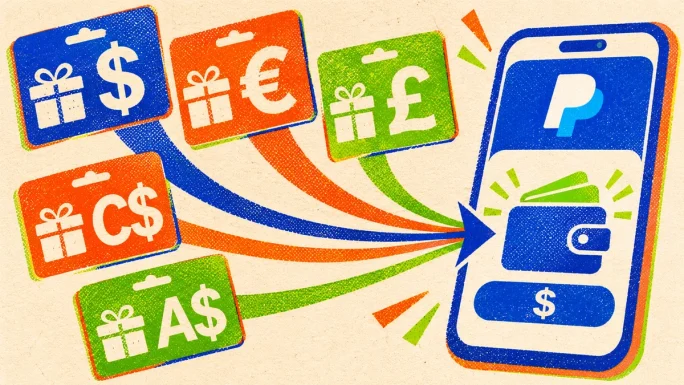
Currency matters more than most people think. When the voucher currency matches your PayPal account, the money arrives at face value. By contrast, a mismatch means PayPal converts the amount, and every conversion costs a few percent.
PayPal Gift Card currencies
| Currency | Who it suits | Why |
|---|---|---|
| USD★ Most popular | US accounts and dollar shoppers | Also, many global shops price in dollars |
| EUR | Eurozone accounts | So, cross-border orders in Europe stay in euros |
| GBP | UK accounts | Therefore, UK purchases avoid conversion |
| CAD | Canadian accounts | In short, a clean match for Canada |
| AUD | Australian accounts | Likewise, a clean match for Australia |
If you are not sure which currency your account uses, open the PayPal app and check the balance screen. Your primary currency shows there. Then, simply buy the voucher in that same currency.
For a closer look at the voucher itself, including where people spend it, read our PayPal Gift Card guide.
Adding Cash to PayPal at Stores in the US
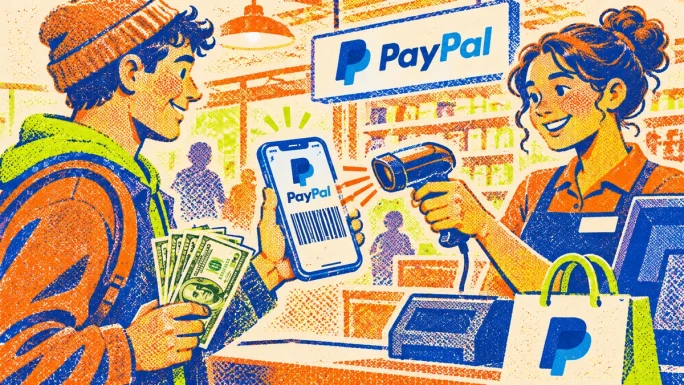
In the United States, you can also turn paper cash into a PayPal balance. PayPal calls this Add Cash at Stores, and it works at more than 90,000 locations, including Walmart, CVS, 7-Eleven, Walgreens and Dollar General.
Add cash at a US store
Timing matters here, because the barcode expires one hour after you create it. So, generate it at the store, not at home. Alternatively, a PayPal Debit Card works too, since the cashier can simply swipe it instead.
Add Cash at Stores limits
In addition, you can make up to 4 loads a day, 7 a week and 20 a month. This option also needs a verified PayPal Balance account with a confirmed email. Since the fee applies to every load, several small loads cost more than one larger load.
Receiving Money From Other People
The oldest way to fund PayPal is still one of the best. Friends, family, clients and buyers can all send money to your email address or phone number. In fact, you do not need a bank account to receive money on PayPal at all.
- First, family members can send money for a birthday or an emergency
- Clients can pay you when you freelance
- Also, buyers can pay you when you sell items online
- Finally, friends can pay you back for a shared bill
However, there is a catch for sellers. When someone pays you for goods or services, PayPal treats it as a business payment and charges the receiver a fee. By contrast, personal payments between friends and family are often free within one country when they come from a balance or a bank. Fees vary by country, so check the PayPal fee page for yours.
Also, remember the receiving limits from earlier. If money starts arriving often, PayPal will ask you to verify. So, upload your documents early if you plan to sell regularly.
Direct Deposit Into PayPal
US users have one more option. A PayPal Balance account comes with account and routing numbers for direct deposit. As a result, an employer or a benefits office can pay wages straight into PayPal, with no bank in the middle.
This option only works in the US, though. Elsewhere, PayPal does not hand out account numbers for salaries. So, if you live outside the US, focus on gift cards and incoming payments instead.
Direct deposit also pairs well with the other US tools. You receive wages into PayPal, pay online from the balance and use the PayPal Debit Card in shops. In short, the balance can work almost like a basic account for everyday spending.
Still, it is worth asking your employer early. Some payroll systems need a few days to add a new account number, so the first payment may still arrive the old way.
Using a Card Instead of a Bank
Some people have a card but no bank account, for example a prepaid card from a supermarket. In that case, you can link the card and let PayPal charge it at checkout. Then, you do not even need to load the balance first.
Not every card works, though. PayPal can refuse some prepaid and virtual cards, especially ones that are not registered in your name. If PayPal declines your card, the balance route with a PayPal Gift Card is the easier fix.
Meanwhile, some shops do not take PayPal at all. In that situation, a virtual Visa can cover the checkout instead. For instance, a Visa Payment Card is a prepaid Rewarble voucher that becomes a virtual card you can pay with online.
USD
Visa Payment Card USD
A prepaid voucher that turns into a virtual Visa on Rewarble, for shops that only take card payments.
Buy Visa Payment Card USDPaying Online With Your PayPal Balance
Once the balance has money, paying works exactly as for any other user. You pick PayPal at checkout, log in and confirm. PayPal takes the amount from your balance, and the shop gets paid right away.
There is one rule to remember, though. The balance must cover the whole order. If it falls short and you have no bank or card linked, PayPal declines the payment. So, check the total, including shipping and taxes, before you top up.
- First, add a small buffer for shipping or price changes
- Also, check the order currency, since a conversion can add a few percent
- Next, open the PayPal app to see your balance before you check out
- Finally, keep the receipt email in case you need to open a dispute
In addition, purchases from your balance still get PayPal Buyer Protection when the item qualifies. In other words, paying from a balance does not make you less protected than paying with a card.
Subscriptions and Games
Subscriptions need extra care. Streaming services, cloud storage and game passes renew every month. With a bank linked, PayPal quietly covers a renewal even when the balance is empty. Without one, the renewal simply fails.
Fortunately, the fix is easy. Set a reminder a few days before each renewal date. Then, check your balance and top it up if needed. Many users load one PayPal Gift Card that covers two or three months at once, so they do not have to think about it every time.
Games work the same way. Many game stores and launchers accept PayPal, so a funded balance lets you buy games and in-game currency without a bank. For bigger purchases, though, compare prices first. Sometimes a platform gift card in your own currency costs less than a PayPal payment with a conversion on top.
Also, watch out for free trials. Many services ask for a payment method to start a trial and then charge automatically when it ends. With a bankless account, that charge only goes through if the balance covers it. So, either cancel in time or make sure the money is there.
A Real Example From Start to Finish
To make this concrete, let us follow one purchase. Ana lives in Portugal and does not want to use her bank card online. Instead, she wants a jacket from a small shop in Germany that only takes PayPal. The jacket costs €44, and shipping adds €5.
- First, Ana buys a Paysafecard voucher with cash at a kiosk near her home
- Next, she uses it to pay for a €50 PayPal Gift Card EUR
- Then, she redeems the code on rewarble.com and sends the value to her PayPal account
- After that, she checks out at the German shop with PayPal, and the €49 comes from her balance
- Finally, €1 stays in the balance for her next order
Notice what never happened here. Ana never linked a bank, never typed a card number into the German shop and never paid a currency conversion, because everything stayed in euros. Moreover, her purchase still qualifies for PayPal Buyer Protection, since she bought a physical item online.
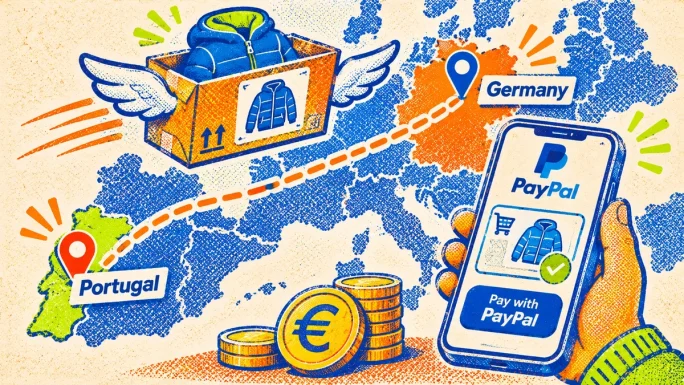
The same pattern works for almost any online purchase. Only the voucher currency and the shop change.
PayPal for Freelancers
Freelancers are among the biggest users of bankless PayPal accounts. Clients abroad often prefer PayPal, because it is familiar and quick. As a result, many freelancers get paid into PayPal long before they open a local bank account.
Here is how it usually works. The client pays you through PayPal, and the money lands in your balance minus the business fee. Then, you spend it directly on tools, software, hosting and online courses. In addition, you can send a payment request from the app, which makes billing small clients easy.
There are two things to watch, though. First, receiving limits kick in quickly when payments arrive often, so verify your account early. Second, clients in other countries may pay in their own currency. Therefore, decide which currency you want to hold, and ask clients to pay in it when you can.
It also helps to keep a simple record of every payment you receive. A short spreadsheet with dates, clients and amounts makes tax time much easier, and it answers PayPal questions quickly if your account ever gets reviewed.
Selling Online Through PayPal
Selling used items is another common way to fill a bankless balance. Buyers on forums, social groups and some marketplaces still pay with PayPal, because it gives them protection.
Sellers need to play it safe, though. Always ask the buyer to pay with goods and services, not as a friends and family payment. Yes, the business option costs you a fee. However, it also proves the sale was a purchase, which protects you if anything goes wrong later.
Also, ship only to the address shown in the PayPal transaction details. Then, keep proof of postage and tracking. Those two habits cover most seller problems, with or without a bank.
Finally, keep the item listing and your messages with the buyer. If a dispute ever opens, screenshots of the description and the chat help PayPal decide quickly in your favour.
Sending Money to Friends and Family
Sending money from a bankless account is simple. Open the app, tap Send, enter the email or phone number and choose the amount. The money comes straight from your balance.
Pay attention to the payment type, though. PayPal lets you choose between a payment to a friend or relative and a payment for goods or services. A friends and family payment is often free within one country, but Buyer Protection does not cover it. Therefore, only use it for people you truly know.
International transfers cost more. When you send money abroad, PayPal usually adds a transfer fee, plus a conversion if the currencies differ. So, for regular transfers abroad, check the fee preview PayPal shows before you confirm.
Getting Money Out Without a Bank
Money out is the hardest part without a bank. Still, you have a few options, and the best one depends on where you live.
- First, simply spend the balance online, which is what most bankless users do
- In the US, use the PayPal Debit Card in shops or at ATMs, where a cash withdrawal costs $2.50
- Also, in many countries, you can withdraw to an eligible Visa or Mastercard debit card
- Finally, send money to a trusted person who has a bank account, if you really need cash
The last option needs trust, of course. Only use it with someone you know well, because PayPal cannot reverse a friends and family payment for you.
In practice, the smartest approach is to plan ahead. Only load as much as you expect to spend online. That way, money rarely gets stuck in the balance, and you never need a withdrawal route in the first place.
Hidden Costs and Conversion
Fees are where a bankless PayPal account can quietly get expensive. Luckily, most of them are easy to avoid once you know where they hide.
Common PayPal costs without a bank
| Cost | When it applies | How to avoid it |
|---|---|---|
| Currency conversion★ Most common | The order or transfer is in another currency | Instead, match your balance currency to the shop |
| Cash load fee | Adding cash at US stores | Therefore, make fewer, larger loads |
| Goods and services fee | Someone pays you for an item or a service | Simply build it into your price |
| International transfer fee | Sending money abroad | Also, check the fee preview before you confirm |
| ATM fee | Cash from the PayPal Debit Card in the US | So, pay by card in shops instead |
Currency conversion is the big one. PayPal adds a spread of a few percent on top of the exchange rate. That spread hides inside the converted amount, so many users never notice it. Therefore, the single best habit is to hold your balance in the currency you spend most.
Fees also change over time and differ by country. For that reason, always check the PayPal fee page for your country before a large payment.
Budgeting With a Bankless PayPal Account
A bankless account has a hidden benefit. Because PayPal can only spend what you load, the balance works like a digital envelope. Once it is empty, spending stops.
Many people use this on purpose. For example, they load one fixed amount at the start of each month for online shopping. Then, when the balance runs out, they wait until next month. As a result, online spending never creeps up unnoticed.
- First, pick a monthly amount you are happy to spend online
- Then, load it in one go with a PayPal Gift Card of that value
- Also, turn on payment notifications in the PayPal app
- Finally, review your activity at the end of each month
This approach also helps with subscriptions. Since each renewal comes out of the same pot, you see quickly which services you actually use.
Families use the same idea for teenagers who are too young for their own PayPal account. In that case, a parent keeps the account, loads a fixed amount and pays for agreed purchases on request. As a result, the parent stays in control, and no card details travel around.
PayPal for Students
Students often live on cash, a small allowance or a prepaid card. At the same time, they need to pay online for books, software, streaming and the occasional game. Therefore, a bankless PayPal account fits student life surprisingly well.
The typical setup is simple. Parents send money to the PayPal email, or the student loads a PayPal Gift Card bought with cash. Then, all online spending runs through one balance. As a result, nobody needs to share a parent card number with dozens of websites.
- First, students abroad can receive money from home in the local currency
- Also, a fixed monthly load keeps spending under control
- Finally, a separate wallet keeps online purchases apart from rent and food money
Remember the age rule, though. PayPal accounts are for people aged 18 or older, so younger students need a parent to handle online payments instead.
Top-Up Speed
Speed matters when you are about to check out. Luckily, most bankless top-ups are quick.
PayPal top-up speed without a bank
| Method | Typical speed | Good to know |
|---|---|---|
| PayPal Gift Card★ Fastest | Minutes after you redeem | First, the code shows right after payment |
| Cash at US stores | Usually within minutes | However, the barcode expires after one hour |
| Payment from a person | Instantly in most cases | Also, new accounts may see a short hold |
| Direct deposit | On payday | Then, it depends on your employer schedule |
In practice, a PayPal Gift Card and a payment from a friend are the fastest routes. So, if a deal ends tonight, those two get you to checkout in time.
Cash loads come close behind, as long as a participating store is open nearby. Direct deposit, on the other hand, suits planned spending rather than last-minute buys, because it follows your payday.
PayPal Without a Bank Account in the US
The US has the most options for bankless users. In fact, PayPal built several tools with them in mind.
- First, a PayPal Balance account with direct deposit for wages
- Add Cash at Stores at more than 90,000 locations
- Also, the PayPal Debit Card for shopping and ATM cash
- Finally, a PayPal Gift Card in USD for quick top-ups from anywhere
Put together, these tools let you live almost entirely in PayPal. Wages arrive by direct deposit, cash goes in at the store, and the debit card covers shops. However, keep the limits and fees in mind, since they add up for heavy users.
USD
PayPal Gift Card USD
Adds dollars to a US PayPal balance by code, ideal when you have no bank to link.
Buy PayPal Gift Card USDPayPal Without a Bank Account in the UK and Europe
In the UK and the EU, things look different. There is no cash-at-store service, and identity checks come earlier. On the other hand, PayPal is accepted almost everywhere, from small web shops to big marketplaces.
For bankless users here, the main funding routes are a PayPal Gift Card in GBP or EUR and payments from other people. Moreover, the euro voucher suits cross-border shopping, since a shop in Italy and a seller in Poland both take the same euro balance.
Expect PayPal to ask for photo ID and proof of address sooner than in the US. So, keep a passport or ID card ready, plus a recent utility bill or official letter in your name. Note that payslips do not count as proof of address in the EU and the UK.
EUR
PayPal Gift Card EUR
Funds a euro PayPal balance for shopping across Europe without linking a bank.
Buy PayPal Gift Card EURPayPal Without a Bank in Canada and Australia
Canada and Australia sit somewhere in between. Neither has a cash-at-store service like the US. However, both have a PayPal Gift Card in local currency, which keeps the balance route simple.
In Canada, a CAD voucher keeps purchases in Canadian dollars. Likewise, in Australia, an AUD voucher avoids conversion at local shops. For verification, PayPal may still ask you to confirm a card or upload documents, depending on your account.
Cross-border shopping is very common in both countries, especially from US stores. In that case, think about which currency to hold. For example, if most of your orders come from US shops and your account can hold US dollars, a USD balance can save more than a local one.
PayPal vs Other Bankless Wallets
PayPal is not the only wallet you can use without a bank. Still, it has one big advantage, which is how many shops accept it.
Bankless wallets compared
| Wallet | Funding without a bank | Main strength |
|---|---|---|
| PayPal★ Most accepted | PayPal Gift Card, cash in the US, incoming payments | First, accepted at a huge number of shops |
| Paysafecard | Bought with cash at kiosks | Also, no account needed for small payments |
| Skrill | Vouchers and incoming payments | Meanwhile, popular for gaming and betting sites |
| Revolut and Wise | Usually a card or a transfer | However, they work best with a bank behind them |
In other words, PayPal wins on acceptance, while Paysafecard wins on simplicity. Many people therefore combine them, as Ana did in the example above. They buy a Paysafecard with cash and then use it to pay for a PayPal Gift Card.
If you want to explore other options too, browse our gift card range, where many brands work the same way without a bank.
Buyer Protection From Your Balance
A common worry is that a bankless account means less protection. Fortunately, that is not the case. PayPal Buyer Protection covers eligible purchases no matter which funding source you used.
- First, open a dispute within 180 days of payment if an item never arrives
- For an item that is very different from the listing, act within 30 days of delivery
- Also, message the seller first, since a dispute starts as a conversation
- Then, escalate the dispute to a claim if the seller does not help, usually after at least 7 days
- Finally, do not let a dispute sit, because it closes after 20 days unless you escalate it
Keep in mind that friends and family payments are not covered. So, never pay a stranger that way, even if they ask nicely or offer a discount.
Myths About PayPal Without a Bank
A few myths keep people from trying a bankless account. Here is what is actually true.
- First, the myth that PayPal requires a bank to sign up, when in fact linking one is optional
- Also, the idea that a balance payment has no Buyer Protection, while eligible purchases are covered either way
- Next, the belief that you can never get money out, although spending, debit cards and US ATMs all work
- Finally, the fear that bankless accounts get closed, when limits usually lift once you verify
In short, the bankless setup is a normal way to use PayPal. It simply asks for a little more planning around money in and money out.
Checklist Before Your First Purchase
Before you buy anything, run through this quick list. It takes two minutes and prevents most failed payments.
Before you pay
Once everything is ticked, checkout takes seconds. After that, you can come back to this list whenever you open a new balance currency.
Common Problems and How to Fix Them
Most problems with a bankless account come from a handful of simple causes. Here are the ones people hit most often, with a fix for each.
PayPal problems without a bank
The payment was declined at checkoutFix: Top up the balance so it covers the full total, including shipping and tax
PayPal keeps asking you to link a bankFix: Simply close the prompt, since linking stays optional
The account is limitedFix: Upload the ID and documents PayPal requests inside the account
A subscription renewal failedFix: Load enough for the next renewal, then retry the payment in the app
Less money arrived than expectedFix: Check for a currency conversion and match currencies next time
If none of these fit, check the Resolution Center inside your account. PayPal lists open issues and requests there, so it is always the first place to look.
Mistakes to Avoid
Beyond technical problems, a few habits cause most of the trouble. Avoid these, and your account will run smoothly.
- First, using a different name from your ID when you sign up
- Loading far more than you plan to spend, which leaves money stuck
- Also, paying strangers with friends and family payments
- Ignoring PayPal warnings about limits until the account freezes
- Finally, buying cheap PayPal codes from random sellers on social media
The last one deserves a warning of its own. Cheap PayPal codes on social media are often stolen or fake. If you redeem a stolen code, the money can disappear later, and your account may end up limited. So, buy vouchers only from a store that guarantees its codes.
How to Stay Safe on PayPal
Scammers love PayPal users, because the brand is trusted. Fortunately, a few rules block nearly every trick.
- First, log in only through the app or by typing paypal.com yourself
- Never share your password or the one-time code PayPal texts you
- Also, ignore emails that ask for ID documents, since PayPal asks for them only inside your account
- Turn on two-step verification in your security settings
- Finally, be wary of anyone who asks you to pay a bill or a fine with gift cards
That last rule matters a lot. No real company, tax office or police force asks you to pay a fine with gift cards. If someone does, it is a scam, so hang up and report it.
Also, check incoming payments carefully. A classic trick is a fake payment email that claims money is on hold until you ship an item. Always confirm a payment inside your PayPal account, not in the email.
Should You Link a Bank Later
Eventually, many users wonder whether to link a bank after all. The answer depends on how you use PayPal.
If you mostly receive money, a bank link makes life easier, since withdrawals become cheap and simple. By contrast, if you mainly shop online and want a strict budget, the bankless setup often works better. Here is a quick summary of both sides.
Linking a bank later
- Fewer limits and faster verification
- Cheap withdrawals of money you receive
- Renewals never fail because of an empty balance
- Your bank details sit inside another online service
- PayPal can pull money from the bank for any shortfall
- A strict budget becomes harder to keep
In short, there is no single right answer. Still, you can always start without a bank and decide later, once you know how you actually use PayPal.
PayPal Without a Bank Account FAQ
Yes. You can open a PayPal account with just an email address and a phone number. Then, fund it with a PayPal Gift Card, cash at US stores or payments from other people.
Buy a PayPal Gift Card in your account currency, redeem it on rewarble.com and send the value to your PayPal balance. In the US, you can also add cash at stores such as Walmart and CVS.
Yes. Anyone can send money to your PayPal email address or phone number. However, receiving limits apply until you verify your identity.
In the US, use the PayPal Debit Card at ATMs. In many other countries, you can withdraw to an eligible debit card, or simply spend the balance online.
Not right away. However, PayPal will ask for photo ID and proof of address once you reach its limits, especially in the UK and the EU.
Yes. Buyer Protection covers eligible purchases paid from your balance, just like card payments. However, friends and family payments are not covered.
Key Takeaways