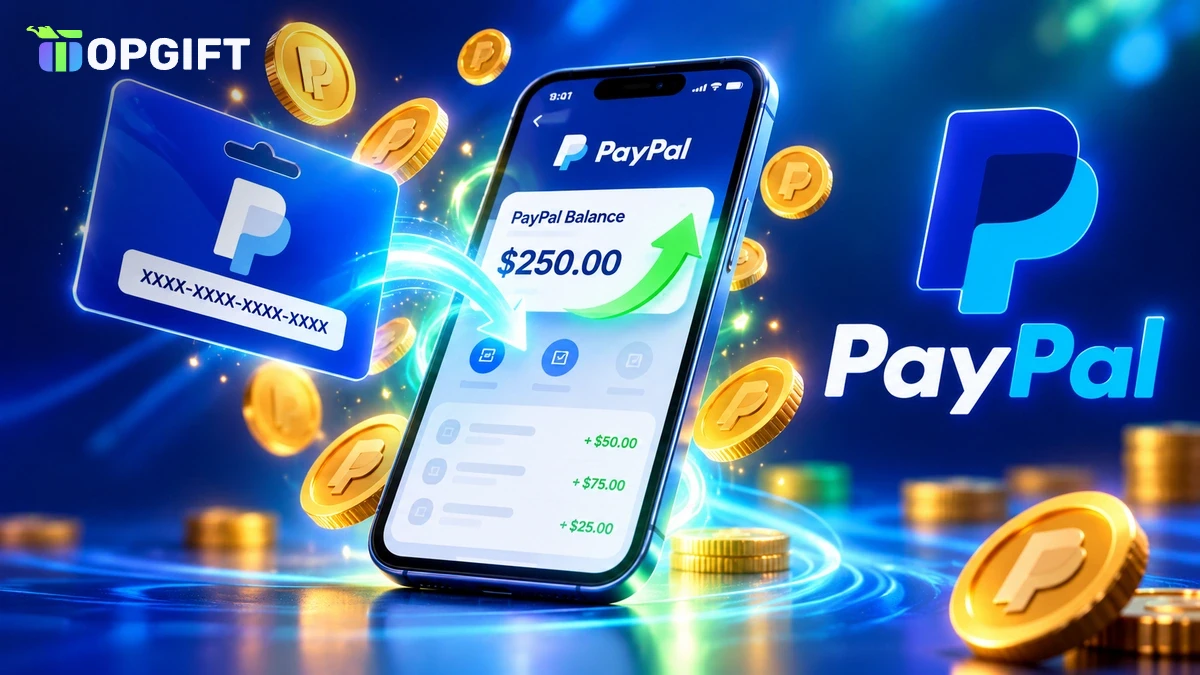
PayPal is accepted almost everywhere online, from big stores and marketplaces to game shops and subscriptions. Filling a PayPal balance, though, usually means linking a bank account or a card. A PayPal gift card skips that step: you buy a prepaid code, redeem it, and the money lands in your PayPal balance, ready to spend.
This guide explains what a PayPal gift card really is, how the redemption works, which currency to pick and where you can use the balance afterwards. It also covers fees, limits and the mistakes that most often cause problems.
What a PayPal Gift Card Actually Is
The name can be confusing, so let’s start with the basics. The PayPal gift cards sold by gift card shops, including TopGift, are not issued by PayPal itself. They are prepaid vouchers from Rewarble, a redemption platform run by Centiward B.V. in the Netherlands.
When you redeem the code on Rewarble, the platform sends its value to your PayPal account as a payout. In other words, the card is a way to top up a PayPal balance without a bank account or bank card.
Once the money is in PayPal, it behaves like any other PayPal balance. You can pay in online stores, send money to people and buy from marketplaces, with the same buyer protection as usual.
It helps to know the two types of Rewarble cards. Some create a virtual prepaid Visa or Mastercard that you use like a normal card number. Others, like the PayPal gift card, make a payout straight into an e-wallet. With a payout card you never see a card number. You simply give your PayPal email address, and the money goes there.
That makes the PayPal version one of the easiest Rewarble cards to use. There is nothing to type at a checkout and no card details to store. Once the payout lands, you spend it through PayPal exactly as if a friend had sent you the money.
Good to knowRewarble works with many services, not only PayPal. Our guide to what Rewarble is explains the platform and its other card types in more detail.
How a PayPal Gift Card Works
The whole process takes a few minutes. You need a PayPal account in the same currency as your card and the code from your order.
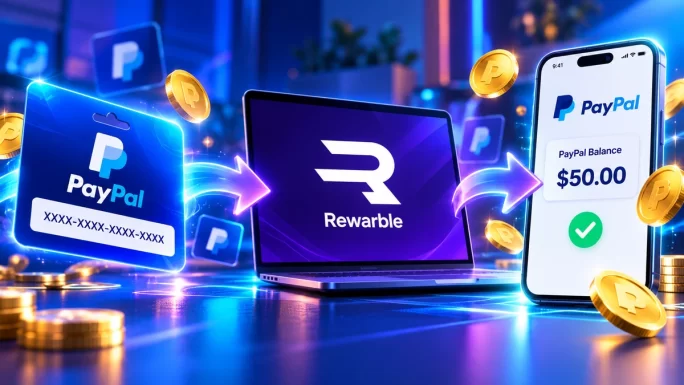
Top up PayPal with a gift card
Check the PayPal email address twice before you confirm. A payout sent to the wrong address is very hard to reverse.
USD, EUR, GBP, CAD and AUD
PayPal Gift Cards
Top up your PayPal balance without a bank card. Choose a fixed value or a custom amount and get your code within minutes.
Shop PayPal Gift CardsSome accounts may see an extra identity check from Rewarble, especially for larger amounts. That is a normal anti-money-laundering step for payment services, and it only needs to be done once.
Which Currency to Choose
Choose the card in the same currency as your PayPal balance. If the currencies match, the amount you buy is the amount that arrives. If they don’t, PayPal converts the money and adds its own conversion fee.
PayPal gift card currencies
| Currency | Best for | Amounts |
|---|---|---|
| USD | US accounts and anyone shopping in dollars | 5 to 100 USD, or a custom amount |
| EUR | PayPal accounts in the eurozone | 5 to 100 EUR, or a custom amount |
| GBP | UK accounts, eBay and Vinted sellers | 5 to 100 GBP, or a custom amount |
| CAD | Canadian accounts | 5 to 250 CAD, or a custom amount |
| AUD | Australian accounts | 5 to 250 AUD, or a custom amount |
You can check your PayPal currency in the app under Wallet. Most accounts hold the currency of the country where they were opened.
A few examples make this clearer. If you live in Germany, France or Italy, your account almost certainly runs in euros, so the EUR card is the right one. In the UK, pick GBP. If you mostly buy from US stores but live in Europe, still choose your own account currency. PayPal will convert at the moment you pay, and you avoid converting twice.
Not sure which amount to buy? The custom amount option lets you match the exact price of what you want, plus a small buffer for shipping or price changes.
Where You Can Use Your PayPal Balance
A topped-up PayPal balance works almost anywhere PayPal is shown at checkout. Exact options depend on your country, but these are the most common uses.
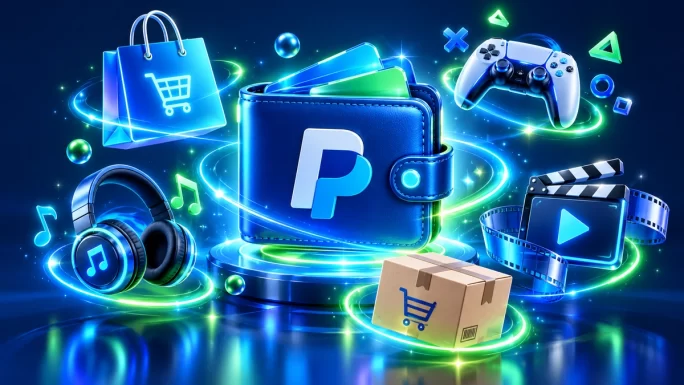
Popular places to use a PayPal balance
| Category | Examples | Notes |
|---|---|---|
| Online shops | Amazon in some countries, AliExpress, Zalando, many local shops | Look for the PayPal button at checkout |
| Marketplaces | eBay, Vinted, Etsy | Buyer protection covers most purchases |
| Games | Steam, PlayStation Store, Xbox and Microsoft Store, Nintendo eShop | Availability of PayPal varies by country |
| Subscriptions | Spotify, Netflix in some regions, YouTube Premium | PayPal can pay recurring bills |
| Travel and food | Airbnb in some countries, Uber and Uber Eats | Add PayPal as a payment method in the app |
| People | Friends, family, private sellers | Send money straight from your balance |
Before you rely on PayPal for a specific shop, check its payment page. Some stores accept PayPal only in certain countries or only for some products.
If a site you need doesn’t take PayPal at all, a virtual prepaid card may be a better fit. Our guide to paying online without a bank card lists the alternatives.
Shopping and Marketplaces With PayPal
Marketplaces are where a PayPal balance really pays off. On eBay, Vinted and Etsy you often buy from private sellers or small shops in other countries. PayPal sits in the middle, so the seller never sees your card or bank details.
The bigger benefit is buyer protection. If an item doesn’t arrive or is very different from the description, you can open a dispute in PayPal and ask for your money back. That protection applies to payments from your balance too, so money from a gift card is just as safe as money from a bank.
A few tips help you get the most out of it:
- Pay through the marketplace checkout whenever you can, not by sending money outside the platform.
- Keep screenshots of the listing and your messages with the seller.
- Open a dispute within PayPal’s time limit if something goes wrong. The deadline is usually 180 days after payment.
For bigger online stores, a PayPal balance also keeps your card details off yet another website. That’s useful if you shop at many different stores and don’t want your card saved in all of them.
Paying for Games With PayPal
Gamers are some of the biggest users of PayPal. Steam has accepted PayPal for years, and so do the PlayStation Store, the Microsoft Store and the Nintendo eShop in many countries.
Here is how it usually works. At checkout in the store, you pick PayPal, log in and approve the payment. The money comes out of your PayPal balance, so no bank card is involved.
There is one thing to watch. Some game stores ask PayPal for a linked bank or card as a backup, even if your balance covers the purchase. If that happens, a platform gift card is the simpler option. For example, a Steam gift card or a PlayStation Store gift card adds funds straight to your game wallet.
Here is where PayPal usually sits in each store:
- Steam: choose PayPal as the payment method when you buy a game or add funds to your Steam Wallet.
- PlayStation Store: add PayPal under Payment Management in your account settings, where supported.
- Xbox and Microsoft Store: add PayPal as a payment option in your Microsoft account.
- Nintendo eShop: PayPal can be linked in many regions when you add funds or check out.
Game stores also tie purchases to your account region. A PayPal balance in one currency works fine, but the store itself may only show PayPal if your account country supports it.
For a full overview of the options, read our guide on how to pay for games without a credit card.
A Real Example From Start to Finish
Let’s say you live in Spain and want a second-hand jacket on Vinted for €38 plus shipping. You don’t have a card that works online, but you do have a PayPal account in euros.
Buying on Vinted with a PayPal gift card
The money comes from your balance, so no bank details are shared with Vinted or the seller. Any euros left over stay in PayPal for your next purchase.
The same flow works for almost any shop. Only the amount and the currency change. For a US store, you would pick the USD card; for a UK seller on eBay, the GBP card.
Planning ahead also helps. If you know you’ll buy several things over the next weeks, a single larger card is often simpler than many small ones, since each redemption may carry its own small fee.
Sending Money to Friends and Family
A PayPal balance is also a simple way to send money to people. You only need their email address or phone number.
- Friends and family. In many countries, sending money from your balance to someone in the same country and currency is free. Check the fee screen before you confirm.
- Cross-border payments. Sending money abroad or in another currency usually costs a fee.
- Private sellers. When you buy from a stranger, use Goods and Services rather than Friends and Family. Only Goods and Services payments are covered by buyer protection.
A PayPal gift card also makes a practical present. You can buy the code and let the other person redeem it into their own PayPal account. Just pick the currency of their account, not yours.
Fees, Limits and Code Validity
There are three places where costs or limits can come in: the shop, Rewarble and PayPal.
- At checkout. TopGift shows any service or processing fee before you pay, so you see the full total.
- On Rewarble. A small redemption fee is charged when you redeem, and it depends on the payout you choose. Rewarble lists the fee before you confirm.
- On PayPal. Spending in your own currency is usually free. Paying in another currency adds PayPal’s conversion fee.
Limits mostly come from anti-money-laundering rules. Rewarble may ask you to verify your identity before redeeming larger amounts, and PayPal has its own limits for accounts that aren’t fully verified.
In practice, most everyday top-ups of a few tens of euros or pounds go through without any extra checks. Verification usually only appears when you redeem large amounts in a short time, or when the details you enter don’t match. If Rewarble asks for an ID, complete the check once and future redemptions are usually smoother. PayPal works the same way: a fully verified PayPal account can receive and send more money than a new, unconfirmed one.
As for validity, Rewarble codes are typically valid for 12 months. Even so, it’s best to redeem the code soon after buying, so the money is ready when you need it.
Other Ways to Fund PayPal
A gift card isn’t the only way to add money to PayPal. Here is how it compares with the usual methods.
Ways to fund a PayPal balance
| Method | Bank card needed | Speed | Best for |
|---|---|---|---|
| PayPal gift cardBest pick | No | Minutes | No card, privacy, gifts |
| Linked bank account | No card, but a bank account | 1 to 3 days | Regular top-ups |
| Linked debit or credit card | Yes | Instant at checkout | People with a working card |
| Money from other PayPal users | No | Instant | Getting paid by friends or buyers |
If you’re topping up several wallets, our guide to topping up Revolut, Wise or PayPal without a card covers all three side by side.
In short, the gift card trades a little convenience for independence from your bank. For many people, especially those without a working card, that trade is well worth it.
Who a PayPal Gift Card Suits Best
A PayPal gift card makes the most sense in a few situations.
- You don’t have a bank card, or yours doesn’t work for online or international payments.
- Your bank won’t link to PayPal, or the card keeps getting declined.
- You want a fixed budget. The balance only grows by the amount you add, which suits teenagers and careful spenders.
- You value privacy. Your bank details never touch the shop or PayPal.
- You want to give money as a gift to someone who uses PayPal.
On the other hand, if you already have a linked bank and pay with PayPal every day, a voucher adds an extra step without much benefit.
Tips to Get the Most From Your Balance
A few small habits make a PayPal balance easier to manage.
- Set PayPal balance as your preferred payment. In the PayPal app, choose your balance as the first option, so it is used before any linked card.
- Redeem close to when you need the money. It keeps your budget clear and avoids forgetting about an old code.
- Keep the order confirmation until the payout has arrived.
- Watch the currency when you shop abroad. Paying in the seller’s currency is often cheaper than letting PayPal convert at checkout, but compare both before you confirm.
- Turn on two-step verification in PayPal to protect the balance from account takeovers.
These steps take a few minutes once and save you trouble later, especially if you use the balance for regular purchases or subscriptions.
Common Problems and How to Fix Them
- The money arrived in the wrong currency. PayPal converted it because the card currency didn’t match your balance. Next time, buy the card in your PayPal currency.
- The payout is pending. Rewarble or PayPal may be running a quick check. Wait a little, then check your email for any request.
- Wrong PayPal email. Contact Rewarble support straight away with your code and details.
- The code says it’s already used. Contact us with your order number and we’ll check it with the supplier.
- Your PayPal account is limited. Resolve the limitation in PayPal first. A limited account may not be able to receive money.
How to Stay Safe
ImportantNo real company, tax office or bank will ever ask you to pay with a PayPal gift card. If someone asks you to buy a card and send them the code, it’s a scam.
A few simple habits keep your money safe:
- Redeem the code yourself, and only on rewarble.com.
- Never share the code or a screenshot of it before redeeming.
- Buy gift cards only from trusted shops.
- Use PayPal Goods and Services when paying people you don’t know.
Learn the common tricks in our article on gift card scams in 2026.
Frequently Asked Questions
No. The PayPal gift cards sold by gift card shops are prepaid Rewarble vouchers. You redeem them on rewarble.com and the value is paid out to your PayPal account.
Usually a few minutes after you redeem the code. A security check can occasionally take longer.
No. You only need a PayPal account and the code. No bank card or bank account is involved.
Yes, in most countries. Top up your PayPal balance with the card, then choose PayPal at checkout on Steam.
PayPal converts the money into your balance currency and charges a conversion fee. To avoid it, buy the card in your PayPal currency.
Yes. Send them the code, and they can redeem it into their own PayPal account. Pick the currency of their account.
Key Takeaways