Lots of people want to pay for ChatGPT Plus but hit the same wall at checkout: the card gets declined, the bank blocks the charge, or there’s simply no credit card to use. The good news is that a bank card isn’t the only way in.
This guide shows three ways to get ChatGPT Plus without a credit card: a ChatGPT gift card, an Apple balance and a Google Play balance. It also explains the most common payment errors, so you know what to do if a payment fails.
Why Paying for ChatGPT Plus Can Be Tricky
On the website, OpenAI’s checkout is built around credit and debit cards. That works for most people, but not for everyone. Some don’t have a card at all. Others have one that their bank refuses to use for online or international payments.
AI subscriptions also run into extra fraud checks. A bank may flag the first charge as unusual, a prepaid card may not support 3D Secure, or the billing address may not match exactly. Any of these can stop the payment, even when there’s enough money on the card.
ChatGPT Plus at a glance
Luckily, there are workarounds that don’t need your own bank card at all.
ChatGPT Plans and Prices
Before choosing a payment method, it helps to know which plan you need. Here are the main individual plans in the US:
| Plan | Price | Best for |
|---|---|---|
| Free | $0 | Trying ChatGPT with basic limits |
| Go | $8 per month | More usage at a low price |
| Plus | $20 per month | Daily use with the latest models |
| Pro 100 | $100 per month | Heavy daily work |
| Pro 200 | $200 per month | The highest usage limits |
Prices are lower in many countries, and taxes can be added at checkout. In the iOS app, Apple also offers Plus as a yearly plan for $200, so check which option you pick before you confirm.
For most people, Plus is the sweet spot. It’s also the plan this guide focuses on.
Pay With a ChatGPT Gift Card
The most direct way is a ChatGPT gift card. It’s a prepaid voucher in US dollars that you redeem on Rewarble. In return, you get a virtual prepaid card with a full card number, expiry date and CVV, which you then add to ChatGPT like a normal card.
Because the voucher is in dollars and ChatGPT bills in dollars, there’s no currency conversion along the way. Rewarble charges a small fee when you redeem, so a 30 USD card is a comfortable choice for one month of Plus. Larger cards cover several months of renewals, which makes this the simplest way to pay for ChatGPT Plus on the website.
Global, redeem on Rewarble
ChatGPT Gift Card USD
Available from 30 to 250 USD. Your code appears in your account right after payment.
Buy ChatGPT Gift CardNew to this kind of voucher? Our guide to what Rewarble is explains how the redemption works.
Subscribe in the iPhone App With an Apple Gift Card
If you use an iPhone or iPad, you can subscribe inside the ChatGPT app instead of on the website. In that case, Apple handles the payment, and the charge comes from your Apple Account balance.
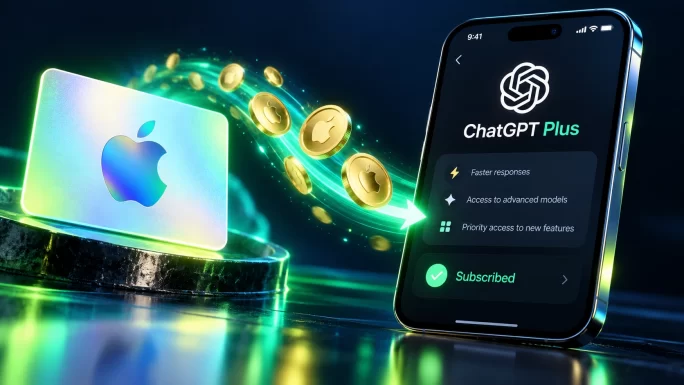
That’s where an Apple gift card comes in, and it’s the easiest way to pay for ChatGPT Plus on an iPhone without a card. Redeem it on your Apple Account, open the ChatGPT app, tap your profile and choose the upgrade option. As long as the balance covers the price, Apple takes the payment from it every month.
Two things matter here. First, the card must match your Apple Account’s country, so a German account needs a German card. Second, App Store prices can differ from the web price because of local taxes. Our guide on how to pay for Apple without a card walks through the redemption.
Many regions
Apple Gift Cards
Apple gift cards for the US, UK, Germany, France, Italy, Canada and more. Pick the card for your Apple Account’s country.
Shop Apple Gift CardsSubscribe on Android With a Google Play Gift Card
On Android, the same idea works through Google Play, so you can pay for ChatGPT Plus with a Play balance. Subscribe in the ChatGPT app, and Google charges your Google Play balance instead of a card.
First, redeem a Google Play gift card in the Play Store. Then open the ChatGPT app, go to your profile and upgrade to Plus. Google will use the balance for the first payment and for each renewal, as long as there’s enough left.
Just like with Apple, the card has to match the country of your Google account. Our guide to Google Play gift card regions shows which card works where.
13 countries
Google Play Gift Cards
Cards for Germany, France, Italy, the UK, Canada, the EU and more. Match the card to your Google account.
Shop Google Play CardsWhich Option Should You Choose
All three methods let you pay for ChatGPT Plus and get exactly the same plan. The difference is where you pay and how renewals work:
| Method | Where you subscribe | Good to know |
|---|---|---|
| ChatGPT gift card | ChatGPT website | Works on any device, priced in dollars |
| Apple gift card | ChatGPT app on iPhone or iPad | Card must match your Apple Account country |
| Google Play gift card | ChatGPT app on Android | Card must match your Google account country |
In short, the ChatGPT gift card is the most flexible choice, because it works on the website from any device. The Apple and Google options are handy if you already use those balances for other apps and subscriptions.
Common ChatGPT Payment Errors and Fixes
Even with the right method, a payment can still fail. These are the errors people see most often:
Common ChatGPT payment errors
WhyYour bank blocked the charge as an online or international payment.
FixApprove it in your banking app, or switch to a gift card method.
Why3D Secure didn’t finish, or the billing details don’t match.
FixRe-enter the card with the exact billing address and try once more.
WhyThe card type or region isn’t accepted at web checkout.
FixUse a Visa or Mastercard card, or subscribe in the app instead.
WhyThe bank’s verification pop-up was blocked or didn’t load.
FixAllow pop-ups for chatgpt.com and try another browser.
WhyA VPN made your location look different from your billing country.
FixTurn off the VPN completely before opening the payment page.
WhyA temporary error on the payment side.
FixWait 30 to 60 minutes, then try again on another browser.
Avoid trying the same card many times in a row. Repeated attempts can make a bank’s fraud checks even stricter.
Tips Before You Subscribe
A few habits make paying with a gift card smoother:
- Check the renewal date: Plus renews every month, so keep enough balance on the card or account before that day.
- Top up in time: if the balance runs out, the subscription simply stops renewing until you add more.
- Match the region: Apple and Google Play cards only work in their own country.
- Keep your codes private: never share a gift card code or virtual card details with anyone who contacts you first.
If you prefer a reusable card for other subscriptions too, our guide to a virtual prepaid card without a bank account covers more options.
Frequently Asked Questions
Yes. You can use a ChatGPT gift card, which you redeem on Rewarble for a virtual prepaid card, or subscribe in the ChatGPT app and pay with an Apple or Google Play balance topped up with a gift card.
ChatGPT Plus costs $20 per month in the US. Prices are lower in many other countries, and local taxes can be added. The cheaper Go plan costs $8 per month, while Pro plans start at $100 per month.
Yes, ChatGPT accepts prepaid Visa and Mastercard cards that support online payments. A virtual card from a ChatGPT gift card works this way. Some older prepaid cards without 3D Secure can still be declined.
Yes, if you subscribe in the ChatGPT app on an iPhone or iPad. Redeem the Apple gift card on your Apple Account first, then upgrade in the app. Apple takes the payment from your balance each month.
Usually because your bank blocked an online or international charge, 3D Secure didn’t finish, the billing address didn’t match or a VPN triggered a fraud check. Approve the charge with your bank, or use a gift card method instead.
The subscription stops renewing when there isn’t enough balance for the next payment. You keep Plus until the end of the paid period. After that, add more balance and upgrade again to continue.
Key Takeaways