For many PC players, a Steam gift card is more than a simple top-up. It is the quickest way to turn a brand-new limited account into a full one, to prepare a budget before a big Steam sale and to buy skins on the Community Market without linking a bank card. Below, you will find how to redeem a Steam gift card, how the Steam Wallet really works and how to get the most out of every code.
Redeem a Steam Gift Card in Under a Minute
Redeeming takes less time than reading this paragraph. The most common way is the Steam desktop app:
Redeem in the Steam app
No app nearby? Open store.steampowered.com/account/redeemwalletcode in any browser, including your phone, log in and paste the code there. The funds land in the same wallet either way.
One quick tip before you press Continue: check the account name in the corner. Plenty of players keep an old account or a shared family account, and wallet funds can never be moved once they are added.
Codes bought on TopGift appear in your account dashboard and on the order confirmation page within minutes. Simply copy the code from there, and you can redeem it right away, even if you ordered it on your phone during a lunch break.
How Steam Wallet Funds Work
Think of the Steam Wallet as a prepaid balance that lives inside your account. Every Steam gift card you redeem adds to it, and every purchase you make in the Steam Store can take money from it.

Your wallet uses one currency, which matches the region of your Steam account. As a result, prices in the store, your wallet balance and the gift cards you should buy all share that currency.
Two details make the wallet more useful than most people expect. First, the funds never expire, so a code redeemed today can still pay for a game next year. Second, refunds come back to the wallet, which makes it easy to try a game risk-free.
Refunds go back to your walletSteam usually accepts a refund request within 14 days of purchase if you played for less than 2 hours. When you paid with wallet funds, the money returns to your wallet straight away.
What a Steam Gift Card Buys Beyond Games
Most people think of new games first, yet a large share of wallet spending goes elsewhere. Once your funds are in, they cover almost anything sold through the Steam Store:
- DLC and season passes for games you already own.
- In-game purchases in titles that use Steam payments, such as Dota 2 or many free-to-play shooters.
- Soundtracks and artbooks sold as add-ons.
- Software like Wallpaper Engine, RPG Maker or video tools listed on Steam.
- Pre-orders of upcoming releases, charged when you confirm the order.
By contrast, Steam Points are a separate system. You earn them by spending money, and you exchange them for profile items in the Points Shop, so wallet funds and points never mix.
Unlock a Limited Steam Account With a Gift Card
Every new Steam account starts as a limited account. Until it spends or adds at least 5 USD, or the same amount in local currency, a lot of Steam’s social features stay locked.

Redeeming a Steam gift card is the simplest way past this barrier, because adding wallet funds with a code counts toward the 5 USD. Once the limit is lifted, the account can do everything a regular one can:
- send and accept friend requests,
- trade items with other players,
- buy and sell on the Community Market,
- post in community discussions and leave reviews,
- open your profile to more customization.
For this reason, a small 5 or 10 card is a smart first purchase for anyone who has only played free games so far. Moreover, the money is not wasted, since it waits in the wallet for the first paid game.
Steam Gift Card Regions and Currencies
Steam gift cards are issued in a specific currency, and the card should match the currency your account uses. Otherwise, Steam may refuse the code, so it is worth checking the prices in your store before you order.
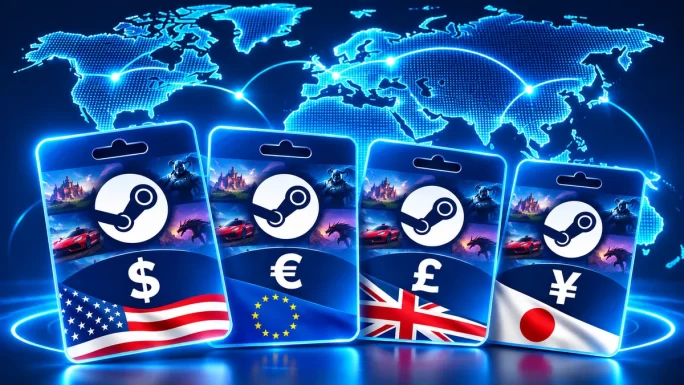
On TopGift, you can choose from 28 regions:
- Europe: EU (EUR), United Kingdom (GBP), Poland (PLN), Ukraine (UAH), Turkey (TL).
- Americas: United States (USD), Canada (CAD), Mexico (MXN), Brazil (BRL), Argentina (ARS), Chile (CLP), Peru (PEN).
- Asia: Japan, China, Hong Kong, Taiwan, South Korea, Singapore, Malaysia, Thailand, Indonesia, the Philippines, Vietnam.
- Middle East and Africa: UAE, Qatar, South Africa.
- Oceania: Australia, New Zealand.
If you see euros in the store, pick the EU card, and if you see dollars, pick the US card. In case funds still refuse to go through, our guide on what to do when you cannot add funds to Steam covers the usual causes.
28 regions
Steam Gift Card
Add Steam Wallet funds in your own currency and spend them on games, DLC and Market items.
Buy Steam Gift CardRedeem a Steam Gift Card Before a Sale Starts
Steam sales follow a fairly predictable calendar, and experienced players load their wallets a day or two before each one starts. That way, they can grab deals the minute the sale goes live, without waiting for a card payment to clear.
Typical Steam sale calendar
| Event | Usual timing |
|---|---|
| Spring Sale | March |
| Summer Sale | Late June to early July |
| Autumn Sale | Late September to early October |
| Winter SaleBiggest discounts | Late December to early January |
| Steam Next Fest | February, June and October |
This year, the Winter Sale starts on December 17. Our article on Steam Winter Sale 2026 dates has the full schedule, while how to buy Steam games cheaper shares more ways to save.
A fixed card value also works as a natural spending limit. When the wallet is empty, the shopping stops, which is handy during a sale with hundreds of tempting discounts.

Europe
Steam Gift Card EU
Steam Wallet funds in euros, from 1 to 100 EUR. Ideal for topping up before a sale.
Buy Steam Gift Card EUHow Much to Load for Your Play Style
There is no single right amount, because Steam players spend in very different ways. Here is a quick guide by play style:
- New player: 5 to 10 unlocks the account and covers a first indie game.
- Casual player: 20 to 30 pays for one or two discounted games a few times a year.
- Sale hunter: 50 to 100 loaded before the Summer or Winter Sale buys a whole backlog.
- Skin trader: whatever your Market budget is, since funds can circulate between buying and selling.
- New-release fan: enough for a full-price game in your currency, usually around 60 to 70 in USD or EUR.
Prices differ from region to region, so look at your store before choosing. Besides, any money left over simply stays in the wallet for later.
Spending Funds on the Steam Community Market
The Community Market is where players buy and sell in-game items, such as Counter-Strike 2 skins, Dota 2 cosmetics and trading cards. Every purchase there is paid with Steam Wallet funds, so a gift card is a direct way to start buying.
Selling works the other way round. When you sell an item, the money goes into your wallet, minus a fee. For most popular games, Steam and the game publisher keep around 15 percent of the sale price together.
- Requirements: a non-limited account and Steam Guard turned on.
- Holds: new devices or recent security changes can delay Market access for a few days.
- No cash out: Market earnings stay in the wallet and cannot be withdrawn.
In short, the Market turns your wallet into a small trading account. Even so, treat skin prices as a hobby, not an investment, since they can rise and fall quickly.
Also, keep an eye on trade holds. If you recently changed your password or logged in from a new device, Steam may hold items for several days. This is a security feature, so plan your trades with that in mind.
Can You Redeem a Steam Gift Card on Steam Deck
Yes, and you do not need a PC for it. The Steam Deck runs on the same account, so any code you redeem there also shows up on your computer, and the other way round.
In Game Mode, open the Store, go to your account details and add funds with a Steam Wallet code. Alternatively, switch to Desktop Mode and use the same redeem page as on a PC. To type the code, press the Steam button together with X for the on-screen keyboard.
Because typing 15 characters on a handheld is slow, many Deck owners simply redeem the code on their phone first. A few seconds later, the balance is ready on the Deck, and every game you buy appears in your library on all devices.
Moreover, a loaded wallet makes the Deck a great travel device. You can buy a discounted game at the airport, download it over the airport Wi-Fi and play offline during the flight, all without entering a card on a small screen.
Steam Keys or Wallet Funds
If you already know which game you want, a Steam key can be the better buy. A key unlocks one specific game straight into your library, and it is often cheaper than the store price.
Wallet funds, on the other hand, are flexible. You decide later what to spend them on, they cover DLC and in-game purchases, and they work on the Market. As a rule of thumb, buy a key for one known game and a gift card for everything else. Many players actually combine both: keys for the big releases they have been waiting for, and wallet funds for sales, DLC and small purchases throughout the year.

659 games
Steam Games
Digital Steam keys for PC games, from big releases to indie favorites. Activate them straight in Steam.
Buy Steam GamesSteam Families and Wallet Funds
Steam Families lets up to six people share their game libraries. However, each member keeps a separate wallet, so redeeming a code on one account does not add money for the whole family.
For parents, this setup is useful. A child’s account can send a purchase request, and an adult in the family can approve it and pay. Alternatively, a parent can give the child a gift card with a fixed value, which sets a clear budget without linking a bank card.
- Shared: game libraries, within the rules of Steam Families.
- Not shared: wallet balances and Market items.
- Parental tools: purchase requests, playtime limits and content filters.
So, if you buy a Steam gift card for a child, redeem it on the child’s own account rather than on a parent’s account.
Gifting on Steam Without Knowing the Game
Buying a game for a friend only works if you know what they want and whether they already own it. A Steam gift card removes that guesswork, which is why it is one of the most popular presents for PC gamers.
Steam itself also lets you send games and digital gift cards to people on your friends list. That is convenient, but it requires you to be Steam friends. A code, by contrast, can go to anyone by message, email or even inside a birthday card.
Just ask which currency their store shows, pick a value and send the code privately. Because delivery takes only minutes, it also works as a last-minute gift. For more ideas, browse our best gifts for gamers.
A gift card also suits group presents. For example, several friends can each buy a smaller card, and the recipient redeems them one after another. The amounts simply add up in the wallet, ready for whatever game they choose.
Rules to Know Before You Redeem a Steam Gift Card
A handful of wallet rules rarely matter for everyday players, but they are good to know before you redeem large amounts.
- Balance cap: a wallet holds up to about 2,000 USD or the equivalent in your currency.
- One currency: the wallet keeps the currency of your account region.
- No withdrawals: funds cannot be cashed out or sent to another account.
- Security checks: adding a lot of money in a short time can trigger extra verification.
Before a big top-upIf you plan to redeem several large cards at once, spend part of the balance first. That way, you stay under the cap and avoid a failed redemption.
None of these rules affect normal use. Still, knowing them helps you plan, especially if you buy cards for a sale or for Market trading.
If You Cannot Redeem a Steam Gift Card
When Steam rejects a code, the reason is almost always one of a handful of simple issues. Work through these checks in order:
- Copy, do not type: a missing or swapped character is the most common cause of an invalid code.
- Check the account: the code may already be on another account you own.
- Compare currencies: the card should match the currency shown in your store.
- Wait after failed attempts: too many tries in a row trigger a temporary block, usually for about an hour.
- Restart Steam: sometimes the balance is added but the display does not update.
Still stuck? Send TopGift support your order number and a screenshot of the error, and we will help you sort it out. For deeper payment problems, see how to pay for games without a credit card.
Steam Scams That Target Wallet Codes
Steam accounts with a balance are an attractive target, so scammers have built a few classic tricks around them. Knowing them makes them easy to spot.
Most of these scams rely on urgency. The message says you must act now, or your account will be banned. In reality, Valve never contacts players through chat or asks for codes, so any pressure like this is a red flag.
- The fake report: a stranger says they reported you by mistake and sends you to fake Steam support.
- The vote link: a friend asks you to vote for their team, and the link opens a fake login page.
- The QR login: a site asks you to scan a QR code with the Steam app, which actually logs the scammer in.
- The code check: someone offers to verify your gift card code and redeems it instead.
The fix is the same every time. Never share an unused code, only log in on the official Steam website or app and keep the Steam Guard mobile authenticator turned on. If a friend suddenly sends a strange link, assume their account was hacked.
Frequently Asked Questions
Yes. Adding at least 5 USD or the local equivalent with a Steam Wallet code usually lifts the limits on a new account.
Yes. Redeem the card, then buy skins on the Steam Community Market with your wallet funds, as long as your account is not limited.
A Steam Wallet can hold up to about 2,000 USD or the equivalent in your currency.
No. Wallet funds stay on your account until you spend them.
Yes. Open store.steampowered.com/account/redeemwalletcode in your phone browser, log in and enter the code.
No. Wallet funds cannot be withdrawn or transferred, but refunds for games paid with the wallet go back into it.
Key Takeaways