An Xbox gift card is the simplest way to pay for games, Game Pass and in-game currency without a bank card. You get a 25-character code, redeem it on your Microsoft account, and the value appears as account balance. This guide shows how to redeem an Xbox gift card on the web, on your console and on PC, which region to choose and how to fix the most common errors.
What Is an Xbox Gift Card
An Xbox gift card is a prepaid digital code that adds money to your Microsoft account. Once you redeem it, the balance can then be used on Xbox consoles, on Windows PCs and in the Microsoft Store online.
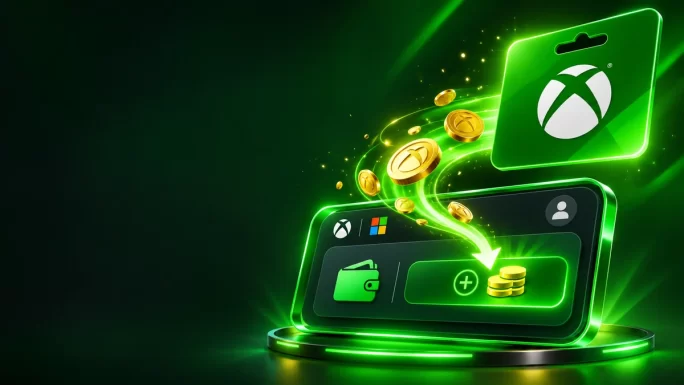
In other words, it is not tied to one game. Instead, it works like store credit. For example, you can split one card between a new game, a few skins and a month of Game Pass.
Xbox gift card at a glance
Because the balance sits on your account, you also do not need to store a bank card on your profile. As a result, Xbox gift cards are popular with parents, with players who prefer to control their spending and with anyone who does not have a credit card. For more options, see our guide on how to pay for games without a credit card.
32 regions
Xbox Gift Card
Add balance to your Microsoft account and spend it on games, Game Pass and in-game currency.
Buy Xbox Gift CardHow to Redeem an Xbox Gift Card Online
Generally, the fastest way to redeem your code is through the Microsoft website. It works on any device with a browser, including your phone.
How to redeem an Xbox gift card online
Usually, the balance appears straight away. After that, you can spend it on your console, on PC or in the Microsoft Store online, because all of them use the same Microsoft account.
Before you confirm, check which account you are signed in to. After all, many people have more than one Microsoft account, for example a personal one and a work or school one. Once the code is redeemed, the balance stays on that account and cannot be moved to another one.
Redeem an Xbox Gift Card on Your Console
If you are already sitting in front of your Xbox, you can redeem the code directly on the console. Besides, the steps are almost the same on Xbox Series X, Xbox Series S and Xbox One.
Redeem on Xbox Series X|S or Xbox One
However, typing a long code with a controller can be slow. Therefore, many players prefer to redeem on the website instead and then simply buy the game on the console. Either way, the result is the same.
Good to knowIf a code is for a specific game or add-on rather than balance, the console usually starts the download right after you redeem it.
Redeem an Xbox Gift Card on Windows PC
On a Windows PC, you can redeem your code in the Microsoft Store app or in the Xbox app. This is especially useful if you play PC Game Pass or buy games for Windows.
Redeem on Windows
Since your PC and your Xbox share the same Microsoft account, the money you add on Windows is also available on your console. Likewise, balance added on the console works on your PC.
Also, keep in mind that the menu names can change slightly after app updates. If you cannot find the option, the website method at microsoft.com/redeem always works.
Redeem an Xbox Gift Card on a Child Account
Notably, Xbox gift cards are a popular way for parents to give children a fixed budget. Instead of linking a bank card to a child’s profile, you add a set amount and the child can only spend what is there.
Overall, there are two simple ways to do this. First, the child can redeem the code on their own account, exactly like an adult would. Second, a parent who manages a Microsoft family group can add money to the child’s account from the family settings.
- Redeem on the child’s account: sign in as the child at microsoft.com/redeem or on the console and enter the code.
- Use family settings: sign in to your own account, open your Microsoft family group and add money to the child’s account.
- Turn on purchase approval: require a parent to approve purchases, so the child asks before spending.
- Check spending: review the child’s purchase history in the family settings.
As a result, the child gets the freedom to choose games and items, while you keep full control over the budget. Also, remember that age ratings still apply, so some content may need your approval even if there is enough balance.
What You Can Buy With Xbox Gift Card Balance
In general, your Microsoft account balance covers most digital content on Xbox and Windows. Here are the most popular ways to use it:
- Games: new releases, pre-orders and older titles in the Xbox and Microsoft Store.
- Add-ons and DLC: expansions, season passes and map packs.
- In-game currency: for example, Call of Duty Points, Fortnite V-Bucks, Minecoins and Robux bought on Xbox or Windows.
- Game Pass: monthly memberships for your console or PC.
- Apps, movies and TV shows: digital content sold in the Microsoft Store.
- Hardware online: in many regions, Xbox consoles and accessories from the Microsoft Store website.
For example, many players are using Xbox balance to pre-order GTA 6 for Xbox Series X|S. You can read more in our article on GTA 6 pre-orders.
However, the balance cannot be used in physical Microsoft Store shops, and it cannot be exchanged for cash. In addition, some subscriptions inside third-party apps may still require a bank card.
89 games
Xbox Games
Digital keys for Xbox Series X|S and Xbox One, from new releases like GTA 6 to classics.
Buy Xbox GamesPaying for Game Pass With Your Balance
In fact, Game Pass is one of the main reasons people buy Xbox gift cards. Fortunately, you can pay for any Game Pass tier with your Microsoft account balance.
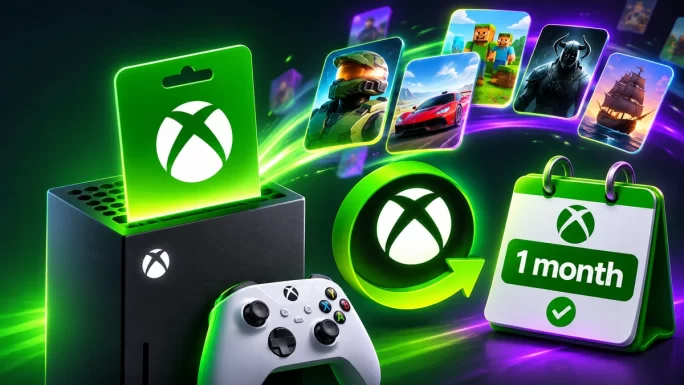
To do this, redeem your gift card first. Next, open the Game Pass page on your console, in the Xbox app or on the Xbox website and choose the plan you want. At checkout, select your account balance as the payment method.
If your membership renews automatically, Microsoft can also use your balance for the renewal. However, make sure the balance covers the full price before the renewal date. Otherwise, the payment may fail, or it may go to another payment method saved on your account.
TipIf you do not want to be charged automatically, turn off recurring billing in your Microsoft account and simply buy Game Pass with your balance each month.
Still not sure which plan to choose? Our article Xbox Game Pass tiers explained compares all of them. For the latest additions, see Xbox Game Pass November 2026.
Essential and Ultimate
Xbox Game Pass
Game Pass codes for Essential and Ultimate plans. Activate a fixed period without a bank card.
Buy Xbox Game PassHow Much Balance You Actually Need
Of course, choosing the right value depends on what you plan to buy. A small card is fine for in-game currency, while a new game or a long Game Pass period needs more.
Xbox gift card budget ideas
| What you want | Suggested value |
|---|---|
| A few skins or a battle pass | 10 to 25 |
| One month of Game Pass | 15 to 30 |
| A new full-price gamePopular | 70 to 80 |
| Several months of Game Pass | 50 to 100 |
| A game plus extras | 100 or more |
Keep in mind that these amounts are a rough guide, since prices differ from region to region. Therefore, check the price in your store first, then pick a card that covers it.
Also, you do not have to spend the whole balance at once. Any money left over stays on your account, so you can use it later for your next purchase. Similarly, you can combine several smaller cards if you need a larger amount.
Xbox Gift Card Regions and Currencies
Above all, region matters with Xbox gift cards. The code works only on a Microsoft account set to the same country or region, and in the same currency. As a result, a US card will not work on a UK account, and a Turkish card will not work on a German account.
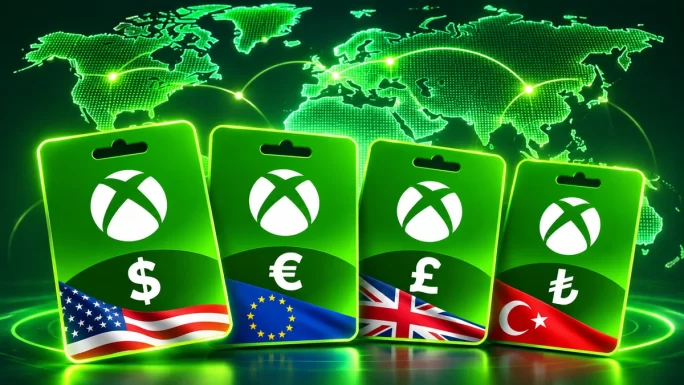
On TopGift, the Xbox gift card is available for 32 regions. For instance, here are some of the most popular ones:
Popular Xbox gift card regions on TopGift
| Region | Currency | Values |
|---|---|---|
| United StatesMost popular | USD | 5 to 200 |
| Europe | EUR | 5 to 100 |
| United Kingdom | GBP | 5 to 100 |
| Germany | EUR | 5 to 75 |
| Canada | CAD | 15 to 100 |
| Australia | AUD | 15 to 100 |
| Turkey | TRY | 25 to 10000 |
| Brazil | BRL | 5 to 200 |
In addition, we offer cards for France, Italy, Spain, the Netherlands, Austria, Ireland, Portugal, Poland, the Czech Republic, Hungary, Sweden, Norway, Denmark, Switzerland, Mexico, Colombia, Japan, Singapore, Hong Kong, New Zealand, South Africa, Saudi Arabia and the UAE.

United States
Xbox Gift Card US
Microsoft account balance in US dollars. Values from 5 to 200 USD.
Buy Xbox Gift Card USCan You Redeem an Xbox Gift Card From Another Region
In most cases, no. That is because Microsoft ties your balance to the country or region of your account. Therefore, a code from another region is usually rejected with a message that it is not valid in your region.
To find your region, first sign in at account.microsoft.com and open Your info. Alternatively, open the Store on your console and look at the currency next to the prices. If you see euros, choose a euro card. If you see pounds, choose a UK card.
Admittedly, some players change the region of their account to use a cheaper card. However, this is risky. Changing your region can affect your existing balance, your subscriptions and the content you can access. Moreover, Microsoft may restrict how often you can change it. So, the safest option is always to buy a card for the region your account already uses.
If your country is not on the list, our guide on country and payment errors explains other ways to pay.

Europe
Xbox Gift Card EU
Microsoft account balance in euros for eurozone accounts. Values from 5 to 100 EUR.
Buy Xbox Gift Card EUHow to Check Your Microsoft Account Balance
After you redeem a code, it is therefore a good idea to check that the money arrived. Luckily, this only takes a moment.
- On the web: sign in at account.microsoft.com and open Payment options to see your balance.
- On Xbox: open Settings, then Account, then Payment and billing.
- On PC: open the Microsoft Store app and look at your profile menu or payment settings.
You will also see your balance at checkout. When you buy something, the store shows how much money is available and how much will be left after the purchase.
If the balance still does not appear, wait a few minutes and refresh the page. In most cases, that solves it. If it still does not show, check that you redeemed the code on the right account.
Xbox Gift Card vs Game Pass Code
Interestingly, people often confuse Xbox gift cards with Game Pass codes. Although they look similar, they work in different ways.
Xbox gift card vs Game Pass code
| Feature | Xbox gift card | Game Pass code |
|---|---|---|
| What you get | Account balance | A fixed period of Game Pass |
| Can buy games | Yes | No |
| Can buy in-game currency | Yes | No |
| Can pay for Game Pass | Yes | It is Game Pass |
| Best for | Flexible spending | Players who only want Game Pass |
In short, a gift card is more flexible, because you decide later what to spend it on. On the other hand, a Game Pass code is a good choice if you already know you only want the membership.
Why You Cannot Redeem an Xbox Gift Card
Fortunately, most redeem problems have a simple cause. Here are the most common ones and how to fix them.
Common Xbox code errors
| Problem | Likely cause | Fix |
|---|---|---|
| Code is not valid in your region | Wrong region card | Buy a card for your account region |
| Code already redeemed | Used before, possibly on another account | Check your other Microsoft accounts |
| Code not found | Typo or missing character | Copy and paste the full code |
| Too many attempts | Several failed tries in a row | Wait and try again later |
| Balance not showing | Display delay | Refresh or sign out and back in |
Also, remember that Microsoft limits how much money an account can hold and how many codes you can redeem in a short time. If you hit a limit, wait a while or spend some balance first. If nothing helps, contact TopGift support with your order number. For payment issues in general, see Xbox payment declined.
Tips Before You Redeem an Xbox Gift Card
Before you start, a few quick checks can save you a lot of trouble. Here is a short checklist:
- Check your region: make sure the card matches the country of your Microsoft account.
- Check the account: sign in to the account you actually play on.
- Copy carefully: paste the code instead of typing it by hand.
- Keep the code private: anyone who sees an unused code can redeem it.
- Save your order details: keep the confirmation until the balance appears.
In addition, be careful with websites that promise free Xbox codes or code generators. These offers are scams, and they often try to steal your account details. Only buy codes from trusted sellers.
Giving an Xbox Gift Card as a Present
Finally, an Xbox gift card makes a great present for anyone who plays on Xbox or PC. Since the recipient chooses what to buy, you do not need to guess which game they want.
- Ask about the region: find out which country their Microsoft account uses.
- Pick a value: a small card covers in-game currency, while 50 or more can pay for a new game.
- Send it privately: share the code in a personal message.
- Add the redeem link: include microsoft.com/redeem so they know where to enter it.
Because the code arrives within minutes, it also works as a last-minute gift for birthdays and holidays. For more ideas, see our best gifts for gamers.
Frequently Asked Questions
Go to microsoft.com/redeem, sign in with your Microsoft account and enter the 25-character code. You can also redeem it in the Store on your Xbox or in the Microsoft Store app on PC.
Yes. The balance goes to your Microsoft account, so you can spend it on Windows as well as on your Xbox.
Yes. Redeem the card first, then choose your account balance as the payment method when you buy Game Pass.
No. According to Microsoft, gift card codes do not expire, and the balance stays on your account until you spend it.
No. The card must match the country or region of your Microsoft account, so a European account needs a euro card.
Yes, if you buy them on Xbox or Windows. The purchase is paid with your Microsoft account balance.
Key Takeaways