There is much more you can buy with an Apple Gift Card than apps. Depending on your country, the same balance covers games, in-game currency, iCloud+ storage, Apple Music and even a new iPhone at apple.com. However, there are a few things it simply cannot buy, and a few rules that catch people out.
This guide lists everything you can buy with an Apple Gift Card in 2026, from a small app to a MacBook. It also explains region locks, subscriptions and the purchases Apple blocks. That way, you know exactly where your balance can go before you redeem the code.
Three Kinds of Apple Cards and Why It Matters
Before you spend anything, check which card you have. Apple has sold three kinds of gift cards over the years, and they don’t all work in the same places.
- Apple Gift Card. The newer all-in-one card. In the countries where Apple sells it, one balance works in the App Store, for subscriptions and for products at apple.com and in Apple Store locations.
- App Store & iTunes Gift Card. The older blue card. It covers apps, games, music, films and subscriptions.
- Apple Store Gift Card. A plain grey, white, silver or gold card sold in some countries. It only pays for hardware and accessories.
Whatever the design, redeeming a card adds money to your Apple Account balance. From that point on, the money follows the balance rules, not the card rules. In countries where the Apple Gift Card exists, the balance even includes older App Store & iTunes cards. As a result, those older codes can help pay for products at apple.com too.
Every Apple Gift Card on TopGift is a digital code. After payment, the code appears in your account dashboard, and you redeem it in the App Store or in Settings. Our step-by-step redeem guide shows every screen, so this article focuses on what comes next.
Apps and Games You Can Buy With an Apple Gift Card
The most common use is still the App Store. Your balance pays for any paid app or game on iPhone, iPad, Mac, Apple Watch and Apple TV. Because the balance sits on your Apple Account, it works on every device you sign in to.
When you tap the price button, Apple charges your balance first. If the balance is too low, the rest goes to your card on file. Without a card, Apple simply asks you to add money before it completes the purchase. For this reason, many people use gift cards as their only App Store payment method.
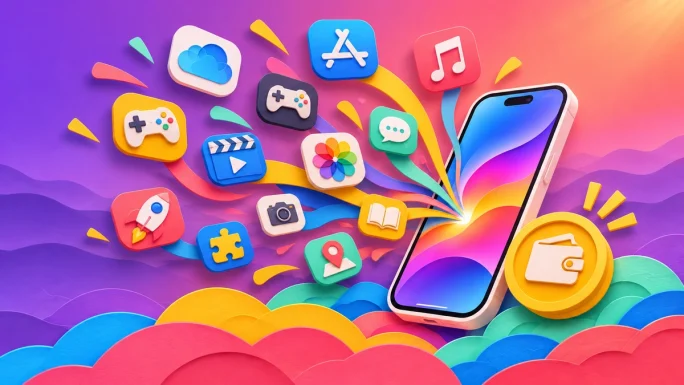
Here are some typical things people buy with their first card:
- Premium games such as Minecraft, Stardew Valley or Monument Valley
- Creative tools such as Procreate for drawing on iPad
- Productivity apps such as Things 3 or a paid PDF editor
- Mac software from the Mac App Store
- Apple Watch apps and complications
Mac users get the same benefit, since the Mac App Store uses the same balance. Keep in mind that some developers sell their Mac apps only on their own websites. In that case, the purchase needs a normal card or another payment method.
Paid apps are also a sensible first purchase because they are one-off costs. Once bought, an app stays in your purchase history. You can delete it and download it again later on any device without paying twice.
In-App Purchases and Game Currency
Your balance also pays for anything sold inside an app, as long as the app uses Apple’s own checkout. That covers almost every mobile game. When the familiar Apple payment sheet slides up, the money comes from your gift card balance.
Popular in-app purchases
| Game or app | What you buy | Paid from balance |
|---|---|---|
| Roblox | Robux and Roblox Premium | Yes |
| Fortnite (US App Store) | V-Bucks | Yes |
| Genshin Impact | Genesis Crystals | Yes |
| PUBG Mobile | UC | Yes |
| Call of Duty: Mobile | CP | Yes |
| TikTok | Coins | Yes |
There is one catch, though. More apps now let you pay on their website instead of inside the app, often for less. Those web purchases don’t use your Apple balance. For example, coins cost noticeably less on the TikTok website, which we explain in our TikTok Coins price guide.
Similarly, Robux bought outside the App Store sometimes come with extra value. Our Robux price breakdown compares every option. Even so, the App Store route remains the easiest choice when you only have Apple credit.
Apple Gift Cards for Kids and Teens
A gift card is one of the safest ways to give a child spending money on an iPhone or iPad. The child can only spend what is on the balance, so there are no surprise charges on a parent’s bank card.
With Family Sharing, a parent can also turn on Ask to Buy. Then every purchase or free download needs approval from the parent’s device. Screen Time adds further limits, such as blocking in-app purchases completely.
One tip for parents: redeem the card directly on the child’s account. A code redeemed on the parent’s account stays with the parent, and family members can’t spend it.
Apple Subscriptions Your Balance Can Pay For
Apple’s own services are a natural match for a gift card. You can pay for each one separately or bundle several of them with Apple One.
Apple services you can pay with your balance
| Service | What you get |
|---|---|
| Apple Music | Over 100 million songs, lossless audio and lyrics |
| Apple TV | Apple Originals series and films (formerly Apple TV+) |
| Apple Arcade | More than 200 games with no ads or in-app purchases |
| iCloud+ | Extra storage from 50 GB to 12 TB, plus Hide My Email |
| Apple Fitness+ | Guided workouts and meditations |
| Apple News+ | Hundreds of magazines and newspapers, in selected countries |
| Apple One | Several Apple services for one monthly price |
Subscriptions take money from your balance each month, but only when the balance covers the whole charge. In addition, Apple usually wants another valid payment method on file. If the balance runs short, Apple bills that card instead.
TopGift Tip
Check your balance a few days before each renewal. If it is lower than the subscription price, top it up with a new code so the charge doesn’t fall back to your bank card.
Some subscriptions may not bill to the balance at all in a few regions. For example, Apple lists AppleCare+ as a plan that some countries can’t pay with balance. Meanwhile, the core services above work almost everywhere Apple sells them.
Is Apple One Worth It on a Gift Card
Apple One bundles Apple Music, Apple TV, Apple Arcade and iCloud+ storage, with Fitness+ and News+ in the bigger plans. Since the bundle is a single monthly charge, a gift card can cover it neatly.
Apple One on gift card balance
- One charge instead of several
- Usually cheaper than paying for three or more services separately
- Family plan shares the services with up to five people
- You pay for services you may not use
- The full monthly price must fit in your balance
- Plans and prices differ by country
As a rule, Apple One makes sense if you already use at least two of its services. Otherwise, a single Apple Music or iCloud+ plan stretches the same gift card much further.
Apple Arcade or Paid Games
If you mostly spend your balance on games, compare Apple Arcade with buying titles one by one. Arcade gives you a large catalogue for a monthly fee, and none of its games show ads or sell coins inside the game.
On the other hand, paid games are yours for good once you buy them. Arcade games leave your library when you stop paying, although your saved progress usually stays in iCloud.
In short, Arcade suits players who try many games and drop them quickly. If you play one or two favourites for months, buying them outright is often cheaper over time.
Third-Party Subscriptions in the App Store
Many popular apps sell their subscriptions through Apple. When they do, your Apple balance can cover them, too. Typical examples include ChatGPT Plus, YouTube Premium, Duolingo Super and many VPN, fitness and photo apps.
To check an app, open it and start the upgrade. If the Apple payment sheet appears, your balance will work. If the app sends you to a website instead, you need another payment method. That is the case for Netflix and Spotify, which stopped selling plans inside their iPhone apps years ago.
Paying through Apple can cost a little more than paying on the web. Still, it is one of the simplest ways to subscribe without a bank card. Our guide on paying for ChatGPT Plus without a credit card covers this method in detail.
You can manage every App Store subscription in one place. On iPhone, open Settings, tap your name and choose Subscriptions. There you can see the renewal date, switch plans or cancel before the next charge.
Movies, Music and Books
The balance also works in Apple’s media stores. You can buy or rent films and TV episodes in the Apple TV app, buy songs and albums in the iTunes Store, and buy e-books and audiobooks in Apple Books.
Rentals are a good use for small leftover amounts. A film rental usually costs only a few dollars, so it can finish off a balance that is too small for anything else. Similarly, a single album or audiobook often fits a small remainder.
Purchases are tied to your Apple Account. Once bought, a film or album stays in your library, and you can download it again on any of your devices. Family Sharing can share many of these purchases with relatives. However, the balance itself stays yours, and family members can’t spend it.
Can You Buy an iPhone With an Apple Gift Card
Yes, in many countries. Where Apple sells the newer Apple Gift Card, your balance pays for iPhone, iPad, Mac, Apple Watch, AirPods and accessories. You can spend it at apple.com, in the Apple Store app and in Apple Store locations.
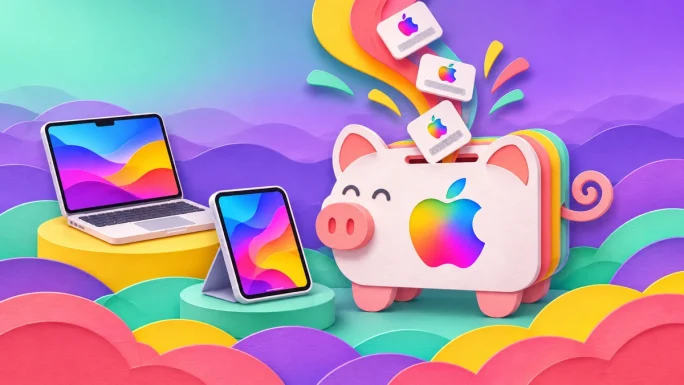
This turns a gift card into a handy way to save up for a device. Several codes redeemed over time all add to the same balance. When the total is high enough, you simply place the order.
Paying for hardware with your balance
There are limits, though. Apple doesn’t let you combine the balance with Apple Pay or PayPal on the same order. The balance also works only for orders delivered within your account country. Finally, other retailers that sell Apple products, such as Amazon or electronics chains, don’t accept it.
Older cardsIn countries without the new Apple Gift Card, an App Store & iTunes Gift Card stays limited to digital purchases. It can’t pay for hardware there.
What You Cannot Buy With an Apple Gift Card
Apple keeps the balance inside its own ecosystem. These are the purchases it refuses:
- Other gift cards. You can’t buy one Apple Gift Card with another, and you can’t send gifts from your balance.
- Cash. The balance can’t be withdrawn, sent to a bank or turned into Apple Cash.
- AppleCare+ in some regions. In several countries the balance can’t pay for AppleCare+ or start a plan.
- Repairs. Service and repair fees need a regular payment method.
- Shops outside Apple. The balance doesn’t work at supermarkets, cafés or other online stores.
- Other countries. A card from one country won’t redeem on an account from another.
- Family members. People in your Family Sharing group can’t spend your balance.
Some purchases may also require a credit card on file, even when the balance covers the full price. This mostly affects subscriptions and some special offers.
Scam alertApple Gift Cards only pay for Apple products and services. If anyone asks you to pay a bill, a fine or a prize fee with Apple Gift Card codes, it is a scam. Never share a code with anyone.
Region Rules Before You Buy an Apple Gift Card
Apple Gift Cards are tied to a country. A card works only with an Apple Account from the same country, so a US card won’t redeem on a German account. Therefore, check your account region before you pay.
How to check your Apple Account country
Changing your account country is possible, but Apple asks you to spend your remaining balance first. You also need to cancel active subscriptions. For most people, it is far easier to buy a card that matches the account they already have.
TopGift sells Apple Gift Cards for more than 20 countries, including the United States, the United Kingdom, Germany, France, Japan, Canada and Australia. Each product page names the region clearly, so you can match it to your account in seconds.
Apple Gift Card
Apple Gift Card United States
For Apple Accounts set to the United States.
Buy Apple Gift Card USUsing Apple Without a Bank Card
A gift card is also the easiest way to use Apple services with no bank card at all. In many countries, you can create an Apple Account and set the payment method to None. After that, you redeem a code and spend the balance as usual.
This setup suits teenagers, people who prefer not to store card details, and anyone whose bank card keeps getting declined. Our guide to topping up Apple without a bank card explains the whole process.
There is a trade-off. Without a backup card, a subscription stops if the balance runs out. So keep an eye on renewal dates and redeem a new code in good time.
Apple Gift Card
Apple Gift Card United Kingdom
For Apple Accounts set to the United Kingdom.
Buy Apple Gift Card UKHow Apple Spends Your Balance
Apple always uses your balance before any card on file. This applies to apps, in-app purchases, subscriptions and media. In other words, a gift card works like a prepaid wallet for everything you buy from Apple.
If a purchase costs more than your balance, Apple charges the difference to your other payment method. Without one, you need to add money before the purchase goes through.
You can check the balance at any time. On iPhone, open the App Store and tap your photo at the top. The amount appears under your name. On a Mac, it shows in the App Store under your account. The Wallet app also displays it on your Apple Account card.
Smart Ways to Spend Your Balance
The right purchase depends on how much you have. Here are some ideas for common amounts in US dollars.
Ideas by budget
| Balance | Good ideas |
|---|---|
| 10 USD | A premium game, a film rental or a few months of iCloud+ storage |
| 25 USD | Two months of Apple Music, a Robux pack or a set of apps |
| 50 USD | Several months of Apple One or a big in-game currency pack |
| 100 USD | Accessories such as a MagSafe charger or an Apple Pencil |
| 200 USD and more | Savings toward an iPad, Apple Watch or iPhone |
Gift cards also make easy presents. Because the value can go on anything from music to a new iPad, the person receiving it chooses. Just make sure the card matches their country, not yours.
If you are buying for yourself, think about what you use every day. A storage upgrade or a music plan often brings more value than one more game you might play once.
Mistakes to Avoid When You Buy With an Apple Gift Card
Most problems with Apple Gift Cards come from a few simple slips. Here is how to avoid them.
Common mistakes
Buying a card for the wrong countryFix: Check the Country/Region in your Apple Account first. Codes can’t move to another region.
Trying to spend it on Amazon or in other storesFix: Use it only at Apple: the App Store, apple.com, the Apple Store app and Apple Store locations.
Letting a renewal fall back to your bank cardFix: Keep the balance above the next renewal price.
Sharing the code before redeemingFix: Treat the code like cash, because anyone who sees it can redeem it.
Paying for AppleCare+ with the balanceFix: Use a bank card for AppleCare+, since many regions block balance payments for it.
Where to Buy an Apple Gift Card Online
TopGift sells Apple Gift Card codes for over 20 regions. Pick the card that matches your Apple Account, pay, and the code appears in your account dashboard within seconds.
Apple Gift Cards
Apple Gift Cards for Every Region
US, UK, EU, Japan, Canada, Australia and more.
Buy Apple Gift CardsNot sure which card to choose? Open your Apple Account settings first, then pick the card for the same country. If you shop in other stores too, our gift card catalogue lists every brand we carry.
Key Takeaways
Frequently Asked Questions
Yes. Any purchase that uses Apple’s own checkout inside an app, such as Robux, V-Bucks or game gems, comes from your Apple Account balance.
Yes. Apple Music, Apple TV, Apple Arcade, iCloud+ and Apple One all take payment from your balance when it covers the full monthly price.
In countries where Apple sells the newer Apple Gift Card, your balance from App Store cards can pay for products at apple.com. Elsewhere, App Store cards only cover digital purchases.
In most countries, Apple Gift Cards and the balance they add have no expiry date. Still, it is best to redeem a code soon after you buy it.
No. A card only redeems on an Apple Account from the country it was issued for, and the balance can’t move to another region.
No. The balance stays on your own account. You can’t transfer it or share it through Family Sharing.