
You’re mid-purchase, ready to add credit to your account, and it fails. The message might say your payment method is not supported, or that it doesn’t match the country of the store. Sometimes your card is simply refused; other times the option you need isn’t even offered where you are. It’s one of the most frustrating walls in gaming — and the good news is there’s a simple, reliable way around it.
This guide covers the big platforms — Steam, PlayStation, Xbox, Nintendo, Roblox, Fortnite, Riot and Blizzard — and the same fix that works across all of them. Whatever you’re trying to top up, the answer is usually the same: a region-matched gift card.
In this guide
Why Your Payment Method Is Not Supported
When a platform says your payment method is not supported, it almost always comes down to a mismatch between your payment method and the store’s country. Gaming platforms tie your account to a region, and they expect a local payment method to match it. When it doesn’t, the transaction fails.
There are a few common triggers. Your card was issued in a different country from your store region. You’ve moved abroad, but your account is still set to home. The platform doesn’t support cards from your country at all. Or a local payment method you’d normally use simply isn’t offered on that store. In every case, the platform is refusing the payment because of where it’s coming from, not because anything is wrong with your money.
The Fix: A Region-Matched Gift Card
A gift card sidesteps the whole problem. When your payment method is not supported, you simply skip it: buy a digital gift card for that platform, in the right region, and redeem the code directly into your account. The platform sees credit from a matching gift card — not a foreign card it wants to reject.
The key is matching the card’s region to your account’s region. A gift card bought for the correct region redeems cleanly and adds balance you can spend as normal. No bank card enters the transaction, so none of the country-matching rules that blocked you apply. Below, platform by platform, is how it works.
Steam
Steam ties your wallet to the country you set up your account in, and it’s strict about matching payment methods to that country. If your card is from elsewhere, or Steam doesn’t support your local method, you’ll hit the wall.
A Steam gift card in the right region solves it. Redeem the code, and the balance lands in your Steam Wallet to spend on games, DLC or anything else — no card needed, no country mismatch.
Buy a Steam Gift Card →PlayStation (PSN)
PlayStation is one of the strictest for region locking. Your PSN account has a set country, and it frequently refuses cards from outside it. Anyone who’s moved abroad knows this one well.
A PlayStation gift card matched to your account’s region tops up your PSN wallet directly. Redeem it, and you can buy games and subscriptions without wrestling with a foreign card.
Buy a PlayStation Gift Card →Xbox
Xbox works much the same way. Your Microsoft account belongs to one region, and a card from a different country often won’t go through for store purchases.
An Xbox gift card in the matching region adds balance you can spend across the store — games, add-ons, and more. If you also want a subscription, the same route covers Xbox Game Pass.
Buy an Xbox Gift Card →Nintendo eShop
The Nintendo eShop is firmly region-locked. Your account has a country, the eShop shows prices in that country’s currency, and payment methods must match. A mismatch stops the purchase cold.
A Nintendo eShop gift card for the correct region tops up your balance to spend on Switch games and content — no card, no mismatch.
Buy a Nintendo eShop Card →Roblox
Roblox players run into this when a card is declined or a local payment method isn’t available, leaving them unable to buy Robux the usual way.
A Roblox gift card is the clean way around it. Redeem the code, and it adds Robux (or credit) to your account, ready to spend on avatar items, passes and in-game purchases.
Buy a Roblox Gift Card →Fortnite (V-Bucks)
For Fortnite, the sticking point is usually buying V-Bucks when the store refuses your card or doesn’t support it.
A Fortnite V-Bucks card gets you the currency directly. Redeem it and spend on the Battle Pass, skins and other cosmetics — no bank card required.
Riot Games (Valorant & League)
Riot’s titles use their own currencies, and topping them up can fail when your payment method isn’t supported locally.
For League of Legends, a Riot Points card tops up your account directly. For Valorant, a Valorant gift card does the same for VP. Either way, you skip the card that wouldn’t go through.
Blizzard
Blizzard’s Battle.net balance covers its whole catalogue, and here too a foreign or unsupported card can block a top-up.
A Blizzard gift card adds Battle.net balance you can spend across Blizzard’s games — redeem the code and you’re set, no card needed.
Getting the Region Right
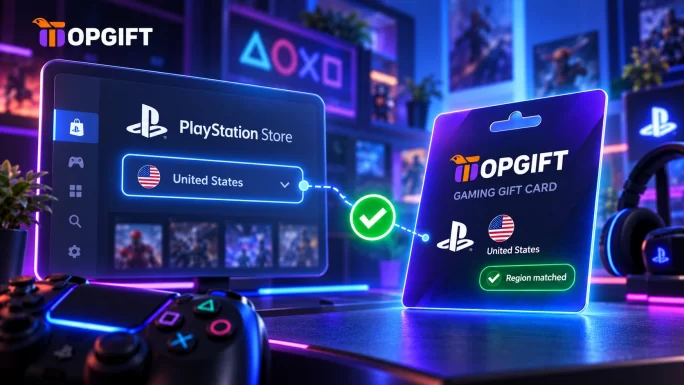
Since the whole fix depends on matching regions, this is the one thing to get correct. Before buying, check which country your gaming account uses — not where you currently are, but what the account itself says. After that, pick a gift card for the same region.
If your account uses the United States, buy the US version; for a UK account, buy the UK version, and so on. A card from the wrong region may not redeem, so a quick check first pays off. Once the regions line up, the code redeems instantly and the balance behaves exactly like any other.
Frequently Asked Questions
Why does it say my payment method is not supported?
Your gaming account uses one country, but your bank issued your card in another, so the platform treats your payment method as not supported. A gift card for your account’s region avoids this, since it never touches a bank card.
Will a gift card work if my card keeps getting declined?
Yes. A gift card doesn’t use your bank card at all — you redeem a code that adds balance directly. So the decline, whatever its cause, simply doesn’t apply.
How do I know which region to buy?
Check the country your gaming account is registered to, and buy a gift card for that same region. It’s the account’s country that matters, not where you physically are.
Can I use a gift card from a different country?
Usually not — most platforms require the card’s region to match your account. Buy the version for your account’s country to be sure it redeems.
How fast do I get the code?
You get digital gift card codes instantly. After purchase, the code appears in your account dashboard, ready to redeem right away.
The Bottom Line
A payment that won’t go through because of your country is annoying, but it’s rarely a dead end. Across Steam, PlayStation, Xbox, Nintendo, Roblox, Fortnite, Riot and Blizzard, the same fix applies: buy a gift card in your account’s region and redeem it directly. Match the region, skip the card, and the wall disappears — whatever platform put it there.


