
Xbox doesn’t always fail the same way twice. Sometimes it’s a flat decline, sometimes a vague error that isn’t really about payment at all, and sometimes it’s specifically about a subscription rather than a one-off purchase. Treating all three as the same problem is why so much advice online doesn’t actually fix anything. Here’s what each one really means, and the one fix that gets past all three regardless.
In this guide
Three Different Messages, Three Causes
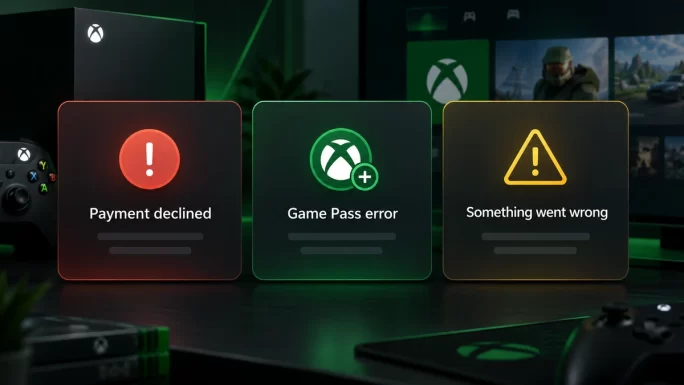
Before troubleshooting anything, it helps to know which message you’re actually looking at. Xbox uses different wording for different problems, and the wording is a real clue rather than decoration.
A flat decline at checkout, a failure tied specifically to Game Pass or another subscription, and a generic “something went wrong” are three different situations with three different explanations. The sections below take each in turn.
This Transaction Could Not Be Completed
This is the classic decline, and it usually comes down to one of a few things. Your card may not be valid for the country your Xbox account is set to — Microsoft ties every account to a region, and a card issued elsewhere often fails silently rather than explaining why. Your bank may also have flagged the purchase, since gaming platforms are common fraud-filter targets, particularly for a first purchase or an unusually large one.
A saved card that has quietly expired causes the same message, and it’s easy to miss because Xbox doesn’t always warn you clearly beforehand. In every case, the fix starts with checking the basics: confirm your account’s region, confirm the card hasn’t expired, and try a different card if you have one.
When It Is Game Pass, Not a Game
Subscriptions fail differently to one-off purchases, because they ask more of a card. Setting up Game Pass, or renewing it, means authorising a recurring charge, and some banks block recurring payments even while allowing single purchases from the same merchant without any trouble.
If a one-time game purchase goes through but Game Pass specifically won’t, that’s the pattern to look for. It points to the subscription itself, not your card in general, and no amount of retrying a one-off purchase will tell you anything useful about it.
Not sure which plan you are paying for? Our guide to Xbox Game Pass tiers explains the difference between Essential, Premium and Ultimate and what each one costs.
Something Went Wrong Is Not a Decline
This one trips people up because it looks like a payment failure and usually isn’t. A generic error, often phrased loosely as “something went wrong” or a similar catch-all, tends to point to a temporary problem on Microsoft’s side — a busy server, a brief outage, a processing hiccup that has nothing to do with your card or your bank.
Waiting a few minutes and trying again usually clears it. If it persists well beyond that, it’s worth checking Xbox’s own service status before assuming the problem sits with your payment method at all.
Buying Your Way Around It
Which fix makes the most sense depends on what you were actually trying to buy, not just on dodging a decline.
If it was one specific game, buying that game directly as a key skips the store’s payment step entirely for that purchase. No card, no subscription check, nothing to decline in the first place.
Shop Xbox Games →If it was Game Pass specifically, a Game Pass code does the same job for the subscription. You activate it directly, without asking a bank to approve anything recurring.
Get Xbox Game Pass →For anything broader — a purchase you haven’t decided on yet, or a balance you’d simply rather have ready — an Xbox Gift Card tops up your account directly. Here’s how to redeem one.
- Open the Microsoft Store on your console, or the Xbox app on PC or mobile, and sign in to the account you want to fund.
- Find Redeem Code in your profile or account menu — the exact wording varies slightly by device.
- Enter your code exactly as issued, with no spaces.
- Confirm — the balance lands in your account and covers games, add-ons or a Game Pass subscription straight away.
Once the code is in, the balance is ready to spend immediately — no waiting, no bank in the loop.
Get Xbox Gift Cards →Frequently Asked Questions
Why does Xbox say a transaction could not be completed?
Usually a region mismatch between your card and your account, a bank blocking the purchase, or a card that’s quietly expired. Check the account’s region and the card’s validity first.
Why does Game Pass fail when a game purchase works fine?
Subscriptions ask a card to authorise recurring billing, which some banks block even when they allow one-off purchases. It’s a different check to a single payment, not a sign your card is broken.
What does “something went wrong” actually mean?
Usually a temporary issue on Microsoft’s side rather than a payment problem. Wait a few minutes and try again before assuming your card or bank is at fault.
Does an Xbox gift card avoid all three problems?
Yes. Since you redeem a code instead of charging a card, there’s no region check, no recurring-payment filter, and no bank decision involved at all.
Can I use a gift card to pay for Game Pass specifically?
Yes. The balance covers any purchase on the account, including a Game Pass subscription, so it works even if Game Pass was the one thing failing before.
What if I just want one specific game, not a wallet top-up?
Buying that game directly as a key skips the store’s payment step entirely for that title. There’s no card and no subscription check involved.
Is there a more direct way to fix Game Pass than a general gift card?
Yes. A Game Pass code activates the subscription directly, without asking your bank to approve a recurring charge at all.


