Few things are more annoying than a Paysafecard not working right at checkout. You type in the 16-digit PIN, press pay, and instead of a confirmation you get an error. The good news is that almost every problem has a clear cause, and most of them are easy to fix or avoid.
This guide goes through the errors people run into most often: blocked PINs, codes that show as used, shops that refuse the payment, limits and a balance that seems too low. For each one, you’ll see what it means and what to do next.
A Paysafecard PIN usually fails for one of five reasons: it was used from a different country than the code (which can block it straight away), it has already been spent or added to a paysafecard account, the shop doesn’t accept Paysafecard, you hit a payment limit, or there’s a technical problem at checkout. A blocked PIN can be released through Paysafecard’s official unblocking form.
Why Paysafecard Stops Working
A Paysafecard PIN is simple on the surface: it’s a prepaid code with a fixed value, and you spend it like cash online. Behind that, though, Paysafecard runs strict security checks on every payment and balance check.
Those checks look at where the code was issued, where you’re connecting from, how the PIN has been used before and whether the shop accepts it. If something doesn’t add up, the payment stops. In most cases, the PIN itself is fine and the problem is how or where it was used.
If you’re new to it, our guide on how to pay online with Paysafecard covers the basics first. Below, we focus on what to do when things go wrong.
Paysafecard Errors at a Glance
Here’s a quick overview of the most common problems. We explain each one in more detail further down.
Common Paysafecard errors
WhyThe code was used or checked from a different country than the one it was issued for.
FixSubmit the official unblocking form and keep your proof of purchase.
WhyThe PIN is fully spent or no longer active.
FixCheck the balance on paysafecard.com and contact support if the check fails.
WhyIt was spent at a shop or added to a paysafecard account.
FixCheck your order history or your account transactions.
WhyThe shop doesn’t take Paysafecard payments.
FixPay at a shop that accepts it, or use another method.
WhyThe payment is above the allowed amount.
FixSplit the purchase or register a paysafecard account.
WhyA page refresh, expired session or unstable connection broke the payment.
FixClear your cache, reconnect and try again later.
PIN Blocked After a Country or IP Mismatch
This is the most serious error, and it’s also the easiest to avoid. Every Paysafecard PIN belongs to one country. A German code is meant for Germany, a French code for France, and so on.
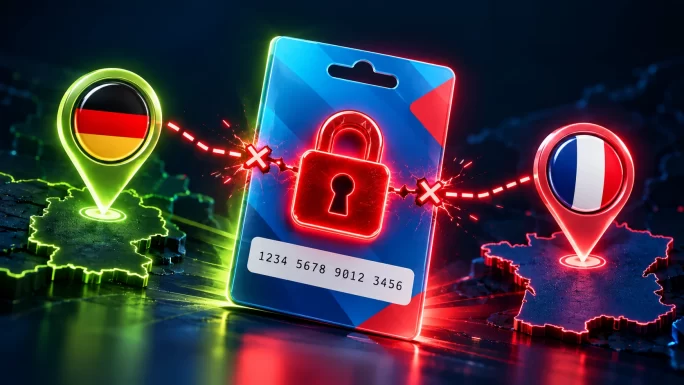
When you pay or check a balance, Paysafecard also looks at the country of your internet connection. If your IP address doesn’t match the code’s country, Paysafecard blocks the PIN right away. There’s no warning message first and no second try. For example, if you use a French code from a German connection, Paysafecard will usually lock it on the first attempt.
ImportantNever enter a Paysafecard PIN from a country you’re not in, not even just to check the balance. One attempt from the wrong country can be enough to block it.
So what happens if it’s already blocked? In that case, the error message links to Paysafecard’s unblocking form. According to Paysafecard, filling in that form truthfully is the only way its support team can process the case. Keep your proof of purchase ready, such as the order confirmation from the shop where you bought the code, because support may ask for extra details.
The best protection is simple: buy the code for the country you actually live in, and use it from there. On TopGift, each Paysafecard belongs to one specific country:
Which Paysafecard to buy
Pick the country you live in and pay from
If you’re travelling, wait until you’re home before you use a code from your own country.
PIN Invalid or Already Used
An “invalid” message means the PIN is either completely used or no longer active. Before anything else, check the remaining balance with the official balance check on paysafecard.com. Of course, do it from the code’s own country.
When the balance shows zero, someone has already used the PIN. There are two very different ways that can happen:
Spent at a shop
What happenedThe value went to a payment at an online shop
Can you still use the PINNo, it has nothing left
Where to checkYour order history in that shop
Is the money goneYes, it paid for the order
Added to a paysafecard account
What happenedThe PIN was loaded into a paysafecard account, so the value moved to that account
Can you still use the PINNo, it no longer works as a standalone PIN
Where to checkThe transaction history in the paysafecard account
Is the money goneNo, it’s still in the account balance
The second case catches many people out. Once you add a PIN to a paysafecard account (formerly called my paysafecard), the value becomes part of that account balance. After that, the 16-digit code alone won’t work at checkout. Instead, you log in to the account at the payment step and pay from the balance.
If neither applies and you’re sure the code was never used, contact Paysafecard support. Attach a screenshot of the PIN and your receipt so they can trace it.
TipIf a Paysafecard bought on TopGift shows as invalid right after delivery, don’t keep retrying. Contact TopGift support with your order number first.
Shop Does Not Accept Paysafecard
Sometimes the PIN is perfectly fine, but the shop isn’t. Paysafecard shows a message along the lines of “The PIN entered is not permitted for a payment to this merchant”. In plain words, this shop doesn’t take Paysafecard.
Retrying won’t help here. Instead, check whether the shop lists Paysafecard at checkout at all. Some sites only show it in certain countries, so it may disappear if your account is set to another region.
If you want to keep paying with cash online, other prepaid vouchers can fill the gap. Our guide on how to pay online with cash compares the main options.
Payment Limit Reached
Paysafecard also caps how much you can pay at once. On its German fees and limits page, for example, Paysafecard lists 50 EUR as the maximum per payment. Limits can differ by country, so check the page for yours.
If your order is bigger than that, you have two options. First, you can split the purchase into smaller orders. Second, Paysafecard says that registering a paysafecard account gives you higher limits.
A similar issue can appear when you add PINs to an account. If you’ve reached a limit, Paysafecard advises waiting a few days for it to reset before you try again.
Balance Lower Than Expected
If your PIN works but shows less money than you loaded, a fee is the most likely reason. Paysafecard charges a monthly maintenance fee on unused balances, and the rules depend on the country where the code was issued.
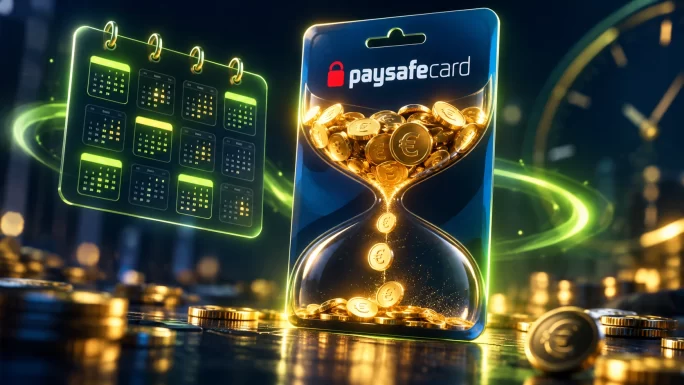
The differences are big. At the time of writing, the German page lists a 4 EUR monthly fee that starts 30 days after purchase, while the US terms only start charging after 24 months. In both cases, the fee comes off the remaining value until it reaches zero.
So the safest habit is to buy a code close to the amount you need and spend it soon. If a small amount is left over, use it on your next purchase by combining it with a new PIN.
Refunds also cost money. On the German page, a payout of the remaining balance carries a 5% fee, capped at 5 EUR, so a refund rarely makes sense for small leftovers.
Technical Problems at Checkout
Not every error is about the PIN. Sometimes the payment simply breaks halfway, for example if the page reloads or the session times out. In that case, Paysafecard suggests a few basic steps:
Also, don’t press the back button or refresh while the payment is processing. Doing so is one of the most common reasons a payment fails without a clear error.
How to Avoid Paysafecard Problems
Most Paysafecard trouble comes down to a handful of habits. Keep these in mind and you’ll rarely see an error:
- Buy for your own country: the code’s country should match where you live and pay.
- Use it from home: never check or spend a PIN from another country.
- Decide how you’ll pay first: if you add a PIN to a paysafecard account, pay from the account afterwards.
- Spend it soon: monthly fees can eat into an unused balance.
- Keep your receipt: it’s your proof if you ever need to unblock a code.
- Only enter the PIN on real checkouts: nobody legitimate asks you to send a code by message or phone.
If you follow these steps, a Paysafecard is one of the easiest ways to pay online without a bank card.
5 countries
Paysafecard
Codes for Germany, France, Spain, the Netherlands and Belgium. Your PIN appears in your account right after payment.
Shop PaysafecardFrequently Asked Questions
The most common reasons are a country mismatch between the code and your connection, a PIN that has already been spent or added to an account, a shop that doesn’t accept Paysafecard, a payment limit, or a technical error. Check the balance first, then match the error to its cause.
Usually because someone used or checked it from a country other than the code’s own country. Paysafecard compares the code’s country with your IP address, and a mismatch can block the PIN on the first attempt. Other security checks can also trigger a block.
Use the unblocking form that the error message links to. Paysafecard says this form is the only way its support team can process a blocked code. Fill it in truthfully and keep your proof of purchase ready, because support may ask for more details.
No, it’s not a good idea. Each PIN belongs to one country, and using it from another country can get it blocked straight away. Buy the code for the country you live in and pay from there, even if the currency is the same.
Either the PIN was spent at a shop, or it was added to a paysafecard account. In the second case, the money isn’t lost: it sits in the account balance, and you pay by logging in to the account at checkout instead of entering the PIN.
The PIN doesn’t simply expire, but a monthly maintenance fee can reduce an unused balance. When it starts depends on the country, from about a month after purchase in Germany to two years in the US, so it’s best to spend the code soon.
Key Takeaways