Many people want to give TikTok Coins to a friend, a partner or a family member who loves TikTok LIVE. However, TikTok does not let you send Coins from your balance to someone else. The good news is that there is still an easy way to gift TikTok Coins: you give a prepaid TikTok Coins gift card, and the recipient adds the Coins to their own account. This guide explains how it works, which card to choose and which mistakes to avoid.
No, you cannot transfer TikTok Coins from your account to another person. Instead, you can gift a TikTok Coins gift card: you buy a prepaid code, send it to the recipient, and they redeem it on their own TikTok account. The recipient must be 18 or over to use Coins.
Can You Send TikTok Coins Directly
TikTok does not have a button to send Coins to another account. Your Coins stay in your own balance, and you can only spend them on gifts during LIVE streams or on other paid features.
In other words, there is no “transfer” option, no matter how many Coins you have. Even if you and the recipient are friends on TikTok, you cannot move your balance to them. Therefore, if you want someone else to have Coins, you need a way for them to receive Coins on their own account.
Gifting TikTok Coins at a glance
Why TikTok Coins Cannot Be Transferred
TikTok treats Coins as a personal, non-transferable balance. According to its rules, Coins cannot be sold, transferred or moved between accounts once you buy them. There are a few good reasons for this.
- Fraud prevention: blocking transfers makes it harder to resell stolen Coins or move money between fake accounts.
- Age rules: TikTok only allows adults to buy and use Coins, so direct transfers could bypass those checks.
- Clear ownership: each purchase is linked to one account, which keeps payments and refunds simple.
As a result, the only clean way to gift Coins is to give the recipient the means to buy them for their own account. That is exactly what a TikTok Coins gift card does.
The Best Way to Gift TikTok Coins
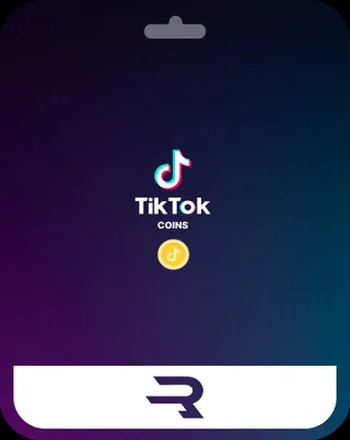
A TikTok Coins gift card is a prepaid code with a fixed value. You buy it, send the code to the recipient, and they redeem it through Rewarble to add Coins to their own TikTok account. Because the recipient uses their own login, nobody has to share a password or payment details.
This makes the gift card the simplest and safest way to gift TikTok Coins. Moreover, it has a few extra benefits:
- No card needed for the recipient: they do not have to link a bank card to TikTok.
- A clear amount: you choose the value, and the recipient sees exactly what they got.
- Website-level value: the gift avoids the higher in-app prices on iPhone and Android.
- Instant delivery: the code arrives in minutes, which is ideal for last-minute presents.
5 currencies
TikTok Coins Gift Card
Gift TikTok Coins to a friend without sharing payment details. Choose USD, EUR, GBP, CAD or AUD.
Buy TikTok Coins Gift CardHow to Gift TikTok Coins With a Gift Card
Buying a TikTok Coins gift card as a present takes only a few minutes. Here is what you, as the giver, need to do.
How to gift TikTok Coins
Before you send the code, double-check that you copied it completely. Also, keep your order confirmation until the recipient tells you the Coins have arrived, just in case they need help.
How the Recipient Redeems the Code
Once the recipient has the code, redeeming it is quick. They only need their own TikTok login.
How the recipient redeems the code
It is important that the recipient enters their own username correctly. A typo can send the Coins to a different account, which is very hard to undo. Therefore, suggest that they copy the username directly from their TikTok profile instead of typing it. For a detailed walkthrough, see our Rewarble redeem guide.
What the Recipient Can Do With the Coins
After the code is redeemed, the Coins appear in the recipient’s balance and belong to them. From that moment, they decide how to spend them, just like Coins they bought themselves.
- Send LIVE gifts: support favorite creators with Roses, Hearts, Lions and other gifts during streams.
- Join LIVE battles: help a creator win a match by sending gifts at the right moment.
- Support creators in other ways: in some regions, Coins can also be used for paid features linked to creators.
- Save them for later: Coins do not need to be spent right away, so the recipient can keep them for a special stream.
However, the recipient cannot turn Coins back into money. Coins are only for use inside TikTok, and they cannot be cashed out or moved to another account. That is why it makes sense to gift TikTok Coins to someone who already watches LIVE streams and enjoys sending gifts.
Also, if the recipient later wants to top up again on their own, they can use the same method. For example, they can buy another gift card for themselves instead of linking a bank card to the app.
Which Currency to Choose for a Gift
Before you buy, find out which currency the recipient sees in their TikTok account. The safest choice is the currency of the country where their account is registered. For example, a friend in Germany will usually need EUR, while a friend in the United States will need USD.
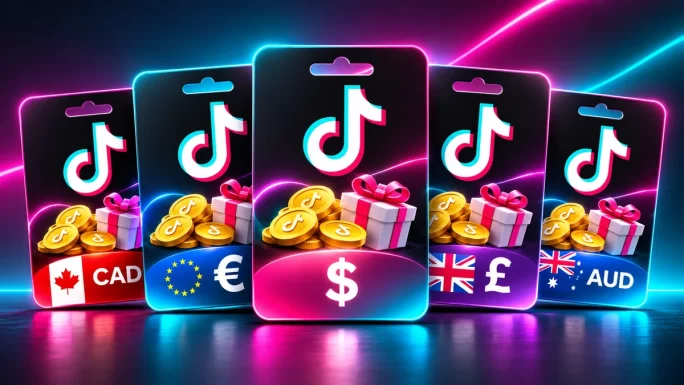
On TopGift, the TikTok Coins gift card comes in five currencies. Some of them have fixed values, and others let you enter a custom amount.
TikTok Coins gift card currencies
| Currency | Values | Best for |
|---|---|---|
| USDMost popular | 30, 50, 60, 100, 150 or custom | United States and many global accounts |
| EUR | 30, 50, 60, 100, 150 or custom | Eurozone countries |
| GBP | Custom amount | United Kingdom |
| CAD | Custom amount | Canada |
| AUD | Custom amount | Australia |
If you are not sure which currency to pick, simply ask the recipient. Alternatively, choose USD, because it works for a wide range of accounts. Still, matching the local currency is always the best option, since it avoids confusion during redemption.
EUR
TikTok Coins Gift Card EUR
A ready-made gift for friends with a Eurozone TikTok account. Delivered as a digital code.
Buy TikTok Coins Gift Card EURGifting TikTok Coins to Someone in Another Country
Many people want to send a present to a friend or relative who lives in a different country. Since the gift is a digital code, distance is not a problem. You can buy the card from anywhere and send the code by message or email.

What matters is the recipient’s account, not your location. Therefore, pick the currency that matches the country of their TikTok account. For example, if you live in the United Kingdom and your cousin lives in France, an EUR card is usually the right choice.
Gifting across borders
If the recipient is in a country that does not use one of the five currencies, USD is usually the most flexible option. Still, it is a good idea to check with them first, because a quick question saves time later.
Other Ways to Gift TikTok Coins
A TikTok Coins gift card is the most direct option, but it is not the only one. If the recipient prefers to buy Coins inside the app, you can give them store credit instead.
For example, an Apple Gift Card adds balance to the recipient’s Apple Account. They can then buy Coins in the TikTok app on iPhone or iPad. Similarly, a Google Play gift card adds balance that they can spend on Coins in the TikTok app on Android.
26 regions
Apple Gift Card
Add balance to an Apple Account and spend it on apps, games and in-app purchases like TikTok Coins.
Buy Apple Gift Card
26 regions
Google Play Gift Card
Add Google Play balance and use it for apps, games and in-app purchases on Android.
Buy Google Play Gift CardKeep in mindCoins bought in the app cost more than Coins bought on the TikTok website, because Apple and Google take a fee. As a result, the same budget gives fewer Coins. On the other hand, store credit is more flexible, since the recipient can also spend it on other apps.
In short, choose a TikTok Coins gift card if you want the recipient to get the most Coins. Choose Apple or Google Play if you want a more flexible gift. For a full comparison of payment options, read our guide on how to buy TikTok Coins without a credit card.
Gifting TikTok Coins vs Sending LIVE Gifts
People often confuse two very different things: gifting Coins to a friend and sending gifts during a LIVE stream. They sound similar, but they work in different ways.
When you send a LIVE gift, you spend your own Coins on a virtual item, such as a Rose or a Lion, during a stream. The creator then receives Diamonds, which they can later cash out. In contrast, gifting TikTok Coins means giving a friend the value to buy Coins for their own balance, so they can spend them however they like.
Gift card vs LIVE gift
| Feature | Coins gift card | LIVE gift |
|---|---|---|
| Who gets it | A friend or family member | A creator on LIVE |
| What they receive | Coins for their own balance | Diamonds |
| Can they cash out | No | Yes, creators can |
| Needs a LIVE stream | No | Yes |
| Good for | Birthdays and holidays | Supporting a favorite creator |
So, if you want to support a creator, send a LIVE gift from your own balance. If you want to give a present to someone you know, a gift card is the right choice. To see what each LIVE gift costs, check our TikTok gifts price list.
Age Rules for Gifting TikTok Coins
TikTok only allows adults to buy and use Coins. In most countries, the recipient must be at least 18 years old. In some countries, the minimum age can be higher, because it follows the local age of majority.
Therefore, a TikTok Coins gift card is not a suitable present for a teenager. If the recipient is under 18, they will not be able to buy gifts or use Coins on their account. Instead, consider a different present, such as a general store gift card chosen together with a parent.
Good to knowThe age rule applies to the person who redeems and uses the Coins. As the giver, you only need to be old enough to complete the purchase.
How Much to Gift
There is no right or wrong amount, but it helps to think about how the recipient uses TikTok. A casual viewer will be happy with a small amount, while a regular LIVE fan may enjoy a bigger gift.
Gift budget ideas
| Budget | Good for |
|---|---|
| 30 | A casual viewer who sends small gifts now and then |
| 50 or 60Popular choice | A regular LIVE viewer who supports a few creators |
| 100 | A fan who joins LIVE streams every week |
| 150 or more | A big birthday or holiday present |
Also, remember that the value of a gift card equals its face value on the TikTok website. In other words, the recipient gets more Coins than they would get for the same money inside the app. To learn how Coins are priced, see TikTok Coins explained.
Making It a Great Present
A digital code can feel a little plain, so it helps to add a personal touch. Here are a few simple ideas:
- Add a message: send the code together with a short note or a digital card.
- Pick the right moment: birthdays, Christmas, Valentine’s Day and graduations are all great occasions.
- Combine it: pair the code with a small physical gift, such as a phone stand or a ring light.
- Explain the steps: include a short line on how to redeem the code, so the recipient does not get stuck.
Because the code arrives within minutes, it also works as a last-minute present. For instance, you can order it on the morning of a birthday and still send it on time.
Common Mistakes When You Gift TikTok Coins
Most problems with TikTok Coins gifts come from small mistakes. Fortunately, they are easy to avoid if you know what to look for.
Common mistakes and how to avoid them
| Mistake | What happens | How to avoid it |
|---|---|---|
| Wrong username | Coins go to another account | Copy the username from the profile |
| Wrong currency | Redemption may fail | Ask which currency the account uses |
| Recipient under 18 | Coins cannot be used | Check the age rule first |
| Code shared publicly | Someone else redeems it | Send it in a private message |
| Code copied with a typo | The code is rejected | Copy and paste the full code |
If something goes wrong, contact the TopGift support team with your order number. In most cases, a quick check of the code and the account details solves the problem.
How to Avoid Scams When You Gift TikTok Coins
Unfortunately, scammers know that many people want to send Coins to friends. They often promise free Coins or “Coin transfers” that do not exist. Here is how to stay safe:
- Ignore “transfer” offers: TikTok does not allow Coin transfers, so any service that offers one is a scam.
- Never share a password: the recipient only needs their own login, so nobody else needs their password.
- Avoid free Coin generators: these sites steal accounts or personal data.
- Buy from a trusted store: use a seller that delivers real codes and offers support.
- Keep the code private: anyone who sees the code can redeem it.
In addition, be careful with messages from strangers who ask for gift card codes. A real friend will never ask you to send a code to an unknown account or to share it in public.
Frequently Asked Questions
No. TikTok does not let you transfer Coins between accounts. Instead, you can buy a TikTok Coins gift card and send the code to the recipient.
The best way is a TikTok Coins gift card. The recipient redeems it at rewarble.com/redeem and adds Coins to their own TikTok account.
No. The recipient only needs their own TikTok account. The gift card covers the value, so no bank card is needed.
Choose the currency the recipient uses on TikTok, usually based on their country. USD and EUR come in fixed values, while GBP, CAD and AUD use a custom amount.
No. TikTok only allows adults to buy and use Coins, so the recipient must be at least 18 or the age of majority in their country.
No. A LIVE gift is spent on a creator during a stream and turns into Diamonds. A gift card gives a friend value for their own Coins balance.
Key Takeaways