Payment vouchers let you pay online without a bank card. You buy a prepaid code, and then you use it at checkout, add it to a wallet or turn it into a virtual card. However, not all payment vouchers work the same way, and picking the wrong type is the most common mistake people make. This guide explains every type, how each one works and, above all, how to choose the right one for what you want to pay for.
Specifically, we will look at cash-style PIN vouchers, wallet top-ups, e-wallet vouchers, prepaid Visa and Mastercard codes and gaming wallets. By the end, you will know exactly which voucher fits your next purchase.
What Are Payment Vouchers
A payment voucher is a prepaid code with a fixed value, for example 25 EUR, 50 USD or 100 GBP. In other words, you pay for the code once, and after that it works like digital cash. Instead of typing in a card number, you enter the voucher code where a payment method is needed.
Above all, the key difference from a bank card is control. With a card, a shop can charge your account, and your bank sees every purchase. With a voucher, by contrast, you can only spend the value you loaded, and your bank details never reach the merchant. That is why many people use payment vouchers for gaming, online subscriptions, international sites or any shop they do not fully trust yet.
Payment vouchers at a glance
In addition, payment vouchers are useful when your own card does not work. For instance, some foreign sites decline local cards, and some people simply do not have a card at all. A voucher solves both problems, as long as the shop or wallet accepts that voucher brand.
How Payment Vouchers Work
Although the brands differ, almost every payment voucher follows the same basic path. First, you buy a code in the right currency. Next, you either enter it directly at a shop’s checkout or redeem it into an account, such as a wallet or a voucher platform. Finally, you spend the balance, either in one go or across several purchases.
However, the middle step is where the types differ. Some vouchers go straight into a checkout, while others must pass through an app or a platform before you can use them. Therefore, before you buy, always ask one question: where will I actually enter this code?
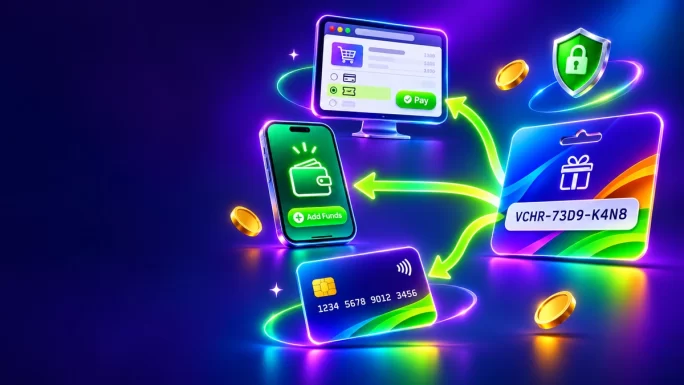
Once you know the answer, the choice becomes much easier. For example, if a shop shows a Paysafecard button at checkout, a Paysafecard PIN is all you need. If, on the other hand, you want to fund a Payz or Volet wallet, you need the matching voucher for that wallet.
Payment Vouchers vs Bank Cards
Naturally, you might ask why anyone would use a voucher instead of a normal card. In reality, both have a place. The table below shows the main differences.
Payment vouchers compared with bank cards
| Feature | Payment vouchers | Bank cards |
|---|---|---|
| Bank details at checkoutKey difference | Not shared | Shared with the shop |
| Spending limit | Only the loaded value | Your balance or credit limit |
| Account needed | Sometimes, for wallets | Always, with a bank |
| Works abroad | Yes, in the right currency | Sometimes declined |
| Refunds | Depend on the shop and brand | Usually back to the card |
In short, vouchers win on privacy and control, while cards win on convenience for large or regular payments. Many people therefore use both: a card for everyday bills and a voucher for gaming, subscriptions and shops they use less often.
The Five Types of Payment Vouchers
To keep things simple, we group payment vouchers into five types. The table below shows each type, a few examples, how you use it and who it suits best.
Types of payment vouchers
| Type | Examples | How you use it | Best for |
|---|---|---|---|
| PIN vouchersSimplest | Paysafecard, CashtoCode | Enter the PIN at checkout | Paying shops directly |
| App and wallet top-ups | Aircash, MiFinity, Bitsa | Redeem in the app or wallet | Keeping a balance for later |
| E-wallet vouchers | Payz, Volet, Paysera, FasaPay, ePay | Redeem on Rewarble, then fund the wallet | Topping up an e-wallet |
| Prepaid card vouchers | Visa, Mastercard | Redeem for a virtual card | Shops that only take cards |
| Gaming wallets | Razer Gold | Reload your Razer Gold wallet | Games and in-game currency |
As you can see, each type solves a slightly different problem. In the next sections, we look at each one in more detail, with examples from our catalogue.
PIN Vouchers You Use at Checkout
To begin with, PIN vouchers are the simplest type. You buy a code, go to a shop that accepts the brand and type the PIN at checkout. There is no account to create in most cases, and the payment completes straight away.
Paysafecard is the best-known example. Each code is a 16-digit PIN, and as a result thousands of online shops, game stores and services show Paysafecard as a payment option. Moreover, you can use one PIN for a single purchase or split its value across several. For a full walkthrough, see our guide on how to pay online with Paysafecard.
CashtoCode works in a similar way, but it uses a 20-digit PIN. At the merchant’s checkout, you choose CashtoCode eVoucher as the payment method, enter the PIN and confirm. Besides, it comes in many currencies, from USD and CAD to ZAR and JPY, which makes it handy for international shops.
16-digit PIN
Paysafecard
Pay at thousands of online shops with a prepaid PIN instead of a bank card. The code arrives within minutes.
Buy PaysafecardEven so, the main limit of PIN vouchers is acceptance. You can only use them where the shop lists that brand. So, before you buy, check the payment options on the site where you want to pay.
Vouchers That Top Up an App or Wallet
Next, the second type adds value to an app or wallet first. You redeem the code inside the service, and the balance then stays there until you spend it. Consequently, this suits people who want a ready balance for repeat purchases.
- Aircash: you redeem the voucher in the Aircash app, and the euro balance is ready to spend wherever Aircash is accepted.
- MiFinity: you enter the eVoucher in the add-funds section of your MiFinity wallet, and the amount appears in your balance.
- Bitsa: you redeem the euro voucher on the Bitsa website, and the funds land on your Bitsa balance.
Because you need an account with the service, this type takes one extra step. On the other hand, the balance is flexible: you can use it across several payments without buying a new code each time.

Wallet top-up
MiFinity Payment Card
Top up your MiFinity wallet in EUR, GBP, SEK, NOK or ZAR without a bank card. The code arrives within minutes.
Buy MiFinity Payment CardAbove all, make sure your account in the app or wallet uses the same currency as the voucher. Otherwise, the top-up may fail or involve a conversion.
Rewarble Payment Vouchers for E-Wallets
Interestingly, many popular e-wallets do not sell their own vouchers. Instead, you top them up with a prepaid voucher from Rewarble, a platform that turns codes into a payment method for other services. This is how our payment cards for Payz, Volet, Paysera, FasaPay and ePay work.
Overall, the idea is simple. First, you redeem the voucher on Rewarble. Then, Rewarble gives you a payment method that you use in the deposit or top-up section of your e-wallet. As a result, the money reaches your wallet without a bank card or a bank transfer.
How to use a Rewarble e-wallet voucher
Of course, each wallet has its own strengths. Payz, formerly ecoPayz, is common on gaming and entertainment sites. Volet, formerly Advcash, holds several currencies and sits between traditional money and crypto. Meanwhile, Paysera offers an IBAN and multi-currency balances, FasaPay is popular in Indonesia and Southeast Asia, and ePay suits freelancers who receive payments from abroad.
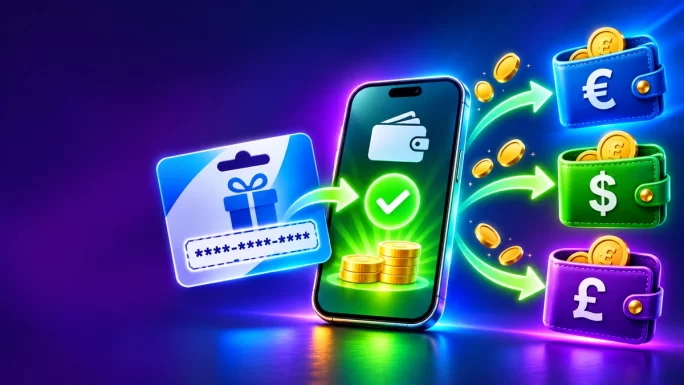
If you want to see this flow in practice, our Fansly gift card guide walks through a Rewarble voucher step by step.
USD and EUR
Payz Payment Card
Fund your Payz wallet without a bank card through a prepaid Rewarble voucher. The code arrives within minutes.
Buy Payz Payment CardPrepaid Visa and Mastercard Vouchers
Sometimes, however, a shop only accepts cards. In that case, a prepaid Visa or Mastercard voucher is the answer. You buy the voucher, redeem it, and you receive a virtual card with a number, expiry date and security code. After that, you can pay at almost any online shop on the Visa or Mastercard network.
Similarly, our Visa and Mastercard payment cards run through Rewarble. So, the steps are the same as above, except that the final result is a virtual card instead of a wallet deposit. For a deeper look, see our guide to the virtual prepaid Visa and Mastercard.
- Best for: shops, subscriptions and apps that only take card payments.
- Good to know: the card holds a fixed balance, so make sure it covers the full price, including any taxes.
- Tip: some services place a small temporary hold to check the card, so keep a little extra on it.
Virtual card
Mastercard Payment Card
Get a virtual prepaid Mastercard for shops that only accept cards. No bank account needed.
Buy Mastercard Payment CardRazer Gold as a Gaming Wallet
By contrast, Razer Gold is a little different from the other payment vouchers. It is a gaming wallet: you reload it with a PIN, and the balance then pays for in-game currency, passes and games on thousands of titles and platforms that accept Razer Gold.
To use it, first sign in with your Razer ID, choose to reload with a Razer Gold PIN and enter the code. After that, the value appears in your wallet straight away. Because Razer Gold cards come in many regions, pick the one that matches your Razer account. Our Razer Gold guide explains every step and region in detail.

12 regions
Razer Gold Gift Card
Reload your Razer Gold wallet and pay for in-game currency and games without a bank card.
Buy Razer Gold Gift CardHow to Choose the Right Payment Voucher
Now that you know the types, choosing becomes simple, because you can start from your goal. Start from what you want to pay for, not from the voucher brand. The table below matches common goals with the right payment voucher.
Which payment voucher to choose
| If you want to | Choose |
|---|---|
| Pay a shop that shows PaysafecardMost common | Paysafecard |
| Pay a shop that supports CashtoCode | CashtoCode |
| Keep a balance in an app | Aircash, MiFinity or Bitsa |
| Top up Payz, Volet, Paysera, FasaPay or ePay | The matching Rewarble payment card |
| Pay a shop that only takes cards | Visa or Mastercard payment card |
| Buy in-game currency or games | Razer Gold |
If you are still unsure, check the checkout page of the site first, since it shows the accepted brands. The payment logos there tell you exactly which vouchers the shop accepts. In short, the merchant decides, and the voucher follows.
Who Should Use Payment Vouchers
In practice, payment vouchers suit a wide range of people. For example, they are popular with:
- Gamers who buy in-game currency, passes and games and want to keep spending separate from their bank account.
- Students and younger users who do not have a bank card yet or prefer not to use one online.
- Freelancers and online sellers who need to fund an e-wallet such as Payz, Volet or Paysera without a transfer.
- Privacy-minded shoppers who do not want to share card details with every website.
- International buyers whose local card gets declined on foreign sites.
- Budget planners who like a fixed monthly amount for online spending.
Even if none of these describes you, a voucher is still a handy backup. For instance, if your card is blocked or expired, a voucher lets you finish an urgent purchase in minutes.
Currency and Region Rules
Furthermore, every payment voucher has a currency, and many also have a region. A Paysafecard for Germany, for example, is meant for German shops and accounts, while a CashtoCode voucher in ZAR is meant for payments in rand. Therefore, the safest rule is to buy the voucher in the currency of the shop or wallet you will use.
In particular, for wallet and e-wallet vouchers, the currency of your account matters most. If your Payz wallet holds euros, a EUR payment card is the natural choice. Similarly, if your MiFinity account is in pounds, pick the GBP version. This avoids failed top-ups and extra conversion costs.
Check the currency before you buyA voucher in the wrong currency may not work, or it may convert at a poor rate. Always match the voucher currency to your shop, wallet or account.
What to Check Before You Buy
A few quick checks before buying save a lot of trouble later:
- Is the brand accepted? Look for the voucher logo on the shop’s checkout page.
- Is the value enough? Make sure the voucher covers the full price, including tax and delivery.
- Do you need an account? Wallet and Rewarble vouchers need a free account before you can use them.
- What are the limits? Some shops and wallets cap how much you can pay or deposit with a voucher.
- Are there fees? Read the voucher or wallet terms, since some services charge fees for certain actions.
Taken together, these checks take a minute and help you pick a voucher that works first time.
Payment Voucher Problems and Fixes
Still, even with the right voucher, small issues can happen. Here are the most common ones and how to fix them.
Common payment voucher problems
| Problem | Likely cause | What to do |
|---|---|---|
| Code not acceptedMost common | Typo, spaces or wrong brand | Enter the code again without spaces and check the brand on the checkout page |
| Wrong currency error | Voucher currency differs from the shop or wallet | Buy the voucher in the matching currency |
| Payment declined | Value too low or a limit reached | Check the total and the shop’s limits, or combine vouchers where allowed |
| Rewarble method not shown | Code not redeemed yet | Redeem the code on Rewarble first, then return to your wallet |
| Balance missing | Code added to another account | Sign in with the account you used to redeem it |
If the code itself still does not work, then contact the support team of the voucher brand. Likewise, if you bought it on TopGift, reach out to our support with your order number, and we will check it. For Paysafecard specifically, see our guide on common Paysafecard errors.
How to Stay Safe With Payment Vouchers
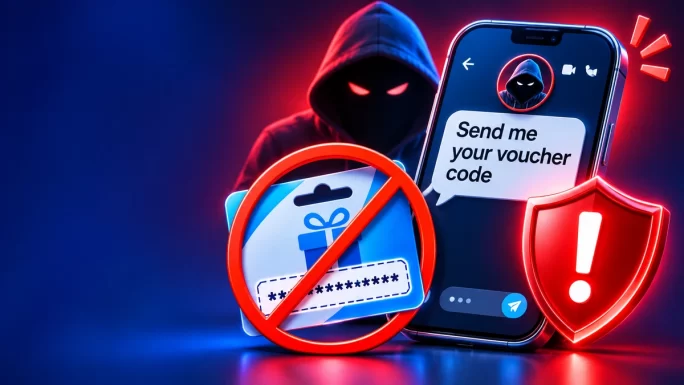
Because payment vouchers work like cash, scammers often target them. Fortunately, a few rules keep you safe:
- Never pay a stranger with a voucher code. Real companies, tax offices and support teams do not ask for payment in vouchers.
- Never read a code out over the phone or send it by chat to someone who claims to help you.
- Redeem only on official pages, such as the shop’s checkout, your wallet app or the official Rewarble site.
- Avoid huge discounts on social media or marketplaces, since they often sell stolen or used codes.
- Buy from established sellers that deliver working codes and offer support.
If someone pressures you to buy vouchers and share the codes, stop immediately. That request is a scam, whatever the story behind it.
Where to Buy Payment Vouchers
Finally, TopGift offers all the payment vouchers in this guide in one place, with instant digital delivery. To order, choose the brand and currency you need, select the value and pay with one of our payment methods. The code then arrives in your order within minutes, ready to use.
If you are not sure which brand to pick, start with the table in the section on choosing the right voucher. Alternatively, browse the full range of payment cards and compare currencies side by side.
20 brands
Payment Cards
Browse prepaid payment vouchers for shops, wallets, virtual cards and games. Codes arrive within minutes.
Buy Payment CardsFrequently Asked Questions
A payment voucher is a prepaid code with a fixed value. You use it at checkout, add it to a wallet or turn it into a virtual card, so you can pay online without a bank card.
PIN vouchers such as Paysafecard and CashtoCode are the easiest, because you simply enter the PIN at the checkout of a shop that accepts them.
Buy the Payz or Volet payment card, redeem the code on Rewarble, then choose the Rewarble payment method in your wallet’s deposit section.
Yes. A Visa or Mastercard payment card gives you a virtual prepaid card that works at most online shops on those networks.
No. Each voucher has a set currency, so buy the one that matches your shop, wallet or account.
Yes, when you buy from a trusted seller and redeem only on official pages. Never share a code with anyone who asks for payment in vouchers.
Key Takeaways