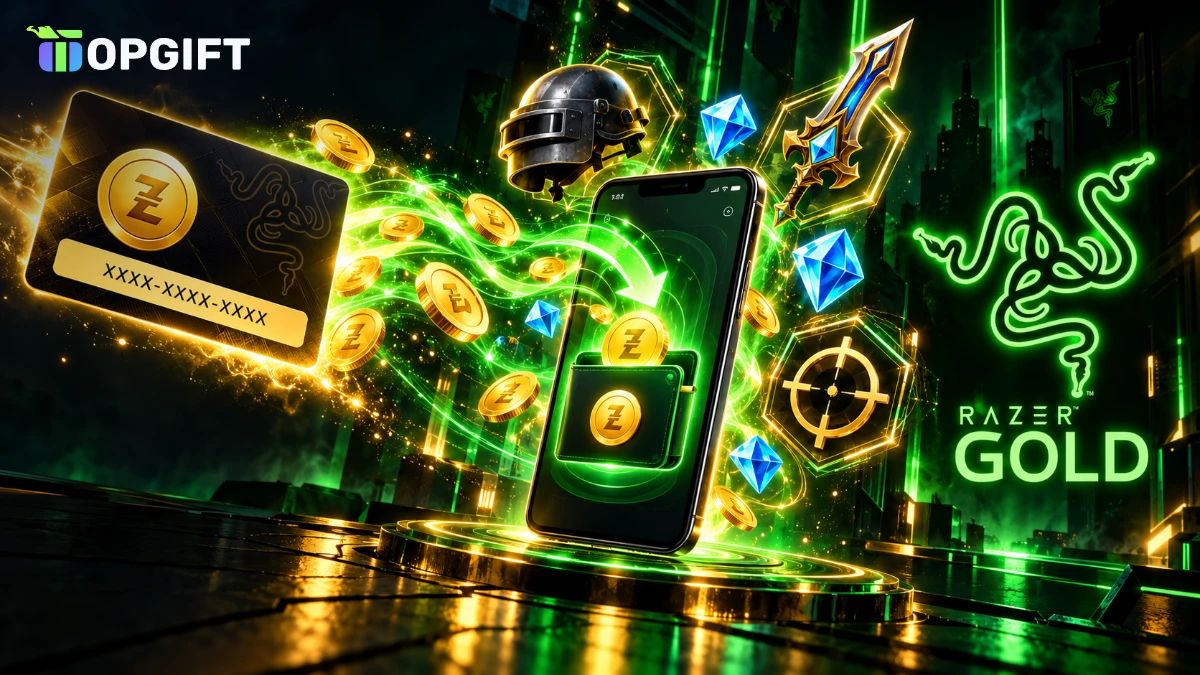
A Razer Gold gift card is one of the easiest ways to pay for games, in-game currency and digital content without a bank card. You load the code into a Razer Gold wallet, then spend the balance on tens of thousands of games and services, from PUBG Mobile and Valorant to Mobile Legends and Free Fire.
This guide explains what Razer Gold is, how the card works, which region to buy and how to redeem it step by step. It also covers where you can spend the balance, Razer Silver rewards, expiry rules, common errors and how to keep your code safe.
What a Razer Gold Gift Card Is
Razer Gold is a virtual credit system run by Razer, the gaming hardware company known for its keyboards, mice and laptops. Razer describes it as unified virtual credits for gamers worldwide, accepted in more than 42,000 games and entertainment services.
A Razer Gold gift card, also called a Razer Gold PIN, is a prepaid code with a fixed value. When you redeem it, the value goes into your Razer Gold wallet, which is linked to your free Razer ID. From there, you can pay at checkout in supported games and stores, just like with a digital wallet.
The big advantage is flexibility. Instead of buying a separate card for every game, you hold one balance that works across many titles. Moreover, there is no bank card involved, which makes Razer Gold popular with younger players and with anyone who prefers to keep gaming spending separate.
Razer Gold gift card at a glance
How a Razer Gold Gift Card Works
Overall, the process has three simple steps. First, you buy a code in the right region. Next, you redeem it on the Razer Gold website to fill your wallet. Finally, you pay with Razer Gold whenever a game or store offers it at checkout.
Besides that, some games also accept a Razer Gold PIN directly on their own top-up page. In that case, the value goes straight into the game instead of your wallet. We explain the difference between the two methods later in this guide.
Whichever route you choose, you never need to enter bank details in a game. The game only sees a Razer Gold payment, and your money stays limited to the value of the codes you buy.
Razer Gold Gift Card Regions and Currencies
Razer Gold wallets are tied to a region, and each code works only with wallets from the matching region. We sell 12 different Razer Gold gift cards:
Razer Gold gift card regions on TopGift
| Region | Currency | Card values |
|---|---|---|
| Global | USD | $5 to $100 |
| EuropeBest pick | EUR | €5 to €100 |
| Poland | PLN | 40 to 400 PLN |
| Denmark | DKK | 75 to 700 DKK |
| Sweden | SEK | 100 to 1,000 SEK |
| Norway | NOK | 100 to 1,000 NOK |
| Czech Republic | CZK | 100 to 1,500 CZK |
| Romania | RON | 50 to 400 RON |
| Turkey | TRY | 5 to 500 TL |
| Mexico | MXN | 100 to 600 MXN |
| Hong Kong | HKD | 50 to 500 HKD |
| Indonesia | IDR | 20,000 to 200,000 IDR |
The Europe card in euros suits most players in the eurozone. Meanwhile, the Global card in US dollars is meant for wallets set to a region that does not have its own Razer Gold currency. Some cards, such as Sweden or Norway, may be temporarily out of stock, so check the product page before you decide.
Which Region to Choose
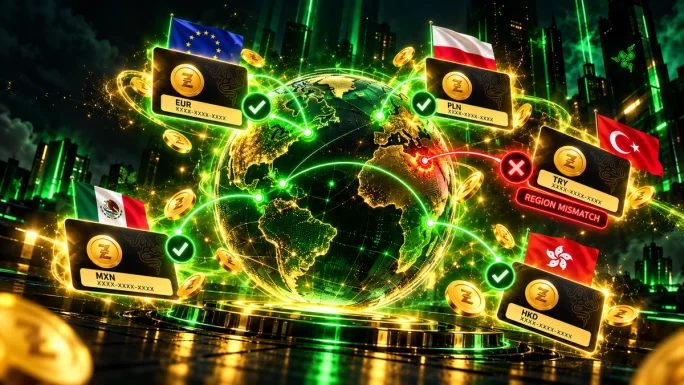
In practice, choosing the wrong region is the most common mistake with Razer Gold, so it is worth checking before you buy. Your wallet region is set when you create your Razer Gold account, and only Razer support can change it later.
- Check your wallet. Log in at gold.razer.com and look at the country flag and currency in your wallet.
- Match the currency. Buy the card in the same currency as your wallet, for example euros for a eurozone wallet or złoty for a Polish wallet.
- Use Global for other countries. If your wallet shows US dollars and a region without its own currency, the Global card is the right choice.
Region must matchA Razer Gold code from one region will not load into a wallet from another region. If you see a “Failed to reload” error, the card region and wallet region most likely do not match.
If you have not created a wallet yet, think about where you live and play before you sign up. That way, the wallet currency matches the cards available in your country from the start.
How to Create a Razer Gold Account
If you do not have a Razer Gold wallet yet, setting one up takes only a few minutes and costs nothing.
- Go to gold.razer.com and choose to sign up with a new Razer ID.
- Enter your email address, create a strong password and confirm your email.
- Select your country, which sets the region and currency of your wallet.
- Add your phone number, because Razer uses it for security checks during reloads.
However, take your time with the country selection, because it decides which gift cards will work for you. Afterwards, you can redeem your first code straight away.
How to Redeem a Razer Gold Gift Card
Usually, redeeming the code takes about two minutes. You only need your Razer ID login and access to your phone for the security check.
Redeem a Razer Gold gift card
After that, the balance stays in your wallet until you spend it. Unlike some direct game top-ups, leftover credit is not lost, so you can use part of it today and the rest next week.
Two-step checkRazer asks for a verification code during reload. Keep the phone linked to your Razer ID nearby, otherwise the reload cannot be completed.
Wallet Reload vs Direct Top-Up
There are two ways to use a Razer Gold PIN, and it helps to know which one you need:
Wallet reload vs direct top-up
| Method | How it works | Best for |
|---|---|---|
| Wallet reloadBest pick | PIN goes into your Razer Gold wallet first | Flexible spending across many games |
| Direct top-up | PIN is entered on a game top-up page | Buying currency for one specific game |
For most players, therefore, reloading the wallet is the better choice. It keeps the balance in one place, and you can split it between several games. A direct top-up, on the other hand, can be quicker when you only want currency for one game, but some games also ask for the serial number along with the PIN.
If you are unsure, start with the wallet. You can always pay with the wallet balance later on the game’s top-up page.
Where to Use Razer Gold
Razer Gold works in a huge catalogue of games and services. Among the most popular are:
- Mobile games such as PUBG Mobile, Mobile Legends: Bang Bang, Free Fire and Genshin Impact.
- PC games such as Valorant and League of Legends.
- Live streaming apps such as Bigo Live, where you can buy diamonds or coins.
- Digital codes in the Razer Gold store, which in many regions include gift cards for other platforms.
The full list changes often and differs by region. Therefore, check the catalogue on the Razer Gold website to see which games accept it in your country. Generally, you will see a “Pay with Razer Gold” option at checkout in any supported game.
Keep in mind that Razer Gold is a payment method, not a game store of its own for every title. Some games sell their currency only inside the app, while others offer a separate web top-up page where Razer Gold appears as an option. If you cannot find it in the app, search for the official web top-up page of the game, because that is where Razer Gold is usually accepted. This small step often unlocks better prices and bonus offers as well.
Buying Game Currency With Razer Gold
Above all, game currency is the most common use of Razer Gold. Players buy PUBG Mobile UC, Mobile Legends diamonds, Free Fire diamonds and Valorant Points through partner top-up pages.
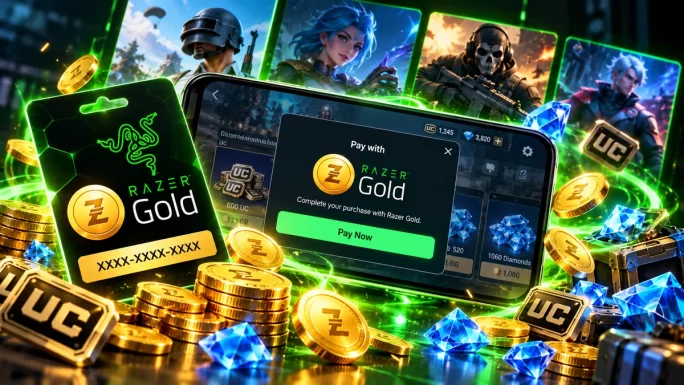
In addition, many of these games offer bonus currency or special promotions when you pay with Razer Gold. Prices also depend on your region, so the same pack can cost slightly more or less in different countries. For example, our guide to PUBG Mobile UC prices shows how much UC packs cost and how to buy them for less.
A practical tip: before you buy a big pack, compare the wallet price with the price in the game’s own store. In many cases, Razer Gold is the same price or cheaper, and you also earn Razer Silver on top.
Razer Silver Rewards
On top of that, every purchase with Razer Gold earns Razer Silver, a free loyalty currency. You collect it automatically when you spend Razer Gold in supported games and stores.
Later, you can exchange Razer Silver for rewards such as discount coupons, game codes and Razer gear in the rewards catalogue. Silver does expire, usually after about a year, so check your balance from time to time and use it before it runs out.
For regular players, Silver adds up surprisingly fast. In other words, paying with Razer Gold gives you a small bonus on top of the games you already buy.
Who Razer Gold Is Best For
Razer Gold suits several types of players particularly well:
- Mobile gamers who buy currency in PUBG Mobile, Mobile Legends or Free Fire every month.
- Players without a bank card, including teenagers and anyone who prefers not to use one online.
- Players of several games who want one balance instead of many separate gift cards.
- Budget-conscious gamers who like a fixed monthly limit.
On the other hand, if you only play one console game and never buy in-game currency, a gift card for that specific store may be simpler. Razer Gold shines when you spread spending across several titles.
Razer Gold for Parents
Many parents use Razer Gold to control how much their children spend on games. Instead of saving a bank card in every game, they load a fixed amount into the wallet once a month.
As a result, this approach has clear benefits. Children cannot spend more than the wallet holds, there are no surprise charges on the parent’s card and every purchase appears in the wallet history. Furthermore, the phone verification during reloads gives parents an extra layer of control if the account uses their number.
For example, a good routine is to agree on a monthly budget, buy a card in that amount and redeem it together. That way, children learn to plan their spending while playing safely.
Expiry, Fees and Limits
A few rules are worth knowing before you buy:
Expiry, fees and limits
Razer says its PINs are valid for one year from the purchase date in many regions, so redeem your code soon after buying it. Once the value is in your wallet, you can spend it at your own pace. However, Razer Gold cannot be converted back into cash or transferred to a bank account.
Tips to Get More From Your Razer Gold Gift Card
A few simple habits help you stretch your Razer Gold balance further:
- Watch for promotions. Razer and game publishers often run bonus campaigns for Razer Gold payments.
- Spend Silver regularly. Exchange it for coupons before it expires.
- Buy larger packs when you need them. Bigger in-game currency packs usually give more value per unit.
- Keep everything in one wallet. Avoid creating several Razer IDs, because balances cannot be moved between them.
- Redeem soon. Load your PIN shortly after buying it, so you never miss the validity window.
Combined, these habits turn Razer Gold into more than a payment method. In fact, regular players often save a noticeable amount over a year.
Razer Gold Gift Card vs Other Payment Methods
Of course, Razer Gold is not the only way to pay for games, but it has some clear benefits compared with other options.
Ways to pay compared
| Method | Bank card needed | Works across games | Rewards |
|---|---|---|---|
| Razer Gold gift cardBest pick | No | Yes, 42,000+ games | Razer Silver |
| Bank card in each game | Yes | Yes | Usually none |
| Game-specific gift card | No | One game or store | Sometimes bonuses |
| App store balance | No | Mobile games only | Store promotions |
In short, a Razer Gold gift card combines the privacy of a prepaid card with the flexibility of a wallet. If you play several games, especially on mobile, it is often the most convenient option.
Common Problems and How to Fix Them
- “Failed to reload” or “Invalid PIN”. The card region does not match your wallet region. Check the flag and currency in your wallet.
- “Code already used”. The PIN was redeemed before. If you did not redeem it, contact us with your order number.
- No verification code arrives. Check that the phone number on your Razer ID is correct, then request a new code.
- The game does not show Razer Gold at checkout. The game may not support it in your region. Check the catalogue on gold.razer.com.
- Balance is lower than expected. Prices for games bought in another currency can change with exchange rates.
Usually, most problems come from a region mismatch or a typing error. Fixing those two solves the issue in almost every case.
How to Stay Safe
Razer Gold PINs are popular with scammers because whoever has the code can use it. Keep these rules in mind:
- Redeem codes only on gold.razer.com or on official partner top-up pages.
- Never send a PIN or its serial number to anyone who asks for it to “verify” your account.
- Avoid buying second-hand codes from strangers on social media.
- Check that a top-up site is an official Razer Gold partner before you enter a code.
Finally, if a deal looks too good to be true, it usually is. Read more about common tricks in our article on gift card scams in 2026.
12 regions, Global and Europe
Razer Gold Gift Cards
Top up your Razer Gold wallet and pay in thousands of games without a bank card. Codes arrive in your account within minutes.
Shop Razer Gold Gift CardsFrequently Asked Questions
It is a prepaid PIN that adds credit to your Razer Gold wallet. You can use the balance to pay in more than 42,000 games and services.
Log in at gold.razer.com, choose Reload, select Razer Gold PIN and enter the code. Some games also accept the PIN on their own top-up page.
Yes. A code only works with a wallet from the same region and currency. The Global USD card is for wallets in regions without their own currency.
Razer says PINs are usually valid for one year from purchase. Once redeemed, the balance stays in your wallet until you spend it.
Popular choices include PUBG Mobile, Mobile Legends, Free Fire, Genshin Impact, Valorant and League of Legends, plus many more in the Razer Gold catalogue.
Razer Silver is a free loyalty currency you earn when you spend Razer Gold. You can exchange it for coupons, game codes and Razer gear.
Key Takeaways