GTA 6 is out, Black Friday deals are live, and many players are topping up their PlayStation wallet right now. Redeeming a PlayStation gift card takes less than a minute, but the menu sits in a different place on PS5, PS4, the web and the PlayStation App.
In this guide, we show every way to redeem a PlayStation gift card, step by step. We also explain wallet limits, region rules and the most common error messages, so your code works the first time.
How to Redeem a PlayStation Gift Card in Short
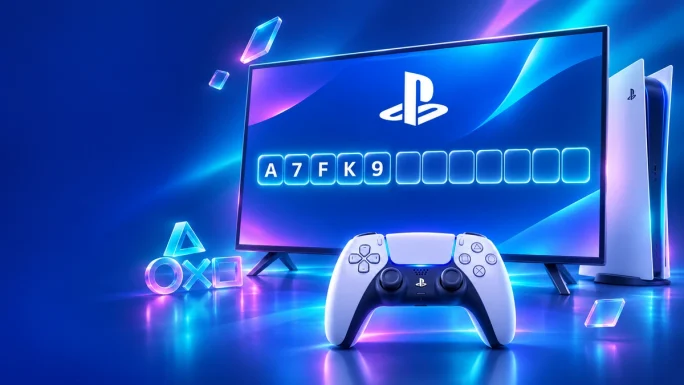
To begin with, here is the quick version. Every PlayStation gift card has a 12-character code, and all methods add the money to the same PSN wallet.
PSN redeem at a glance
In short, open the PlayStation Store, find Redeem Codes, enter the code and confirm. The rest of this guide covers the details for each device.
Before You Start
First of all, a few quick checks save you from most problems. Therefore, do these before you type the code.
- First, check that the card region matches your PSN account country
- Next, check your current wallet balance, since wallets have a maximum
- Also, make sure you are signed in to the right account, especially on a shared console
- Finally, keep the code email open, so you can copy it carefully
If you are not sure which region your account uses, see our guide to PSN gift card regions. In most cases, the region is the country you chose when you created the account.
Redeem a PlayStation Gift Card on PS5
On PS5, the redeem option is right inside the PlayStation Store. Here is how to find it.
Redeem on PS5
Alternatively, you can go through the settings. Open Settings, then Users and Accounts, then Account, then Payment and Subscriptions, and select Redeem Codes. Both paths lead to the same screen.
Redeem During Checkout
Besides, you can also redeem a code while you are buying a game. This is handy if you notice at checkout that your balance is too low.
To do this, add the game to your cart and go to checkout. Then open the payment method menu and select Redeem Codes and Gift Cards. As soon as you enter the code, the new balance is available for the purchase.
Redeem a PlayStation Gift Card on PS4
Although the PS4 menu looks a little different, the process is just as quick.
Redeem on PS4
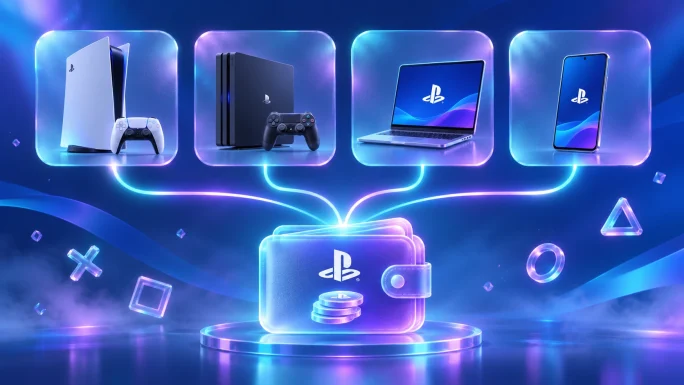
Since the wallet belongs to your account, money redeemed on a PS4 can also be spent on a PS5 with the same account.
Redeem in a Web Browser
For example, if your console is busy downloading or someone else is playing, the web store is the easiest option.
Redeem on the web
TopGift tip
Redeeming on a computer is the easiest way to paste a digital code. As a result, you avoid typing mistakes with the console keyboard.
After that, the balance shows up on your console the next time it syncs with your account.
Redeem in the PlayStation App
In addition, you can redeem codes on your phone with the PlayStation App for iOS and Android.
Redeem in the PlayStation App
As a result, this method is especially useful when you are away from home. For example, you can top up your wallet on the way back, and the game is ready to buy when you turn on the console.
Which Method Is Fastest
In the end, all four methods add the same money to the same wallet. However, some are more practical than others.
PSN redeem methods compared
| Method | Best for | Typing |
|---|---|---|
| Web browser★ Easiest | Above all, digital codes from email | So, copy and paste |
| PlayStation App | For example, redeeming on the go | Phone keyboard |
| PS5 | Then buying right away | Controller keyboard |
| PS4 | Mainly older consoles | Controller keyboard |
In other words, if you bought a digital code, the web store is usually the fastest and safest choice, because you can paste the code instead of typing it.
What You Can Buy With Your Wallet
Once redeemed, your balance then works like store credit in the PlayStation Store. For example, you can use it for the following.
- Full PS5 and PS4 games, including new releases such as GTA 6
- Add-ons, expansions and season passes
- In-game currency, for example in Fortnite, EA Sports FC or Call of Duty
- PlayStation Plus memberships
- Also, films and TV shows, where the store sells them
On the other hand, wallet money cannot buy consoles, controllers or other hardware. In addition, you cannot move the balance to another account or turn it back into cash.
Wallet Limits and Regions
In practice, two rules decide whether a code works: the region and the wallet limit.
First, a PlayStation gift card only works on an account from the same region. For example, a German card works on a German account, but not on a UK or US account. Moreover, you cannot change the country of an existing PSN account, so always buy the card for the region you already have.
Second, every wallet has a maximum balance. If adding the code would push your balance over that limit, the code is rejected. In that case, spend part of your balance first, and then redeem the code again. The code itself stays valid.
Child accountsIf you play on a child account, the family manager may have set a monthly spending limit. Therefore, a parent may need to adjust it before the wallet can be used.
PlayStation Gift Card Redeem Errors and Fixes
Luckily, most failed codes have one of a few causes. Here are the error messages players see most often, and what to do.
Common PSN redeem errors
| Error | What it means | Fix |
|---|---|---|
| WC-40377-1 | Funds could not be added | Check the code, the date on the voucher and your wallet limit |
| E-82000138 | Wallet limit exceeded | Spend part of your balance, then try again |
| Code not valid in your region | Region mismatch | Use a card from your account region |
| Code already redeemed | In this case, the code was used before | Contact the seller with your order number |
Redeem mistakes to avoid
Typing O instead of 0Fix: copy the code from the email instead of typing it.
Redeeming on the wrong accountFix: check the profile name before you confirm.
Buying the wrong regionFix: match the card to your account country.
Ignoring the wallet limitFix: spend some balance first if you are close to the cap.
If a code still fails, then try another method, for example the web store instead of the console. Sometimes one interface shows a clearer error than another. If nothing helps, contact the seller with your order details.
Buying GTA 6 With Your Balance
GTA 6 launched on November 19, 2026, and many players are buying it with wallet money. Once your gift card is redeemed, simply open the game page in the PlayStation Store and pay with your balance.
If your balance is not enough, you can redeem a second card at checkout and pay the full price. Alternatively, you can buy the game as a key and redeem it directly.
45 regions
PSN Gift Card
PlayStation Store credit for GTA 6, PS Plus and add-ons. Pick the card for your PSN account country.
Buy PSN Gift CardPrefer to skip the wallet? A GTA 6 key adds the game to your library straight away.

Europe, PS5
Grand Theft Auto VI PSN Key
A GTA 6 key for European PlayStation accounts. Redeem it in the PlayStation Store and download the game.
Buy GTA 6 PSN KeyFor more ways to pay, read our guide on how to buy GTA 6 without a credit card, or browse all cards in our gaming cards section. Also, do not miss our PlayStation Black Friday 2026 deals guide.
Redeem PlayStation Gift Card FAQ
Open the PlayStation Store on PS5, PS4, the web or the PlayStation App, choose Redeem Codes, enter the 12-character code and confirm.
Yes. In the PlayStation App, open the Store tab, tap the menu and choose Redeem Code.
The most common reasons are a region mismatch, a typing mistake, a full wallet or a code that was already used.
No. The card must match the region of your PSN account, and you cannot change the account country.
Wallet funds stay on your account, but check the dates printed on the voucher before you redeem it.
Key Takeaways