Buying gift cards with Google Pay takes two taps on most phones: choose Google Pay at checkout, then confirm with your fingerprint, face or PIN. There is no card number to type and no form to fill in. This guide explains how it works on TopGift, why it is safer than entering your card by hand and what to do when the button is missing or a payment fails.
Google Pay in Plain Words
Google Pay is a digital wallet. You save a debit or credit card in your Google account once, and after that you can pay online or in shops without taking the card out. On Android phones, the same cards also live in the Google Wallet app for contactless payments.
When you pay online, Google Pay sends the shop a payment token instead of your real card number. In other words, the shop never sees the sixteen digits on your card. Your bank still charges the card as usual, but the details stay with Google and your bank.
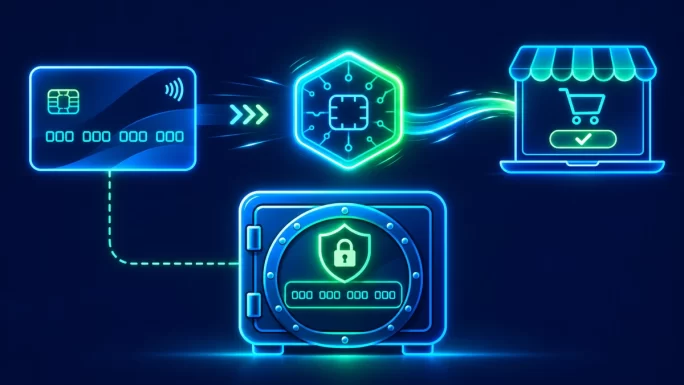
So Google Pay is not a separate balance or a new account to top up. Rather, it is a secure layer on top of the card you already have.
Google Pay is available in dozens of countries, and most large banks in Europe and North America support it. However, smaller banks and some prepaid cards still do not, so it is worth checking your banking app if a card refuses to be added.
That also means the rules of your bank still apply. Spending limits, online payment settings and fraud checks all come from the card issuer, not from Google.
Google Pay vs Google Play Gift Cards
The two names are easy to mix up, yet they are completely different things. Here is the short version:
Google Pay vs Google Play
| Google Pay | Google Play gift card | |
|---|---|---|
| What it is | A way to pay with a saved card | A code with store credit |
| Where it works | Online shops and contactless terminals | Only the Google Play Store |
| What you spend | Money from your linked card | The balance on the code |
| Can it buy gift cards elsewhere? | Yes, where the shop accepts it | No |
Put simply, you use Google Pay to pay for a gift card, while a Google Play gift card is something you might buy. In fact, many people pay for a Google Play card with Google Pay, then redeem it for apps, games and subscriptions in the Play Store.
One more point: a Google Play balance cannot be spent on other websites. So if you have credit in the Play Store, it will not cover an order on TopGift or any other shop.
Why Google Pay Is a Safer Way to Pay for Gift Cards
Typing card details into a website always carries some risk. The form can be copied by malware, the details can be stored on a server that is later breached, and a typo can cause a failed payment. Google Pay removes most of these weak points.
- No card number shared: the shop receives a one-time token, not your real card details.
- Device check: every payment needs your fingerprint, face, PIN or Google password.
- No stored card on the shop: nothing useful is left behind for anyone to steal later.
- Fewer typos: the name, number and expiry date come straight from your wallet.
Gift cards are a favourite target for fraud, because a code works like cash. For that reason, shops that sell them run stricter checks than most online stores. A wallet payment with device verification helps those checks pass, which often means faster delivery for you.
Still, Google Pay cannot protect you from scams outside the payment itself. If someone asks you to buy a gift card and send them the code, it is a scam no matter how you paid. Our guide to gift card scams lists the most common tricks.
What You Need Before You Start
Before your first order, check these points. Most people already meet all of them.
Checklist for Google Pay
If your bank does not support Google Pay, the card will not appear in the wallet at all. In that case, you can still pay with the same card through the regular card option at checkout.
It also helps to be signed in to your TopGift account before you pay. Your codes are then saved in your order history, so you can find them again at any time.
Buying Gift Cards With Google Pay on TopGift
On TopGift, Google Pay is a separate option at checkout, processed by our payment partner ZEN. The whole order usually takes under a minute:
Pay with Google Pay
Most importantly, double-check the region before you confirm. A gift card for one country usually cannot be redeemed in another, and Google Pay has no way of warning you about a region mismatch.
After payment, stay on the page until the confirmation loads. Closing the window too early does not cancel a payment that went through, but it can delay the order screen. If the code does not arrive within a few minutes, check your spam folder first.
Android, iPhone and Desktop
Google Pay behaves a little differently depending on your device:
Google Pay by device
| Device | How it looks | Confirmation |
|---|---|---|
| Android phoneSmoothest | A Google Pay sheet slides up from the bottom | Fingerprint, face or PIN |
| iPhone or iPad | Shown in Chrome when your Google account has a saved card | Google password or device code |
| Desktop browser | A pop-up window with your saved cards | Google password or a prompt on your phone |
Android gives the best experience, since Google Pay is built into the system. On an iPhone, however, Apple Pay is usually the faster choice, and TopGift accepts it too.
On a computer, the window may be blocked by a strict pop-up blocker. If nothing happens when you choose Google Pay, allow pop-ups for the site and try again.
Which Card Gets Charged
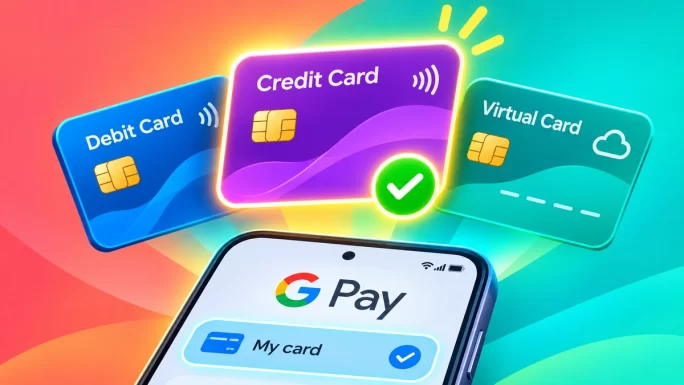
Google Pay can hold several cards, so it is worth checking which one is selected. The wallet shows your default card first, but you can switch before confirming.
- Debit card: the money leaves your bank account straight away.
- Credit card: the amount goes on your credit balance, and some issuers treat gift cards as a cash-like purchase.
- Virtual or prepaid card: works if your issuer supports Google Pay and the balance covers the order.
The point about credit cards matters. A few banks charge a cash advance fee on gift card purchases, because codes are so close to cash. If you are not sure how your bank handles this, a debit card is the safer option.
Meanwhile, cards that are blocked for online use will fail even inside Google Pay. The wallet only passes the payment on; it cannot override settings in your banking app.
Currency and Bank Fees
Google Pay itself does not add a fee. Even so, your bank may charge one when the payment currency differs from your card currency.
For example, if your card is in Polish zloty and you pay for a card priced in euros, your bank converts the amount at its own rate. That rate usually includes a small margin, and some banks add a foreign transaction fee on top.
To keep costs down, choose a gift card in your own currency when one is available. Alternatively, use a multi-currency card such as Revolut or Wise inside Google Pay, since they often convert closer to the market rate.
Before you confirm, the Google Pay window shows the amount in the shop currency. Your banking app then shows the final amount in your own currency once the bank has converted it, which is the figure that really counts.
Also, keep in mind that the gift card region and the payment currency are separate things. You can pay in euros for a card meant for the United States; the region only decides where the code can be redeemed.
Popular Gift Cards to Buy With Google Pay
Google Pay works across the whole catalogue, from gaming to streaming. A few categories are especially popular with mobile shoppers:
- Google Play cards: apps, games and in-app purchases on Android, in 26 regions.
- Steam cards: PC games and sale-season top-ups.
- Streaming cards: Netflix and other subscriptions without a saved card.
- Payment vouchers: prepaid codes such as Paysafecard for paying online without a bank card.
26 regions
Google Play Gift Card
Store credit for apps, games and subscriptions on Google Play. Pick the card for your Play Store country.
Buy Google Play Gift CardGamers on PC often pair Google Pay with Steam. Since the wallet is on their phone, they can buy a code in seconds and redeem it on the computer.
28 regions
Steam Gift Card
Steam Wallet credit for games, DLC and the big seasonal sales. Choose the card for your Steam account region.
Buy Steam Gift CardYou can browse everything in our gift cards and gaming cards sections. If you want a prepaid way to pay elsewhere online, take a look at our payment cards, and for digital assets, our crypto gift cards.
When Google Pay Does Not Show Up
Sometimes the Google Pay option is missing or does nothing. The cause is usually on the device side, so it is quick to fix.
- Not signed in: sign in to your Google account in the browser you are using.
- No saved card: add a card in Google Pay or Google Wallet first.
- Old browser: update Chrome or your browser to the latest version.
- Private mode: some browsers hide wallet buttons in incognito windows.
- Blocked pop-ups: allow pop-ups for the site on a computer.
If none of these help, try another browser or device. Meanwhile, the regular card option works with the same card, so you do not have to wait to place your order.
When a Google Pay Payment Is Declined
A declined payment rarely means something is wrong with your account. In most cases, the bank or the card simply blocked that one transaction.
Declines and fixes
| What you see | Likely reason | What to do |
|---|---|---|
| Declined right away | Card blocked for online or foreign payments | Enable them in your banking app |
| Declined after confirming | Bank fraud check on a gift card purchase | Approve the payment in your bank app, then retry |
| Insufficient funds | Balance or credit limit too low | Use another card or a smaller order |
| Payment failed, no reason | Temporary connection or session issue | Refresh the checkout and try once more |
Avoid retrying many times in a row. Repeated attempts can trigger extra fraud checks at your bank and make the next try harder. If two attempts fail, contact your bank or our support team with the time of the payment.
Occasionally, an order may also be held for a short manual check. This is part of normal fraud prevention for gift cards, and our guide to account verification explains why it happens.
Refunds When You Pay for Gift Cards With Google Pay
Gift card codes are digital goods, so they cannot be returned once delivered. That rule is the same for every payment method, including Google Pay.
However, if something goes wrong, such as a code that does not work, contact TopGift support first with your order number. We check the code with the supplier and help you sort it out. Our guide on what to do when a gift card is not working covers the most common causes.
A bank chargeback should be the last step, not the first. Disputing a payment for a code that was delivered and used usually fails, and it can block your account in the shop.
ImportantIf a payment was taken but no order appears, do not pay again straight away. Contact support with the time and amount, so we can find the payment and deliver the code.
In most cases, a missing order is a delay rather than a lost payment, and it is resolved quickly.
Sending Gift Cards With Google Pay as a Present
Google Pay is a quick way to buy a present, too. You pay on your own phone, and the code arrives in your email, ready to pass on.
- Check the region: the card must match the country of the person receiving it.
- Pick a fitting value: a card that covers a whole game or a few months of a subscription feels more complete.
- Send it personally: copy the code into a message or a printed card, rather than forwarding the order email.
Since there is no parcel and no shipping, a digital gift card also works for last-minute birthdays. Many people buy one with Google Pay just minutes before a celebration starts.
For more ideas, our gift card catalogue groups cards by brand, so you can quickly find something the recipient already uses.
Other Ways to Pay on TopGift
Google Pay is only one of several options at checkout. If it does not suit you, there are plenty of alternatives:
- Debit or credit card: the classic option, with the same card you keep in Google Pay.
- Apple Pay: the best fit on an iPhone or a Mac.
- PayPal: pay from your balance or a linked card, as explained in our guide to buying gift cards with PayPal.
- Skrill, Neteller and Paysafecard: e-wallets and prepaid vouchers, covered in our Skrill guide.
- Crypto: Bitcoin, Ethereum, Litecoin and more.
- Local methods: BLIK, Revolut, Monzo, Interac, OXXO, GCash and other country-specific options.
The options you see depend on your country and sometimes on the product. Therefore, if a method you expected is missing, it may simply not be available in your region.
Frequently Asked Questions
Yes. TopGift accepts Google Pay at checkout. Choose it as the payment method, confirm on your device and the code arrives by email within minutes.
Yes. The shop receives a payment token instead of your card number, and every payment needs your fingerprint, face, PIN or password.
No. Google Play balance only works in the Play Store. Google Pay, by contrast, charges the card saved in your wallet.
Google Pay itself is free. Your bank may still charge a currency conversion fee, and some credit cards treat gift cards as cash-like purchases.
Usually because you are not signed in to Google, have no saved card, use an old browser or are in a private window.
Yes. Pay on your own device, then send the code to the recipient. Just make sure the card region matches their country.
Key Takeaways