Discord Nitro unlocks bigger uploads, HD streaming, custom emoji everywhere and server boosts. The catch is the checkout, which normally asks for a credit card. Luckily, you can get Discord Nitro without one, and often without any bank card at all.
This guide covers four card-free ways to pay: a prepaid Discord card, a Google Play balance, an Apple balance and PayPal. It also compares Nitro with Nitro Basic, shows how much to load and explains what to do when a payment fails.
Why Pay for Nitro Without a Credit Card
Many Discord users simply don’t have a credit card. Discord is especially popular with students and younger players, and plenty of adults don’t want to link a card to yet another app.
There’s also the renewal problem. Nitro renews automatically, so a saved card keeps paying even in months when you barely open Discord. A prepaid balance works differently, because the subscription stops when the money runs out.
Discord Nitro at a glance
Prices can differ slightly by country and payment method, so always check the final amount at checkout.
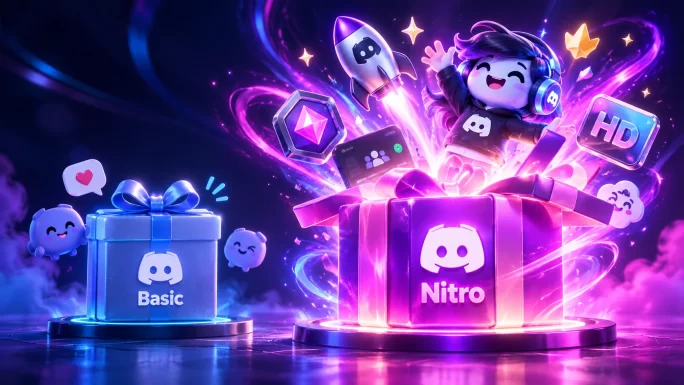
Discord Nitro vs Nitro Basic
Before you pay, decide which plan you need. Nitro Basic covers the essentials, while full Nitro adds the bigger perks:
Nitro Basic
Monthly price$2.99
File uploadsUp to 50 MB
Custom emoji and stickersEverywhere
HD streamingNot included
Server BoostsFull price
Profile extrasBasic only
Nitro
Monthly price$9.99
File uploadsUp to 500 MB
Custom emoji and stickersEverywhere
HD streaming1080p at 60 fps
Server Boosts2 included, 30% off extras
Profile extrasAnimated avatar, banner and more
In short, Nitro Basic is enough if you mainly want emoji and slightly larger files. If you stream, share big clips or want to boost a server, full Nitro is the better deal.
Pay With a Prepaid Discord Card
The most direct option is a Discord gift card from TopGift. You redeem it on Rewarble and get a virtual prepaid Visa with its own card number, expiry date and CVV. Then you use it at the Discord checkout like a normal card.
The card is in US dollars. You can choose $30, $50, $60, $100 or $150, or set any amount between $30 and $250. If Discord bills you in euros or pounds, add a small buffer of about 10% for currency conversion.
Redeem on Rewarble
Discord Gift Card USD
Choose a fixed amount or any value from $30 to $250. Your code appears in your account right after payment.
Buy Discord Gift CardOur guide to what Rewarble is explains how redemption works in more detail.
Pay Through Google Play on Android
On an Android phone, you can buy Nitro inside the Discord app and pay with your Google Play balance. First, add a Google Play gift card to your account in the Play Store. After that, start the Nitro purchase in the Discord app, and Google Play takes the money from your balance.
Just make sure the card matches the country of your Google Play account. A card from another region usually won’t redeem. You can manage or cancel the subscription later under Payments and subscriptions in the Play Store.
Many regions
Google Play Gift Cards
Google Play cards for Europe, the US, the UK and more. The balance pays for apps, games and subscriptions like Nitro.
Shop Google Play Gift CardsIf the payment still fails, our guide on what to do when Google Play declines a payment lists the usual fixes.
Pay Through the App Store on iPhone
The iPhone route works the same way. Redeem an Apple gift card in the App Store to add money to your Apple Account balance. Then buy Nitro in the Discord app, and Apple charges your balance instead of a card.
As with Google Play, the card has to match the country of your Apple Account. To cancel later, open Settings, tap your name and go to Subscriptions.
Many regions
Apple Gift Cards
Apple gift cards for many countries. The balance covers apps, iCloud and in-app subscriptions like Nitro.
Shop Apple Gift CardsOur guide on how to use an Apple gift card without a bank card covers redemption step by step.
Pay With a PayPal Balance
Discord also accepts PayPal in many countries. To keep your bank card out of it, top up your PayPal balance first, for example with a PayPal gift card. Then choose PayPal at the Discord checkout and log in to confirm.
PayPal takes the money from your balance first. Pick a card in the same currency as your PayPal account to avoid conversion fees.
EUR, USD, GBP and more
PayPal Gift Cards
Adds funds directly to your PayPal account. You only need your PayPal email to redeem.
Shop PayPal Gift CardsWhich Option Should You Choose
Each method suits a different situation. Here’s a quick comparison:
| Method | Works on | Renews automatically | Best for |
|---|---|---|---|
| Prepaid Discord card | Desktop, web and mobile | Until the card is empty | Any device, one fixed budget |
| Google Play balance | Android app | While the balance covers it | Android users |
| Apple balance | iPhone and iPad app | While the balance covers it | iPhone users |
| PayPal balance | Desktop and web | While the balance covers it | People who already use PayPal |
If you play on a PC and want a fixed budget, the prepaid Discord card is the simplest. On a phone, though, your Google Play or Apple balance is often the quickest route.
Common Discord Nitro Payment Errors
Even with a prepaid option, a payment can sometimes fail. These are the most common problems:
Common Discord Nitro payment errors
WhyDiscord couldn’t verify the card, often because of a typo or a blocked online payment.
FixCopy the card details again exactly, or try another method.
WhyThe balance doesn’t cover the full price, including tax and conversion.
FixUse a card with a small buffer above the plan price.
WhyThe bank or wallet hasn’t confirmed the charge yet.
FixWait a few minutes before you try again.
WhyThe Google Play or Apple card is from a different country than your account.
FixBuy a card for the same region as your account.
WhyThe balance ran out at renewal time.
FixTop up the balance before the next renewal date.
If the problem continues, stop after two or three attempts. Too many failed payments in a row can trigger a temporary block.
Avoid Free Nitro Scams
Fake Nitro offers are among the most common scams on Discord. They usually arrive as a direct message with a “free Nitro” link, a fake gift or a QR code to scan.
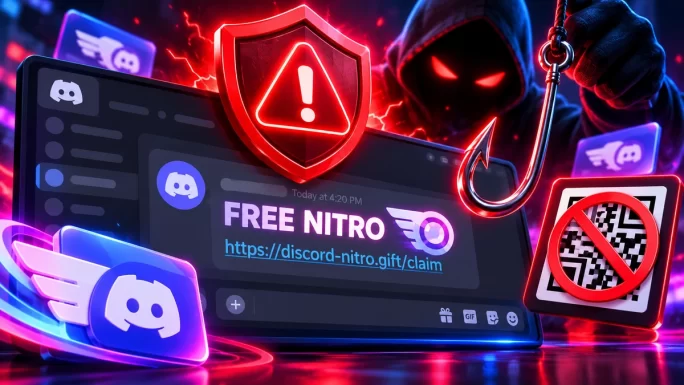
- Discord never sends free Nitro through random direct messages.
- Check the link before you click. Real gifts open inside Discord, not on a lookalike website.
- Never scan a QR code that someone sends you to “claim” a gift. It can log a scammer into your account.
- Never share a gift card code with anyone who contacts you first.
Our guide to gift card scams explains more tricks to watch out for.
Frequently Asked Questions
Yes. You can pay with a prepaid Discord card that works like a virtual Visa, with a Google Play or Apple balance in the mobile app, or with a PayPal balance. None of these needs your own credit card.
Discord no longer sells its own Nitro gift cards in stores. However, a Discord gift card from TopGift gives you a virtual prepaid Visa on Rewarble, which you can use to pay for Nitro at checkout.
Nitro costs $9.99 a month or $99.99 a year, and Nitro Basic costs $2.99 a month. Prices can vary slightly by country and payment method, so check the final total at checkout.
Yes. Buy Nitro inside the Discord app on Android or iPhone, and the payment comes from your Google Play or Apple balance. You can top up that balance with a gift card for the same country as your account.
Nitro simply ends at the next renewal date. You won’t get a surprise charge, and you can subscribe again whenever you add more money.
The most common reasons are not enough balance for the full price, a typo in the card details, a card from the wrong region or too many attempts in a row. Check the total, fix the details and try again after a few minutes.
Key Takeaways