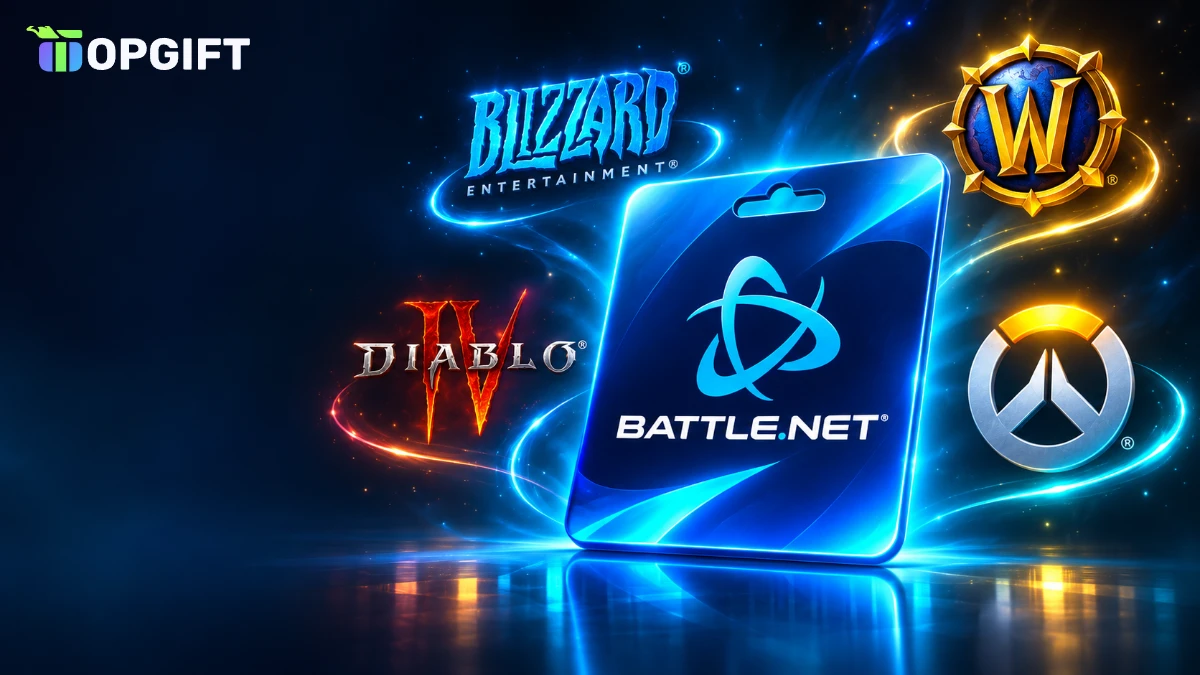
A Battle.net gift card is the easiest way to pay for Blizzard games without a bank card. You buy a code, redeem it on your account, and the value turns into Battle.net Balance. After that, you can spend it on World of Warcraft, Diablo, Overwatch, Hearthstone, StarCraft and Call of Duty. This guide explains how the card works, how to redeem it, which region to choose and which limits you should know about.
What Is a Battle.net Gift Card
A Battle.net gift card is a prepaid digital code for Blizzard’s Battle.net platform. When you redeem it, the value goes straight into your Battle.net Balance. After that, you can use the balance in the Battle.net Shop, either on PC or through the Blizzard website.
In other words, the card works like store credit. Unlike a game key, it does not unlock one specific game. Instead, it gives you a balance that you can spend on many different products. For example, one card can pay for a new expansion, a few skins and some game time.
Battle.net gift card at a glance
Because the card adds balance rather than linking a payment method, you also do not need to store a bank card on your account. As a result, it is a popular choice for players who want to control their spending or who do not have a credit card. For more ways to pay, see our guide on how to pay for games without a credit card.
3 regions
Battle.net Gift Card
Add Battle.net Balance and spend it on WoW, Diablo, Overwatch, Hearthstone and Call of Duty.
Buy Battle.net Gift CardBlizzard Gift Card vs Battle.net Balance
Many people search for both names, so it is worth clearing this up. A Blizzard gift card and a Battle.net gift card are the same product. Simply put, Blizzard is the company, and Battle.net is its platform and launcher. That is why stores use both names for the same code.
Battle.net Balance, on the other hand, is the wallet on your account. The gift card is simply one way to add money to that wallet. In addition, you can top up the balance with a card in the shop, or in modern World of Warcraft you can turn a WoW Token into balance.
- Blizzard gift card: the name used on many store shelves and product pages.
- Battle.net gift card: the same code, named after the platform.
- Battle.net Balance: the account wallet where the value ends up.
So, whichever name you see, the result is the same. Once you redeem the code, the money appears as Battle.net Balance in the currency of your account.
What You Can Buy With a Battle.net Gift Card
Battle.net Balance covers most of Blizzard’s digital catalogue. For example, here are the main things players buy with it:
- Games and expansions: digital copies of Blizzard games and new World of Warcraft expansions.
- WoW Game Time: prepaid time for World of Warcraft, both retail and Classic.
- In-game currency: Overwatch Coins, Call of Duty Points and other virtual currencies sold on Battle.net.
- Cosmetics: mounts, pets, skins, transmog sets and battle passes.
- Account services: character transfers, race changes, name changes and similar services in WoW.
- Hearthstone on PC: card packs and bundles bought through the Battle.net Shop.
Moreover, you can use the balance to buy some products as gifts for friends. For example, Battle.net lets you send certain games and game time to another account directly from the shop. This is useful if you want to share a game but your friend lives in the same region as you.
In short, if a product is sold in the Battle.net Shop and accepts Battle.net Balance as a payment option, your gift card can pay for it.
What Battle.net Balance Cannot Pay For
Although the balance is flexible, it has a few clear limits. Knowing them in advance saves you from buying the wrong card.
What Battle.net Balance can and cannot pay for
| Purchase | Allowed |
|---|---|
| Games and expansions in the Battle.net Shop | Yes |
| WoW Game TimePopular | Yes |
| Recurring WoW subscription | No |
| Blizzard Gear Store merchandise | No |
| PlayStation, Xbox or Nintendo stores | No |
| Apple App Store or Google Play purchases | No |
| Cash out or transfer to another account | No |
For example, if you play Call of Duty or Overwatch on PlayStation, Battle.net Balance will not help you. In that case, you need a gift card for your console store instead. Similarly, Hearthstone purchases made inside the mobile app go through Apple or Google, so balance does not work there.
ImportantBattle.net Balance is not refundable and cannot be turned back into cash. Therefore, only add the amount you actually plan to spend on Blizzard games.
How to Redeem a Battle.net Gift Card
Redeeming the code takes less than a minute. You can do it on the website or in the Battle.net app. First, here is the website method:
How to redeem a Battle.net gift card
Usually, the balance appears straight away. However, if the shop shows an old amount, refresh the page or log out and back in. In most cases, that fixes the display.
Before you redeem, make sure you are logged in to the right account. Many players have more than one Battle.net account, for example an old one and a new one. Once the code is used, the balance stays on that account and cannot be moved.
Redeeming the Code in the Battle.net App
If you prefer the desktop launcher, you can redeem the code there as well. This is especially handy when you want to buy something right after topping up.
Redeem in the Battle.net app
Both methods give the same result, so choose whichever is easier for you. Also, the code page on the website works on mobile, which is useful if you are not near your PC.
Battle.net Gift Card Regions and Currencies
Region is the most common reason a code does not work. Battle.net Balance only works in the currency of your account, and that currency depends on the country you chose when you created the account. As a result, a US code will not redeem on a European account, and the other way round.
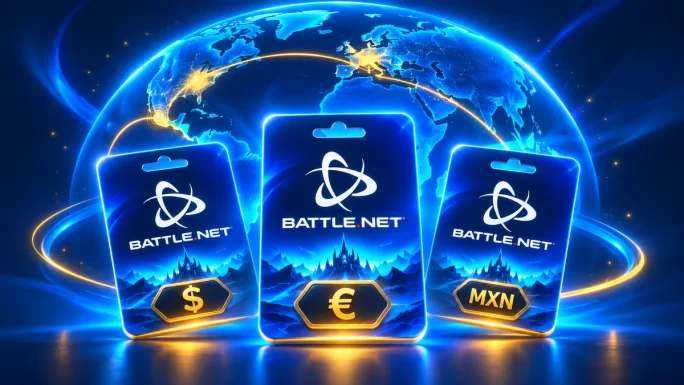
On TopGift, the Battle.net gift card comes in three regions:
Battle.net gift card regions on TopGift
| Region | Currency | Values |
|---|---|---|
| United States | USD | 20, 50 |
| EuropeMost popular | EUR | 20, 50, 100 |
| Mexico | MXN | 150, 350 |
To check your region, first log in to your account and look at the country in your account details. Alternatively, open the Battle.net Shop and look at the currency next to the prices. If you see euros, you need the Europe card. If you see dollars, you need the US card.
However, if your account country is not supported, you may need a different payment method. Our guide on country and payment errors explains the options.

Europe
Blizzard Gift Card Europe
Battle.net Balance in euros for European accounts. Available in 20, 50 and 100 EUR.
Buy Blizzard Gift Card EuropeBattle.net Balance Limits
In addition, Battle.net has a maximum amount you can keep on your account. The limit depends on whether you have an Authenticator linked to your account.
Battle.net Balance limits
| Account type | US limit | EU limit |
|---|---|---|
| With AuthenticatorRecommended | $350 | €250 |
| Without Authenticator | $110 | €110 |
If you try to redeem a code that would push you over the limit, you will see an error. In that case, either spend some of your balance first or link an Authenticator to raise the limit.
Luckily, linking an Authenticator is free and only takes a few minutes. Besides raising the limit, it also protects your account from hackers. So, it is a good idea to set it up before you redeem a large card.
Using a Battle.net Gift Card for WoW Game Time
Above all, World of Warcraft is one of the most popular reasons to buy a Battle.net gift card. Instead of paying a monthly subscription with a bank card, you can use your balance to buy prepaid Game Time.
Also, Game Time works for both retail World of Warcraft and Classic. Therefore, one balance covers whichever version you play. Keep in mind, however, that the balance cannot pay for a recurring subscription. You need to buy Game Time as a one-off purchase in the shop.
Alternatively, you can buy a World of Warcraft Time Card. It adds a fixed period, such as 60 days, directly to your account. This is useful if you only want to play WoW and do not need balance for other games.
Europe
World of Warcraft Time Card 60 Days
60 days of Game Time for European Battle.net accounts. Works for retail and Classic.
Buy WoW Time CardIf you are coming back to the game, our article on WoW Forever covers what is new and how to start.
Buying Call of Duty Points on Battle.net
Meanwhile, Call of Duty is now part of the Battle.net catalogue on PC. As a result, you can use Battle.net Balance to buy Call of Duty Points for games like Warzone and the latest Call of Duty releases on Battle.net.
The process is simple. To begin, redeem your gift card. Next, open the Battle.net Shop, find Call of Duty and choose a Points bundle. After that, the Points appear in your game, ready to spend on battle passes, bundles and skins.
Good to knowThis only works for the PC version of Call of Duty on Battle.net. If you play on Steam, PlayStation or Xbox, Points must be bought through that platform instead.
Also, check the region before you buy. The Points bundle is priced in the currency of your Battle.net account, so the right gift card region matters here too. For more on the latest game, see our Modern Warfare 4 guide.
Battle.net Gift Card for Diablo and Overwatch
Besides WoW and Call of Duty, Diablo and Overwatch are two more big reasons players top up their Battle.net Balance. Both games are free to start or sold once, but they also offer paid extras that you can buy with balance on PC.
- Diablo IV: buy the game, its expansions, the premium battle pass and Platinum for cosmetics in the shop.
- Diablo Immortal on PC: pay for in-game currency and the battle pass through Battle.net.
- Overwatch: buy Overwatch Coins, which unlock the premium battle pass, hero skins and shop bundles.
- Older classics: pick up Diablo II: Resurrected or Diablo III if you want to replay the series.
In every case, the purchase works the same way, too. You choose the item in the Battle.net Shop or in the game, then select Battle.net Balance as the payment method. If your balance is high enough, the purchase goes through right away.
However, this only applies to the Battle.net version on PC. If you play Diablo or Overwatch on a console, you need a gift card for your console store instead, because Battle.net Balance does not work there.
Giving a Battle.net Gift Card as a Present
Overall, a Battle.net gift card makes a great present for anyone who plays Blizzard games. Since the recipient chooses what to buy, you therefore do not need to know which skins or expansions they want.
- Ask about the region: find out whether their account uses USD, EUR or MXN.
- Pick a value: a 20 card covers a few cosmetics, while 50 or 100 can pay for an expansion.
- Send it privately: share the code in a personal message, not in a public chat.
- Add the redeem link: include account.battle.net/codes, so they know where to enter it.
Because the code arrives within minutes, it also works as a last-minute gift. For more present ideas, take a look at our best gifts for gamers.
Finally, remember that the recipient’s balance limit applies. If they already have a large balance and no Authenticator, a big card may not redeem until they spend some of it.
Battle.net Gift Card vs Paying by Bank Card
Of course, you can always pay in the Battle.net Shop with a bank card or PayPal. So why would you use a gift card instead? There are a few practical reasons.
Gift card vs bank card on Battle.net
| Feature | Gift card | Bank card |
|---|---|---|
| Card details stored on accountBest for control | No | Yes |
| Spending control | Fixed amount | No limit |
| Works without a bank account | Yes | No |
| Good as a present | Yes | No |
| Recurring subscription | No | Yes |
In short, a gift card is the better choice if you want privacy, a fixed budget or a present for someone else. On the other hand, a bank card is more convenient if you want an automatic monthly WoW subscription.
Similarly, many players use gift cards to manage spending on in-game items. Since the balance is limited to the value you add, it is therefore harder to overspend on skins or bundles. This is especially helpful for parents who want to give a teenager a fixed budget for Blizzard games.
Common Redeem Errors and Fixes
Fortunately, most problems with Battle.net codes are easy to fix. Here are the most common errors and what to do about them.
Common Battle.net code errors
| Problem | Likely cause | Fix |
|---|---|---|
| Code is not valid in your region | Wrong region card | Use a card that matches your account currency |
| Balance would exceed the maximum | Balance limit reached | Spend some balance or add an Authenticator |
| Invalid code | Typo when entering it | Copy and paste the full code |
| Code already redeemed | Used on another account | Check your other Battle.net accounts |
| Balance not showing | Display delay | Refresh the page or log in again |
If none of these steps help, contact TopGift support with your order number. In addition, you can contact Blizzard support directly if the code redeemed but the balance does not appear after some time.
How to Keep Your Battle.net Account Safe
After all, your Battle.net account holds your games, your progress and your balance. Therefore, it is worth protecting it properly. Here are a few simple steps:
- Turn on the Authenticator: it adds a second step to every login and raises your balance limit.
- Use a strong password: do not reuse the same password from other sites.
- Ignore free balance offers: sites that promise free Battle.net Balance are scams.
- Never share codes publicly: anyone who sees an unused code can redeem it.
- Buy from a trusted seller: choose a store that delivers real codes and offers support.
Also, be careful with messages that ask you to log in through an unknown link. Remember that Blizzard will never ask for your password by email or chat. When in doubt, go to the website directly instead of clicking a link.
Frequently Asked Questions
It is a prepaid code that adds Battle.net Balance to your account. You can spend the balance on Blizzard games, WoW Game Time and in-game currency.
Yes. Both names refer to the same code. Blizzard is the company and Battle.net is its platform.
Go to account.battle.net/codes, log in and enter the code. You can also use Redeem Code in the Battle.net app.
No. Battle.net Balance only works in the currency of your account, so you need a card from the same region.
Yes. You can buy WoW Game Time with your balance, but you cannot use it for a recurring subscription.
No. The balance stays on your account until you spend it, but it cannot be refunded or cashed out.
Key Takeaways