
Midjourney is one of the most popular AI image generators, but there’s no free plan and no free trial. To create anything, you need a paid subscription, and the checkout asks for a card. Luckily, you can pay for Midjourney without a credit card, and even without a bank card.
This guide explains which payment methods Midjourney accepts and which card-free options actually work. It also compares the plans, shows how much to load and explains what to do when a payment fails.
Why Pay for Midjourney Without a Credit Card
Many people simply don’t have a credit card. Others have one, but their bank blocks international subscriptions or AI services. On top of that, Midjourney renews every month or year, so a saved card keeps paying until you remember to cancel.
A prepaid option solves all three problems. You load a fixed amount, use it for your plan and stop there, with no surprise charges.
Midjourney payments at a glance
Midjourney bills through Stripe and accepts cards, plus wallets like Apple Pay and Google Pay. However, those wallets still charge a linked card, so they don’t help if you don’t have one.
Midjourney Plans and Prices
Midjourney has four plans. The main difference is how much fast GPU time you get each month:
| Plan | Monthly | Yearly | Fast GPU time | Relax mode |
|---|---|---|---|---|
| Basic | $10 | $96 | About 3.3 hours | Not included |
| Standard | $30 | $288 | 15 hours | Unlimited images |
| Pro | $60 | $576 | 30 hours | Unlimited images and video |
| Mega | $120 | $1,152 | 60 hours | Unlimited images and video |
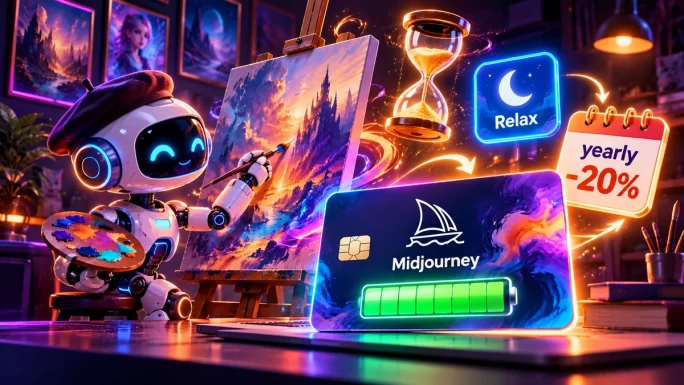
Yearly plans save you 20%, but you pay the full year upfront. For most hobby users, Basic or Standard is enough to start.

Pay With a Midjourney Payment Card
The most direct option is a Midjourney payment card from TopGift. It’s a prepaid Rewarble voucher in US dollars. You redeem it on Rewarble, get a virtual card, and use that card at the Midjourney checkout.
Since Midjourney bills in US dollars and the card is in US dollars too, nothing gets lost to currency conversion. For example, the $50 card comfortably covers a month of Standard. The $100 card can cover a year of Basic, depending on the tax in your country.

Redeem on Rewarble
Midjourney Payment Card USD
Choose $50 or $100. Your code appears in your account right after payment.
Buy Midjourney Payment CardOur guide to what Rewarble is explains how redemption works in more detail.
Pay With a Virtual Prepaid Visa
If you need a different amount, a general virtual prepaid Visa is a good alternative. The Visa Payment Card works the same way: you redeem it on Rewarble and get a virtual Visa with its own number and CVV.
The difference is flexibility. You can use the same type of card for other AI tools and online subscriptions too, not only Midjourney. Our guide to getting a virtual prepaid card without a bank account compares the options.
Use it almost anywhere
Visa Payment Card USD
Redeem on Rewarble for a virtual prepaid Visa you can use on Midjourney, ChatGPT, subscriptions and more.
Buy Visa Payment CardBasic or Standard Plan
Most beginners choose between Basic and Standard. Here’s how they compare:
Basic
Monthly price$10
Fast GPU timeAbout 3.3 hours
Relax modeNot included
VideoStandard quality only
Best forTrying Midjourney
Standard
Monthly price$30
Fast GPU time15 hours
Relax modeUnlimited images
VideoStandard and HD
Best forRegular use
In short, Basic is fine for a test month. If you create images every week, though, Standard is better value, because Relax mode lets you keep generating after your fast time runs out.
Common Midjourney Payment Errors
Even with a prepaid card, a payment can sometimes fail. These are the most common problems:
Common Midjourney payment errors
WhyThe balance doesn’t cover the plan, plus tax in some countries.
FixCheck the total at checkout and use a card with a small buffer.
WhyThe card isn’t enabled for international online payments.
FixUse a virtual card made for online subscriptions.
WhyThe card needs an extra security check that didn’t finish.
FixTry again in the same browser and complete the check.
WhyMidjourney doesn’t accept PayPal.
FixPay with a prepaid or virtual card instead.
WhyThe renewal failed because the balance ran out.
FixAdd a new card before the next billing date.
If the problem continues, stop after two or three attempts. Too many failed payments in a row can trigger a temporary block from the payment provider.
Tips to Make Your Balance Last
A few simple habits help you get more out of every dollar:
- Use Relax mode: on Standard and higher plans, Relax mode doesn’t use your fast GPU time.
- Choose yearly billing: if you’re sure you’ll keep using Midjourney, the yearly plan costs 20% less.
- Turn off auto-renewal: cancel the renewal in Manage Subscription if you only want one month.
- Plan your prompts: fewer wasted attempts means your fast time lasts longer.
Paying for other AI tools too? See our guide on how to pay for ChatGPT Plus without a credit card.
Frequently Asked Questions
Yes. You can use a prepaid Midjourney payment card or a virtual prepaid Visa. Both give you a virtual card on Rewarble, which you enter at the Midjourney checkout like a normal card.
No. Midjourney doesn’t support PayPal. It accepts cards and some digital wallets through Stripe, so a prepaid or virtual card is the easiest card-free option.
No. Midjourney stopped offering free trials, so you need a paid plan to create images. The cheapest option is the Basic plan at $10 a month.
Midjourney plans cost $10, $30, $60 or $120 a month. Yearly billing is 20% cheaper, for example $96 a year for Basic instead of $120.
Yes, as long as the card works for international online payments. A virtual card from a Midjourney payment card or a Visa Payment Card is made for this, so it’s usually accepted.
The most common reasons are not enough balance for the plan and tax, a card that blocks international payments or a security check that didn’t finish. Check the total, use a card with a buffer and try again after a few minutes.
Key Takeaways