A Starbucks gift card is one of the easiest presents to give in winter. Almost everyone drinks coffee, the holiday menu is back, and a digital card arrives in seconds. Still, many people get stuck when they try to use a Starbucks gift card, because each card works in only one country and is best added to the app first. This guide explains how it works in the US, Germany, Mexico and China, how to pay and earn Stars, and how to avoid the most common mistakes.
What a Starbucks Gift Card Is
Basically, a Starbucks gift card is a prepaid card loaded with money for Starbucks stores. Once you add it to your account, you can pay for drinks, food and some merchandise with the balance. Meanwhile, physical cards come in seasonal designs, while digital cards arrive as a card number and a security code.
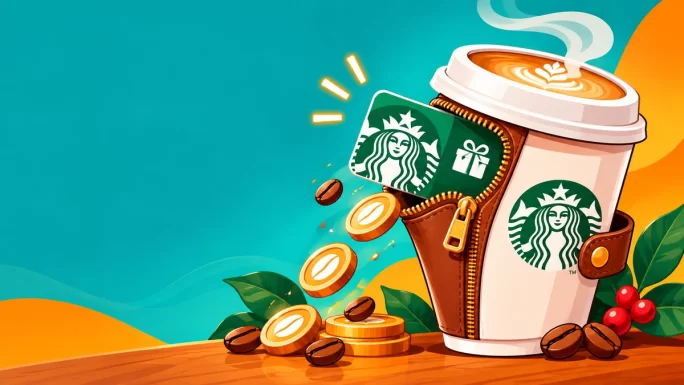
Unlike a bank card, the balance is tied to Starbucks only. It cannot be spent anywhere else, and in most countries it cannot be turned back into cash. However, unused value usually stays on the card, so there is no rush to spend it all at once.
Starbucks gift cards on TopGift
In short, think of it as a coffee wallet for one country. Choose the right country, add the card to the app, and it works just like paying with your phone.
Where You Can Use a Starbucks Gift Card
Above all, remember the most important rule: every Starbucks card belongs to one national Starbucks programme. In fact, each country runs its own system, often through a different local operator, so cards do not cross borders.
Where each card works
| Card | Works in | Does not work in |
|---|---|---|
| United States | Starbucks stores in the US | Canada, Mexico, Europe |
| Germany | Starbucks stores in Germany | Austria, France and other euro countries |
| Mexico | Starbucks stores in Mexico | The US and other Latin American countries |
| China | Mainland China | Hong Kong, Macau, Taiwan |
For example, a German card will not work in a Starbucks in Vienna, even though both countries use the euro. Likewise, a US card is refused in Toronto. Therefore, always buy the card for the country where you, or the person you are gifting, actually drinks coffee.
5 regions
Starbucks Gift Card
Digital Starbucks Cards for the US, Germany, Mexico and China. Pick the country where the coffee will be bought.
Buy Starbucks Gift CardIf you are not sure which one to pick, ask yourself a simple question: where is the nearest Starbucks the card will be used in? That country decides the card.
How to Use a Starbucks Gift Card in the App
The best way to use a Starbucks gift card is to add it to the Starbucks app. That keeps the balance safe, lets you pay with your phone and, in the US, counts your purchases towards Stars. Here is how it works with the US app:
Add a Starbucks card in the US app
You can also add the card on the Starbucks US website by signing in and opening the gift card section of your account. Either way, the card is then linked to your account, so if your phone is lost, the balance is not.
Also, keep the original order email until the card is added. After that, the app shows the card number, so you no longer need the email to pay.
Paying in Store and Ordering Ahead
Once the card is in the app, you have two ways to pay. First, you can scan the app at the counter or drive-through, just like a loyalty card. Second, in many countries you can order ahead in the app and pick up your drink without queuing.
Order ahead is especially useful in December, when holiday drinks make queues longer. You choose the drink, pay with your gift card balance and collect it when the app says it is ready.
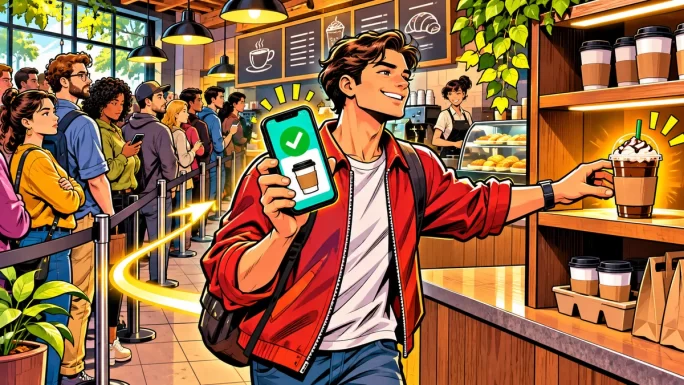
Keep in mind that some licensed locations, such as stores inside airports, supermarkets or hotels, may not accept Starbucks Cards or app payments. If in doubt, check the store in the app before you go.
Also, tipping in the US app can come out of the same balance in many stores, so a gift card covers the full visit. That small detail makes the card feel more like a complete treat than a voucher.
Stars and Rewards in 2026
In the US, Starbucks relaunched its Rewards programme on 10 March 2026. It now has three levels, and how many Stars you earn depends on your level rather than only on how you pay.
Starbucks Rewards levels (US)
| Level | How to reach it | Stars per dollar |
|---|---|---|
| Green | Join for free | 1 Star |
| Gold | 500 Stars in 12 months | 1.2 Stars |
| Reserve | 2,500 Stars in 12 months | 1.7 Stars |
Paying with a Starbucks Card registered in the app counts towards these Stars. In addition, Green members get bonus Stars for digital reloads: 10 Stars for a reload of $30 or more, and 25 Stars for $50 or more. Rewards start from 60 Stars, which now gives $2 off any purchase.
Stars for Green members expire after six months unless there is some activity each month, such as a purchase. So if you receive a gift card, using it regularly also helps keep your Stars alive.
Which Card Value to Choose
The right amount depends on who receives the card and how often they visit. As a rough guide for the US:
- 5 to 10 USD: one or two drinks, ideal for a small thank-you or Secret Santa.
- 25 USD: several visits, a classic gift for a colleague or teacher.
- 50 USD: a few weeks of regular coffee, good for close friends and family.
- 100 USD: a generous present for a daily coffee drinker.
In Germany, Mexico and China, the same logic applies with local prices. Moreover, since several cards can sit in one app, you can always send a second smaller card later rather than guessing a big amount now.
Starbucks Holiday Menu 2026
The US holiday menu returned on 5 November 2026, which is exactly why Starbucks gift cards are so popular right now. This year, the line-up includes:
- New drinks: Tiramisu Velvet Latte, Tiramisu Velvet Cold Brew and the coffee-free Apple Pomegranate Refresher.
- Returning favourites: Peppermint Mocha, Caramel Brulée Latte, Sugar Cookie Latte and Gingerbread Chai.
- Food: Cranberry Bliss Bar, Snowman Cookie and a new Bearista cake pop.
Menus differ from country to country, so the German, Mexican and Chinese stores have their own seasonal drinks. Even so, the idea is the same everywhere: a gift card turns those festive drinks into a ready-made treat.
Red Cup Day, when US stores traditionally hand out reusable holiday cups, had not been dated yet at the time of writing. Starbucks has said it will return, so watch the app for the announcement.
Using a Starbucks Gift Card in Germany
For example, the German card holds euros and works in Starbucks stores across Germany. You register it on starbucks.de or in the Starbucks app for Germany, and then pay as usual.
Here, values range from 5 to 50 EUR. A 5 EUR card covers a cappuccino, while 50 EUR is enough for several weeks of regular visits. Since the card follows the German programme, it is refused in Austria, France and other euro countries, as mentioned above.
For travellers, that matters more than it seems. If you live in Germany but often visit Vienna, keep your German card for home and pay by bank card abroad.
Besides, a German card makes a neat present for colleagues in German offices, since most city centres have a Starbucks within walking distance. Pair it with a note about the new seasonal drink, and the gift feels personal.
Using a Starbucks Gift Card in Mexico and China
In Mexico, the card holds pesos and links to the Starbucks Mexico app. Values range from 50 to 500 MXN, from a small coffee and pastry to many afternoons of Frappuccinos.
Similarly, in China the card holds yuan and binds to the Starbucks China app. It works in thousands of stores across mainland China, from Shanghai to Chengdu, with values from 50 to 500 CNY. However, Hong Kong, Macau and Taiwan run separate Starbucks systems, so the card does not work there.
Both cards are popular with expats and families abroad. For instance, someone in Europe can send a Mexico card to a relative in Guadalajara as a holiday present in minutes.
Checking and Combining Your Balance
First of all, once a card is in the app, the balance shows on the main screen. That is the easiest way to check it before you order.
In the US, you can also move money between cards registered to your account. This is handy if you receive several small gift cards over the holidays: you combine them into one card and pay without switching. Look for the transfer balance option in the card settings of the app or website.
Rules for combining balances differ by country, though. If your app does not show a transfer option, simply keep the cards separate and choose which one to pay with at checkout.
Finally, remember that a balance is easy to forget in a second app or an old email. Adding every card to the same account keeps everything in one place, so no value goes to waste.
Ways to Use a Starbucks Gift Card as a Holiday Gift
A Starbucks card is a safe choice for colleagues, teachers, neighbours and anyone who is hard to buy for. A few ideas:
- Secret Santa: a 10 or 25 USD card fits most budgets and is always used.
- Teachers and coaches: a small card with a handwritten note is a thoughtful thank-you.
- Long-distance family: send a card for their country, even if you live elsewhere.
- Stocking fillers: pair a card with a mug or a bag of coffee beans.
Since the card is digital, you can print the code inside a holiday card or send it in a message. For a personal touch, mention their favourite drink, so they know exactly what to order first.
United States
Starbucks Gift Card United States
Digital US Starbucks Card in 5, 10, 25, 50 or 100 USD. Add it to the Starbucks app and pay by phone.
Buy Starbucks Gift Card USFor more present ideas, our guides to the Uber Eats gift card and the Sephora gift card cover two other easy winners. You can also browse all gift cards, gaming cards, payment cards and crypto gift cards on TopGift.
Starbucks Gift Card or Bank Card
Paying with a gift card has a few clear advantages over a bank card in the app. First, the balance is prepaid, so there is no risk of overspending beyond what is loaded. Second, your bank card details never need to be stored in another app.
On the other hand, a bank card works in any country, while a Starbucks card is limited to one. For that reason, frequent travellers often keep a gift card for their home country and use a bank card abroad.
For gifts, though, the card simply wins. It is personal, it arrives instantly and the recipient does not have to share any payment details to enjoy it.
Starbucks Gift Card Problems and Fixes
In most cases, issues come down to the country or a typo. Here are the usual suspects:
Common problems and fixes
| Problem | Likely cause | Fix |
|---|---|---|
| Card not accepted in the app | App for a different country | Use the app and account for the card country |
| Invalid card number | Typo or missing security code | Copy both numbers straight from the order |
| Refused at the till | Card from another country, or a licensed store | Check the card country and the store type |
| Balance shows zero | Card added to a different account | Sign in with the account you added it to |
| Stars not added | Card not registered before paying | Register the card first, then pay with the app |
If a code still does not work, contact TopGift support with your order number, and we will check it with the supplier. Our guide on what to do when a gift card is not working covers more cases.
Staying Safe With Coffee Gift Cards
Coffee gift cards are a favourite tool of scammers, because they look harmless. Remember these rules:
- Never pay a stranger with a Starbucks card, whether they claim to be a boss, a bank or a tax office.
- Keep the numbers private until the card is in your own app.
- Add the card to your account quickly, so a lost email or phone does not mean a lost balance.
- Buy from real shops, not from marketplace sellers offering big discounts.
Our guide to gift card scams shows the tricks that are common around the holidays.
Frequently Asked Questions
Add it to the Starbucks app or your online account with the card number and security code, then scan the app to pay in store or use it to order ahead.
No. Each Starbucks card works only in the country it was issued for. A US card works in the US, and a German card works only in Germany.
In the US, yes. Paying with a Starbucks Card registered in the app counts towards Stars, and Green members get bonus Stars for digital reloads of $30 or more.
Add the card to the Starbucks app and the balance shows on the main screen. You can also check it in your account on the Starbucks website.
In the US, you can transfer balances between cards registered to your account. In other countries, the options depend on the local app.
In most countries, the balance does not expire, but rules differ by country. Check the terms in the local Starbucks app.
Key Takeaways