Friday night, nobody wants to cook, and the fridge is empty. For millions of people in the US, Canada, Australia and New Zealand, the answer is DoorDash. A DoorDash gift card turns that moment into a prepaid treat: you add an 11-digit PIN to an account, and the credit pays for meals, groceries and convenience orders. Here is how the card works in each country, two ways to redeem it and a few tricks to make it last longer.
DoorDash Gift Card Basics
A DoorDash gift card is a prepaid code that adds credit to a DoorDash account. The credit applies automatically to your next order, so you do not need to select it at checkout.
DoorDash gift card at a glance
Because the money sits on the account, the recipient does not need to share a bank card with anyone. Moreover, any credit that is not used on one order simply stays for the next one.
DoorDash itself sells gift cards on its own websites for each country. However, buying through a gift card shop such as TopGift is often more convenient if you want to pay with a different method or buy cards for several countries in one place.
Four Countries, Four Currencies
DoorDash sells gift cards in four countries, and each one uses its own currency. In fact, DoorDash uses your delivery address to decide which currency your credit is in.
DoorDash gift cards on TopGift
| Country | Currency | Values |
|---|---|---|
| United StatesMost popular | USD | 5, 10, 15, 20, 25, 50, 100 |
| Canada | CAD | 10, 25, 50, 100 |
| Australia | AUD | 25, 50, 100 |
| New Zealand | NZD | 25, 50, 100 |
So, the card should match the country where the food will be delivered. For example, a student in Toronto needs a Canadian card, while a family in Sydney needs an Australian one.
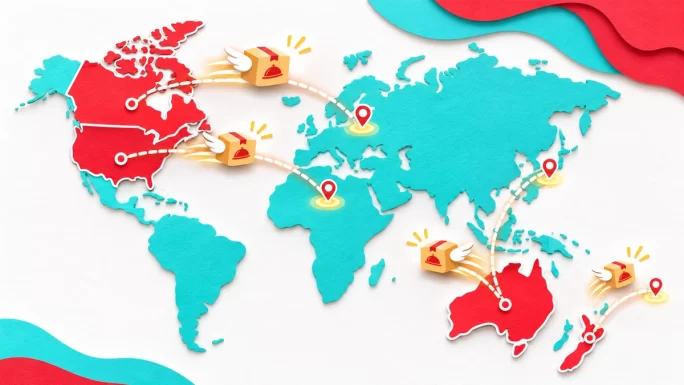
This also matters for travelers. If someone from the US visits Australia, their US credit will not automatically pay for orders there, because the delivery address is in a different country. In that case, a local card is the safer choice.
4 countries
DoorDash Gift Card
DoorDash credit for the US, Canada, Australia and New Zealand. Pay for meals, groceries and more.
Buy DoorDash Gift CardRedeem a DoorDash Gift Card in Your Account
The most common way to redeem is through the gift card section of your account. It works on the website and in both mobile apps, although the menu path differs slightly.
Redeem on the DoorDash website
- iPhone: tap the Account icon, then Gift Card, then Redeem.
- Android: open your profile, go to Settings, then Gift Card.
Once redeemed, the credit sits on your account and applies to your next order without any extra steps. That makes this method ideal if you want to load the card now and order later.
One more tip: redeem the PIN as soon as you receive it, even if you do not plan to order yet. That way, the credit is safely tied to your account, and nobody else can use the code if the message is forwarded or seen by someone else.
Redeem a DoorDash Gift Card at Checkout
If your cart is already full, you do not need to leave it. DoorDash lets you redeem a card right at checkout.
Redeem while checking out in the app
On a computer, the option sits under Promo codes, rewards and gift cards at checkout. Either way, the result is the same as redeeming in your account first.
Redeeming at checkout is especially handy for a first order. A new user can sign up, fill the cart and add the gift card in one go, without searching for the gift card menu first.
How DoorDash Credits Behave
DoorDash credits follow a few simple rules, and knowing them avoids surprises at checkout:
- Automatic use: credit is applied to your next order without a separate selection.
- Combined balance: gift card credit adds to any DoorDash credit you already have.
- Full coverage: if the credit covers the whole order, no card is needed.
- Partial coverage: if the order costs more, you must add another payment method for the rest.
Good to knowIf you see an error about currency when redeeming, add a delivery address first. DoorDash needs the address to decide which currency your credit should be in.
In addition, check the official gift card terms for your country if you want details on expiry or restrictions, since these can differ between the US, Canada, Australia and New Zealand.
What Makes Up a DoorDash Order Total
Before you spend your credit, it helps to understand what you are paying for. A delivery order is more than the price of the food. Usually, the total includes several parts:
- Food subtotal: the menu prices of everything in your cart.
- Delivery fee: depends on distance, demand and whether you have DashPass.
- Service fee: a percentage of the order that DoorDash charges.
- Small order fee: sometimes added when the subtotal is very low.
- Tip and taxes: the tip for your Dasher plus local taxes.
The checkout screen shows the full breakdown before you pay. Therefore, review it once to see how much of your order the credit covers and whether you need to add another payment method for the rest.
Restaurant prices on delivery apps can also be higher than in the restaurant itself. So, if you want the most food for your card, compare a few places or choose pickup.
Checking Your Credit Balance
After redeeming, it is worth checking that the credit arrived. Here is where to look:
- iPhone: Account, then Payment.
- Android: Profile, then Settings, then Payment Methods.
- Website: Account, then Payments.
The amount shown is your total credit, including any older promotions or refunds. Therefore, it may be higher than the value of the card you just added.
Some credits from promotions or refunds can have their own expiry dates, while gift card credit follows the terms of the card. So, if your balance includes several types of credit, it is worth spending the older promotional credit first.
If the balance looks wrong, close and reopen the app first. In most cases, that refreshes the number straight away.
More Than Takeout
DoorDash started with restaurants, but today it delivers far more. As a result, a gift card can cover everyday shopping, not just takeout.
- Restaurants: from local favorites to national chains.
- Groceries: supermarket orders in many cities.
- Convenience stores: snacks, drinks and household basics.
- Pharmacy and retail: selected stores in some areas.
- Pickup orders: collect the food yourself and skip the delivery fee.
Availability depends on your city and on which stores partner with DoorDash locally. So, open the app and browse your area to see what the card can pay for near you.
For example, in large cities you can often order from a supermarket, a pet store and a pharmacy within the same evening. In smaller towns, the choice is usually focused on restaurants and a few convenience stores.
Stretching a DoorDash Gift Card Further
A gift card goes much further if you avoid the extra fees that add up on delivery orders. Here are a few easy ways to stretch it:
- Choose pickup: there is no delivery fee, and the credit covers the food only.
- Use DashPass benefits: members get reduced fees on eligible orders, which leaves more credit for food.
- Watch for promos: app promotions can stack with your gift card credit.
- Order with friends: a group order splits one delivery fee across several meals.
- Plan bigger orders: one larger grocery order usually costs less in fees than several small ones.
In short, the same card can feel twice as big if you avoid unnecessary fees. That is especially useful for students and young professionals on a budget.
DashPass is DoorDash’s paid membership, and it usually makes sense for people who order several times a month. If you only order occasionally, pickup orders and promotions are typically the easier way to save.
Scheduling Orders With Your Credit
You do not have to spend the credit right away. DoorDash lets you schedule many orders in advance, which is handy for planning a dinner, a lunch at work or a delivery for someone else.
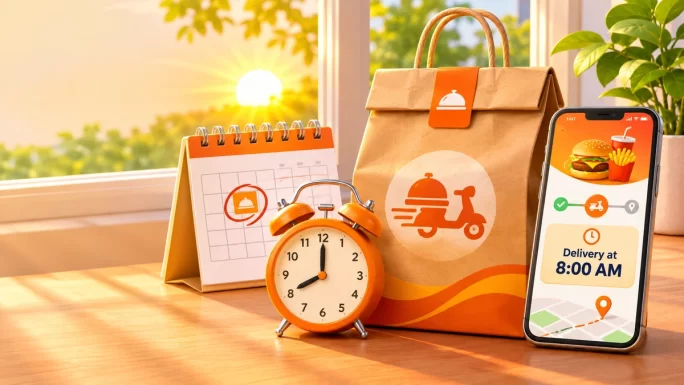
The credit is applied when the scheduled order is placed. As a result, a gift card can cover a surprise breakfast in bed or a birthday dinner delivered at a set time.
- Office lunch: schedule a delivery for noon while you are in meetings.
- Family dinner: book the order in the afternoon and avoid the evening rush.
- A gift for someone: send a meal to their address at a time that suits them.
Just remember that scheduling depends on restaurant hours. If a place is closed at the chosen time, the app will suggest another slot or store.
DoorDash vs Uber Eats Gift Card
Uber Eats and DoorDash are the two biggest delivery apps, and both sell gift cards. Which one to choose depends mainly on where the recipient lives and how they use the app.
DoorDash vs Uber Eats gift card
| Feature | DoorDash | Uber Eats |
|---|---|---|
| Countries on TopGift | 4 | 22 |
| Also pays for rides | No | Yes, via Uber Cash |
| Groceries and convenience | Yes, in many areas | Yes, in many areas |
| Best for | US, Canada, Australia, NZ | Europe, Latin America and more |
If the person lives in Europe, Uber Eats is usually the better choice, since DoorDash does not operate there under its own brand. On the other hand, DoorDash is often the most popular app in the US and many Canadian and Australian cities. For more on the alternative, read our Uber Eats gift card guide.
Some people also use both apps, switching between them depending on which restaurant or promotion is available. In that case, a card for each app gives the most flexibility.
What About Caviar
DoorDash also owns Caviar, a premium delivery service in selected US cities. Caviar has its own gift cards, which are redeemed in the Caviar app or on the Caviar website.
In other words, a DoorDash gift card is meant for the DoorDash app, while a Caviar card is meant for Caviar. If you are buying for someone in a big US city, ask which app they actually use before choosing.
Caviar focuses on higher-end restaurants and is only available in selected US cities. For most people, especially outside the US, the regular DoorDash app offers far more choice, so a DoorDash card is the safer present.
Who Loves a DoorDash Gift Card
A DoorDash gift card is one of the most practical presents you can give, because everyone eats. Here are a few situations where it works especially well:
- Students away from home: a few dinners during exam season.
- New parents: meals delivered when there is no time to cook.
- Remote colleagues: a team lunch, even when everyone is in a different city.
- Friends recovering from illness: groceries without a trip to the store.
- Birthdays and holidays: a treat that never goes to waste.
Because the code arrives within minutes, it also works as a last-minute gift. For more ideas, browse all digital gift cards on TopGift.
To make it more personal, pair the code with a short note suggesting a favorite restaurant or a cozy movie night. A small detail like that turns a simple code into a thoughtful gift.
Sharing Food Budgets With Friends and Family
DoorDash credit belongs to one account, so the person who redeems the card is the person who can spend it. Still, there are a few easy ways to share a food budget.
- Group orders: one person creates the order, and friends add their own items to the same cart.
- Separate cards: buy smaller cards for each person instead of one big card.
- Shared households: flatmates often load one account for joint grocery orders.
In addition, a card works well as a household budget. Load a fixed amount at the start of the month, and everyone can see when it is running low. That makes takeout spending easier to control than with a bank card.
For couples or roommates, a simple rule works well: whoever redeems the card places the shared orders, and everyone adds their items to a group order. That keeps the credit in one place and avoids confusion.
Fixing DoorDash Gift Card Problems
Most redemption problems have a simple cause. Here is what to check:
- Currency error: add a delivery address in the right country, then try again.
- Wrong country card: a card must match the country of your delivery address.
- Invalid PIN: check all 11 digits, ideally by copying and pasting.
- Already redeemed: check whether the code was used on another account in your household.
- Balance not updated: close and reopen the app.
If the problem continues, contact TopGift support with your order number and a screenshot of the message. For general troubleshooting tips, see what to do when a gift card is not working.
It also helps to redeem in the official app or website only. Third-party apps and browser extensions that promise to “check” a gift card balance can copy the PIN and use it before you do.
Staying Safe With a DoorDash Gift Card
Gift cards are a favorite tool of scammers, and DoorDash cards are no exception. A few rules keep your credit safe:
- Never pay a stranger with a gift card: real companies, tax offices and banks never ask for payment in gift card PINs.
- Keep the PIN private: anyone who sees an unused PIN can redeem it.
- Ignore fake support: DoorDash support will not ask you to read out a gift card PIN.
- Buy from trusted sellers: choose a store that delivers real codes and offers support.
If someone pressures you to buy gift cards urgently, stop and talk to someone you trust. For more warning signs, see our guide to gift card scams in 2026.
Finally, keep your order details until the credit appears on your account. If anything goes wrong, the order number makes it much faster to check the code and help you.
Frequently Asked Questions
Open your DoorDash account, go to Gift Card, select Redeem and enter the 11-digit PIN. You can also redeem it at checkout under the gift card option.
DoorDash gift cards are sold for the US, Canada, Australia and New Zealand. The card should match the country of your delivery address.
No, as long as the credit covers the whole order. If the order costs more, you need another payment method for the rest.
In the Payment or Payments section of your account, in the app or on the website.
Yes, in many areas. DoorDash credit works for grocery and convenience orders where those stores are available.
No. Caviar is a separate service owned by DoorDash, and its gift cards are redeemed in the Caviar app.
Key Takeaways