TikTok Coins cost real money, and most people pay more for them than they need to. The price depends on where and how you recharge. Luckily, paying less takes no tricks, no VPN and no shady sellers. It mostly comes down to a few simple habits.
Quick Answer
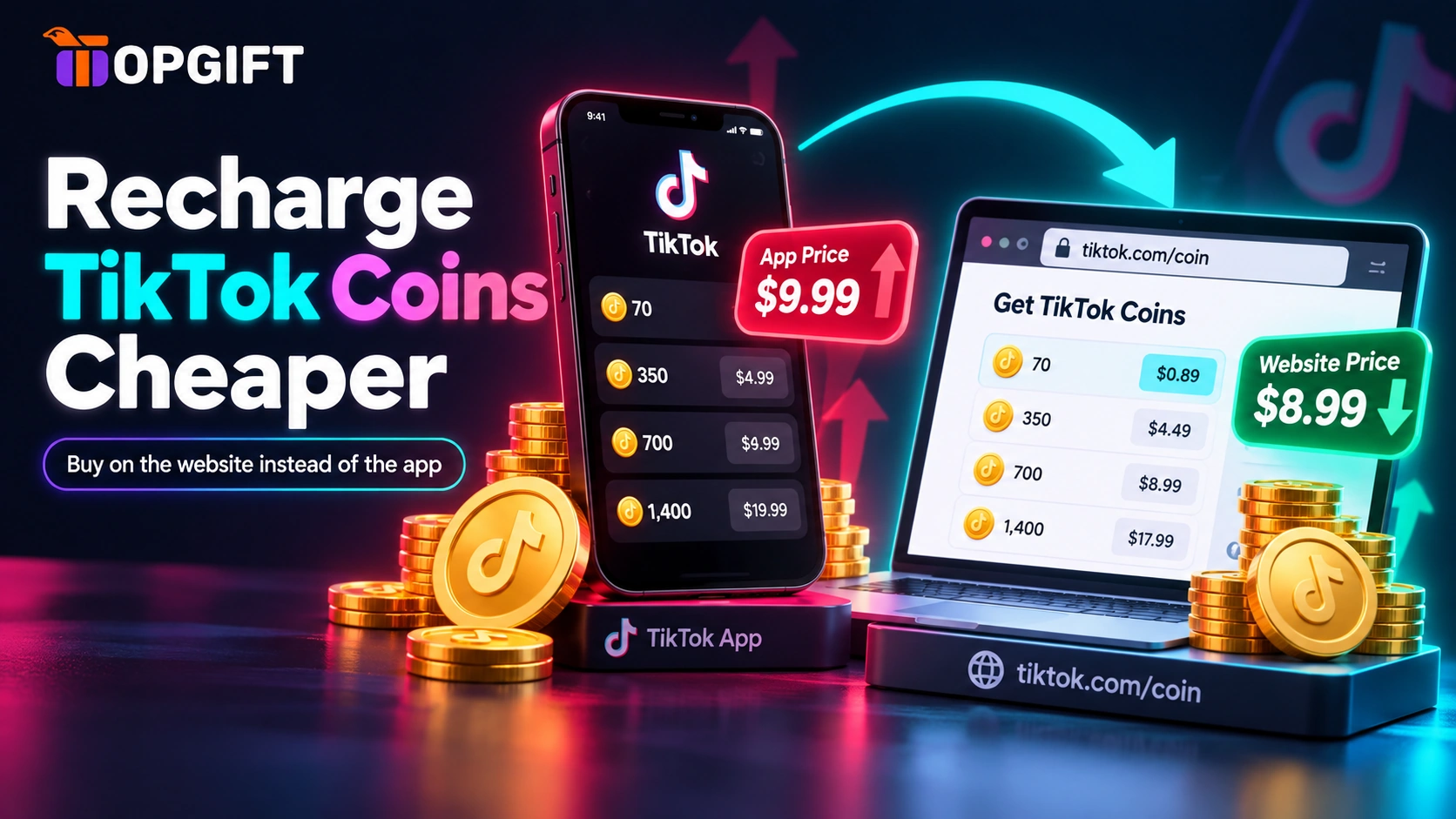
Recharge on TikTok’s website at tiktok.com/coin instead of in the app. It costs roughly 25–30% less per coin because no app store takes a cut. Then enter a custom amount, pay in your own currency, and skip VPNs and cheap coin sellers.
This guide walks through each one, starting with the biggest saving. If you want the current numbers first, our guide to how much TikTok Coins cost lists prices for both the app and the website.
In this guide
Why the Same Coins Cost Different Amounts
Every coin lands in the same balance and works the same way. Even so, the price of that coin changes with the route you take.
Inside the iOS or Android app, the payment runs through Apple or Google. Both charge TikTok a commission on in-app purchases, and that cost ends up in your price. On TikTok’s own website, no app store sits in the middle. As a result, the website usually charges roughly 25 to 30 percent less per coin, based on US prices in September 2026.
How to Recharge TikTok Coins on the Website
This is the single biggest saving, and it takes about a minute. All you need is a browser and your TikTok login.
The coins appear in your balance straight away. After that, you open the app as usual and send gifts exactly as before. Nothing about your account changes, apart from what you paid.
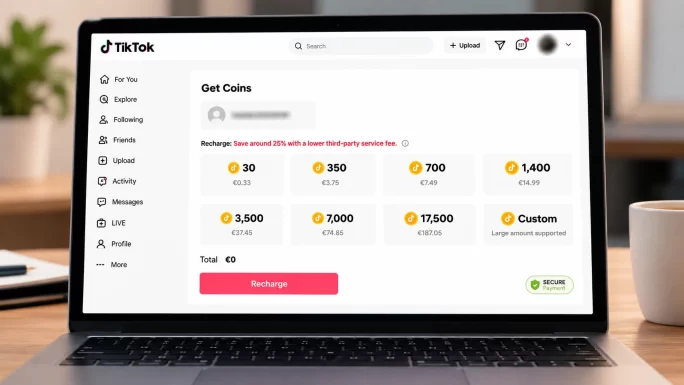
The website works on a phone, too. Open tiktok.com/coin in Safari or Chrome instead of the app, sign in, and recharge there. That way, you still get the lower price without a computer nearby.
Buy the Exact Amount You Need
The website has another advantage over the app: a custom amount. Instead of choosing a fixed package, you can type in the exact number of coins you want.
This matters more than it sounds. Most people pick a package slightly bigger than they need, and the extra coins then sit in the account. An unused balance generally stays there, but it never turns back into money. Buying the exact amount keeps your spending where you planned it.
Bigger Packs Barely Save Money
It feels natural to assume a large package works out cheaper per coin. With TikTok, though, the difference is tiny. Moving from the smallest to the largest package saves only around 3 percent per coin.
In other words, a big pack is not a bargain. It is simply more money paid up front. Unless you plan to spend the coins soon, a smaller recharge is the smarter choice.
Avoid Hidden Payment Fees
The price on the recharge page is not always the price on your statement. Two extra costs regularly catch people out.
The first is a currency conversion fee. If you pay in a currency other than your card’s own, your bank may convert it and add a margin. The second is a foreign transaction fee, which some banks charge whenever the merchant sits abroad. Each one is small on its own. However, both repeat on every single recharge.
To avoid them, pay in your own currency whenever the page offers it. Also, use a card or wallet that doesn’t charge for foreign payments. Checking your bank’s fee list once saves money on every future top-up.
Watch for Bonus Coin Events
From time to time, TikTok runs promotions that add bonus coins to a recharge. They don’t follow a public schedule, and they don’t reach every account at once.
Still, if you recharge regularly, check the recharge page and your app notifications before a larger top-up. Timing a bigger purchase around one of these events is one of the few ways to get more coins for the same money.
Check Your TikTok Coins Balance First
Before any top-up, check what you already have. Plenty of people recharge out of habit while coins from last time still sit in the account.
In the app, open your profile and tap the menu in the top corner. Next, go to Settings and privacy and choose Balance. The exact labels can shift slightly between app versions, but your balance always lives in that area.
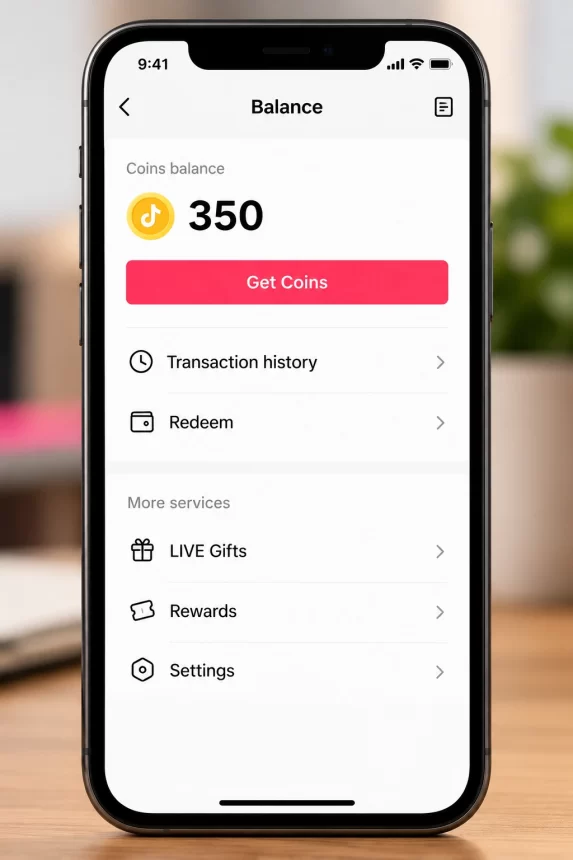
That screen also offers a recharge button. Keep in mind that it charges the app price. So look at your balance there, then top up on the website instead.
Topping Up Without a Bank Card
Not everyone wants a bank card linked to TikTok. Some cards get declined for international app payments. In other cases, the card belongs to a parent, or the goal is simply a fixed budget that can’t run over.
A prepaid gift card handles all of these. Our TikTok Coins cards come through Rewarble in five regions: the United States, the United Kingdom, Europe, Canada and Australia. Pick the region that matches your TikTok account, then redeem the code.
Rewarble then gives you a prepaid virtual card for the card’s value. You enter it at checkout like any other card. That means you can use it on the TikTok website and still get the lower web price.
To be clear, a gift card doesn’t lower TikTok’s own price. Instead, it keeps your bank card out of the app and caps spending at the card’s value. Combined with a website recharge, it gives you both the lower price and a fixed budget.
What to Avoid
Some offers promise far bigger savings than anything above. None of them are worth it.
The honest routes in this guide won’t halve your costs. Together, though, they take a noticeable share off every recharge, and none of them put your account at risk. Here is how they compare.
| Method | What you save | Effort |
|---|---|---|
| Recharge on the website | Roughly 25–30% per coin | One minute |
| Custom amount | No leftover coins | None |
| Pay in your own currency | Bank conversion fees | Check once |
| Bonus coin events | Varies | Good timing |
| Bigger package | Around 3% per coin | More money up front |
Frequently Asked Questions
What is the cheapest way to recharge TikTok Coins?
Recharge on the website at tiktok.com/coin instead of in the app. Then enter a custom amount and pay in your own currency to avoid extra bank fees.
How much cheaper is a TikTok coin on the website?
Roughly 25 to 30 percent less than in the iOS app, based on US prices in September 2026. Prices vary by country and change over time.
Can I recharge TikTok Coins on my phone at the website price?
Yes. Open tiktok.com/coin in your phone’s browser rather than the app, sign in, and recharge there.
Do coins bought on the website work in the app?
Yes. They go into the same balance on the same account, so you use them in the app exactly as before.
Where can I see my TikTok Coins balance?
In the app, open your profile, tap the menu, then go to Settings and privacy and choose Balance.
Can I recharge TikTok Coins without a bank card?
Yes. A prepaid gift card, such as a Rewarble card, turns into a virtual card you can pay with at checkout. Your own bank card never touches TikTok.
Is using a VPN to buy cheaper coins allowed?
No. Changing your region to get lower prices goes against TikTok’s terms and can get your account restricted. The savings are usually small anyway.