A major Outlook outage left millions of people without email on Thursday, 12 November 2026. Starting in the afternoon European time, users could not open their mailboxes, send messages or join Teams calls, and the problems spread from the Americas to other regions. By Friday morning, Microsoft reported partial recovery, but the incident was still not fully resolved.
Here is what went wrong, which services were hit, what Microsoft says about the cause and what you can do while email is unreliable.
Outage at a glance
What Happened in the Outlook Outage
The trouble began around 1:25 p.m. Eastern time, or 18:25 UTC. At first, Microsoft reported that some users in the Americas could not reach their Exchange Online mailboxes. Shortly after, it warned that Microsoft 365 connectivity could be affected for users in any region.
Reports surged on Downdetector, peaking at about 130,000 for Outlook alone. Businesses, schools and public bodies felt it quickly. For example, New York City’s emergency management department warned of delays in email and some online city services that rely on Microsoft systems.
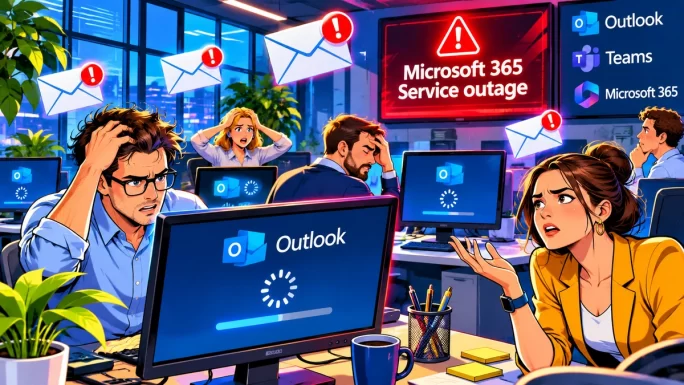
For many people, the experience was simple: the inbox would not load, emails sat in the outbox, or Outlook asked them to sign in again and again.
Timeline of the Disruption
How the outage unfolded (12 to 13 November)
| Time (UTC) | What happened |
|---|---|
| 18:25 | Problems with Exchange Online mailboxes begin in the Americas |
| 18:50 | Downdetector reports for Outlook peak near 130,000 |
| 19:00 to 19:30 | Microsoft redistributes traffic, restarts servers and pauses deployments |
| 19:41 | Microsoft says the load comes from servers being unavailable, not more traffic |
| 20:23 | A server health-check component comes under suspicion |
| 22:00 to 00:12 | Some users get Outlook back; reports fall to around 30,000 |
| 00:50 | Microsoft warns servers may fail again once traffic returns |
| Friday morning | Status still shows degradation; partial recovery across regions |
As the table shows, recovery came in waves rather than all at once. Consequently, some people saw email return in the evening, while others still had problems the next morning.
Which Microsoft Services Went Down
Although Outlook made the headlines, the outage reached far beyond email. Microsoft’s status page listed 19 affected services, including:
- Outlook and Exchange Online: mailboxes, sending and receiving.
- Microsoft Teams: chats and meetings, later partly restored.
- Copilot for Microsoft 365: the AI assistant inside Office apps.
- SharePoint, Planner and To Do: shared files and task lists.
- Security and admin tools: Defender, Purview, Intune and the Microsoft 365 admin centre.
Some users also reported trouble with OneDrive and Office on the web. In short, anyone whose work runs on Microsoft 365 likely noticed something was wrong.
What Microsoft Says Caused It
Microsoft has not yet published a full root cause. So far, it has shared a few clues in its status updates.
- No traffic spike: the elevated load came from a number of servers becoming unexpectedly unavailable, which pushed their work onto the rest.
- Health checks: engineers suspected a component that checks whether servers are healthy, and tested an alternative method.
- No obvious change: Microsoft said it found no recent update that clearly matched the start of the problem.
- No sign of an attack: Microsoft said it was not aware of malicious activity.
In other words, this looks like an internal failure rather than a cyberattack. Microsoft has promised a post-incident report once the issue is mitigated, which should explain more.
Is the Outlook Outage Over
Not completely. By late Thursday, many users had their email back, and Downdetector reports fell from 130,000 to below 30,000. However, Microsoft warned that restarted servers could become unresponsive again once traffic returned.
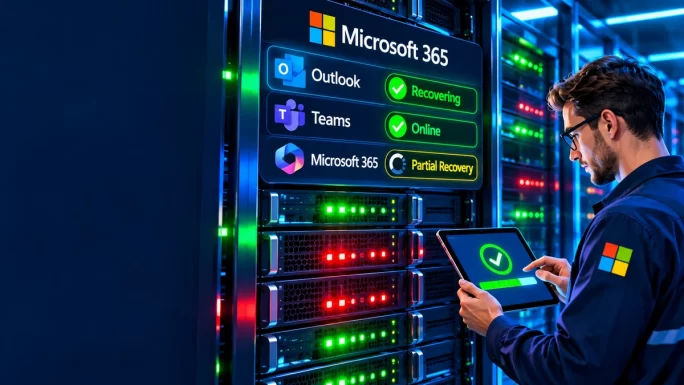
Early on Friday, 13 November, Microsoft’s status page still showed service degradation, with partial recovery across regions. So if Outlook still feels slow or patchy, you are not alone, and the fix may take a while longer.
TipBefore changing settings or reinstalling Outlook, check the official status pages first. If the problem is on Microsoft’s side, nothing on your device will fix it.
Once Microsoft publishes its report, it should become clear whether the issue is fully closed or whether further maintenance is planned.
How to Check an Outlook Outage Yourself
There are a few quick ways to tell whether the problem is Microsoft’s or yours:
- Microsoft 365 Service Health: work and school admins can see live incidents in the admin centre.
- Microsoft 365 Status on X: Microsoft posts updates during major incidents.
- Downdetector: a spike in reports usually means a wide outage.
- Colleagues: if everyone in your company has the same problem, it is almost certainly not your device.
If only you are affected, try signing out and back in, check your internet connection and update the Outlook app. Otherwise, waiting is usually the only real option.
Workarounds While Email Is Down
While the service recovers, these steps can help you keep working:
- Use the desktop app: Outlook for Windows and Mac keeps a local copy of recent emails, so you can still read them offline.
- Try the mobile app: it sometimes reconnects sooner than the web version.
- Pick up the phone: for urgent matters, a call is faster than waiting for email.
- Use a backup address: a personal email account can carry urgent messages for a day.
- Do not keep resending: queued messages usually go out once the service recovers.
Above all, avoid deleting and re-adding your account during an outage. It rarely helps, and it can mean downloading your whole mailbox again later.
Not the First Microsoft 365 Outage This Year
This is not Microsoft’s only big disruption in 2026. Earlier this year, a July outage lasted most of a day, and an August incident took close to three days to fix completely.
Repeated outages have revived the debate about relying on a single cloud provider for everything. Many companies now keep backup communication channels, such as a second chat tool or a phone tree, for exactly these days.
It also fits a wider pattern. Large cloud failures, such as the Google Cloud outage that hit apps like Revolut and Spotify, show how much of daily life now depends on a few big platforms.
Waiting for an Order Email During the Outlook Outage
If you bought a gift card on TopGift during the outage and use an Outlook, Hotmail or Live address, the order email may arrive late. That does not affect your code.
- Check your TopGift account: every code also appears on the order page and in your account, independently of email.
- Look in spam later: delayed emails sometimes land there once delivery resumes.
- Contact support: if neither shows the code, send us your order number.
In short, your purchase is safe even when email is not. Our guide on what to do when a gift card is not working covers other common issues.
Xbox and Microsoft Gift Cards
Xbox services were not listed among the affected services. As a result, Xbox gift cards and Game Pass codes should redeem as usual on your console or at the Microsoft redeem page.
If a redemption does fail during these days, wait a little and try again later rather than entering the code many times. Our guide on how to redeem an Xbox gift card walks through every method.
32 regions
Xbox Gift Card
Microsoft Store and Xbox credit for games, add-ons and subscriptions. Pick the card for your account region.
Buy Xbox Gift CardFor more Xbox, PlayStation and Steam credit, browse all gaming cards on TopGift.
Frequently Asked Questions
On 13 November, Microsoft reported partial recovery, but its status page still showed degradation. Check Microsoft 365 Service Health or Downdetector for the latest status.
Microsoft said a number of servers became unexpectedly unavailable, overloading the rest. It suspects a server health-check component and has not reported any malicious activity.
Outlook and Exchange Online, Teams, Copilot, SharePoint, Planner, To Do and several security and admin tools, 19 services in total.
Usually not. Messages are normally queued and delivered once the service recovers, so avoid resending the same email many times.
Your code is also shown on the order page and in your TopGift account. If it is missing there too, contact support with your order number.
Key Takeaways