
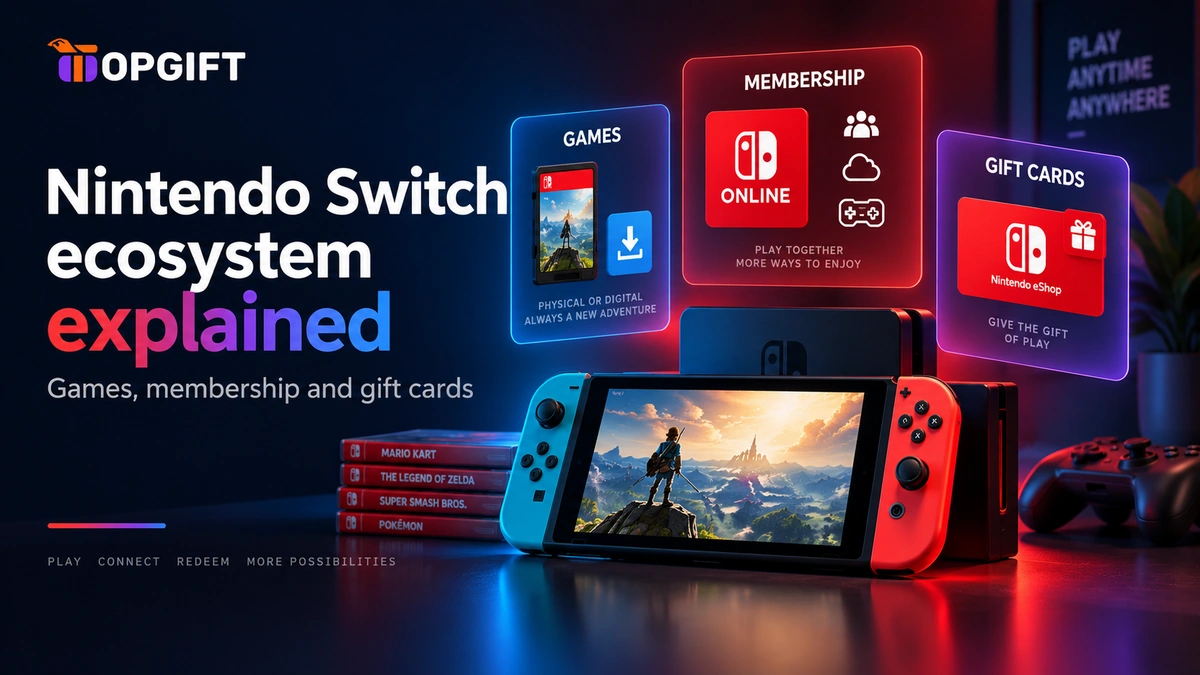
Nintendo splits its digital storefront into three separate things, and it’s easy to end up buying the wrong one simply because nobody explains the difference clearly. A game key gets you one title. A Nintendo Switch Online membership unlocks online play and a library of classic games. A gift card funds a balance you can spend on anything in the eShop. This guide covers what each one actually does, so you buy the right one the first time.
In this guide
Three Ways to Buy Into Nintendo
Each product answers a different question, and knowing which question you’re actually asking makes the choice obvious.
| Product | What it gets you | Best for |
|---|---|---|
| Switch or Switch 2 game | One specific title, yours to keep | Knowing exactly what you want to play |
| Nintendo Switch Online | Online multiplayer, cloud saves, classic games | Playing with others, or wanting the classics library |
| Nintendo eShop gift card | A spendable balance for anything in the store | Flexibility, gifting, or funding a membership too |
None of the three overlap completely. A membership doesn’t include games, a gift card doesn’t include online play on its own, and a game key doesn’t cover a subscription. Buying the wrong one is the single most common reason people end up disappointed with a Nintendo purchase.
Buying a Specific Game
If you already know the title, a direct game key is the simplest route. You redeem a code, the game downloads to your console, and it’s yours — no subscription attached, no balance to manage. This works the same way for Nintendo Switch and Nintendo Switch 2, and most titles run on both consoles.
The one exception worth knowing: some newer releases are built specifically for Switch 2 and won’t run on the original console at all. Check a title’s platform listing before buying if you’re still on the first-generation Switch.
Shop Nintendo Switch Games →What Nintendo Switch Online Actually Adds
A membership doesn’t unlock any specific game. Instead, it unlocks features that apply across your whole account. Online multiplayer is the main one — without a membership, most games with online modes simply won’t connect. Cloud saves back up your progress automatically, which matters more than it sounds the first time a console gets lost or damaged.
Beyond that, membership includes a growing library of classic games — NES, Super NES and Game Boy titles playable at no extra cost while your membership is active. Stepping up to Nintendo Switch Online + Expansion Pack adds further libraries, including Nintendo 64 and Game Boy Advance titles, plus GameCube games if you’re on a Switch 2.
One detail worth flagging because it’s recent: GameChat, the voice and video chat feature on Switch 2, was free to use without a membership until the end of March 2026. Since then, it requires an active Nintendo Switch Online membership like everything else. If you’d been getting by without one, that’s changed.
Get Nintendo Switch Online →Nintendo eShop Gift Cards
A gift card is the flexible option, and it’s worth understanding what “flexible” actually means here. The balance sits in your Nintendo Account and covers anything in the eShop — a game you haven’t decided on yet, DLC, a membership itself, or a mix of small purchases over time. Nothing about it commits you to one specific thing.
That makes it the natural pick for a gift, since you’re rarely certain exactly which game someone wants. It’s also useful for funding a membership without a card on file, since the subscription can simply draw from the balance instead.
💡 Region matters: Gift cards are tied to the region your Nintendo Account is set to. Check that before buying — it is the most common reason a code will not redeem.
Our eShop gift card range covers eighteen products across regions from the US and Japan to most of Europe, so matching one to your account takes a moment.
Get Nintendo eShop Gift Cards →Switch and Switch 2 Compatibility
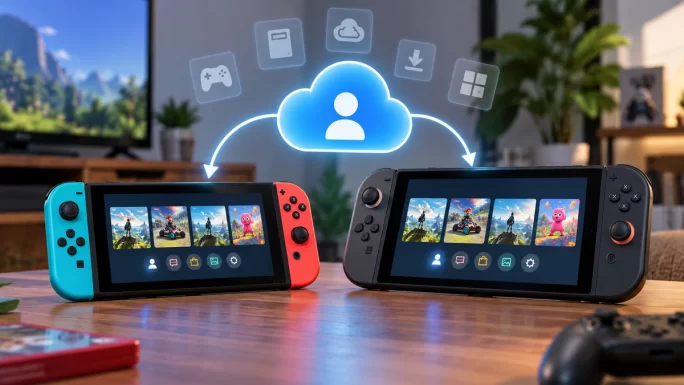
Both consoles share the same underlying ecosystem. Your Nintendo Account, your eShop balance, your membership and most of your game library carry across both, which is why Nintendo built Switch 2 as an upgrade path rather than a fresh start.
Where it gets specific is sharing. Switch 2’s GameShare feature lets you share certain games with people nearby, even if they don’t own a copy — but only for titles that also run on the original Switch. A Switch 2-exclusive game can’t be shared to someone still using the first console, since the hardware simply can’t run it.
Which Nintendo Product Do You Actually Need
A few honest patterns cover most situations.
If you know the exact game, buy the game. There’s no reason to route that purchase through a gift card balance when a direct key gets you there in one step.
If you play online with friends, or you want the classic-games library, a membership is not optional — it’s the only way to get either. No amount of game purchases substitutes for it.
If you’re buying for someone else, or you genuinely don’t know what you want yet, a gift card is the safer call. It converts into whatever the recipient — or future you — actually decides on.
A specific game key
- Exactly what you wanted, nothing more to decide
- Usually cheaper than the eShop’s own listed price
- No balance left sitting unused afterwards
A gift card balance
- Works for a game, DLC, or a membership — your choice later
- The safer pick when you’re buying for someone else
- Splits across several smaller purchases if you prefer
Many people end up using all three at once over time: a membership running in the background, a few games bought directly when the title is certain, and a gift card in reserve for whatever comes up next.
Frequently Asked Questions
Do I need Nintendo Switch Online to play games at all?
No, single-player games work without it. You only need a membership for online multiplayer, cloud saves, and the classic-games library.
What is the difference between the two Nintendo Switch Online tiers?
The standard membership covers online play, cloud saves and an NES/Super NES/Game Boy library. The Expansion Pack tier adds further classic libraries, including N64 and Game Boy Advance titles.
Can I use a Switch 1 game key on a Switch 2?
Yes, in almost all cases — most Switch software runs on both consoles. Only titles built specifically for Switch 2 are the exception, and they are labelled as such.
Do I need a membership to use GameChat now?
Yes. GameChat was free without a membership until the end of March 2026. Since then, an active Nintendo Switch Online membership is required to use it.
Which region eShop gift card should I buy?
The one matching your Nintendo Account’s region, not the country you’re in. A card for the wrong region will not redeem.
Can a gift card pay for a Nintendo Switch Online membership?
Yes. The balance covers anything in the eShop, including subscriptions, so it works as a card-free way to fund or renew a membership.
🔑 Key takeaways
- A game key, a membership and a gift card solve three different problems — not the same one three ways.
- Membership is required for online play, cloud saves and the classic-games library, and now also for GameChat.
- Switch and Switch 2 share one account and library — only Switch 2-exclusive titles are the exception.
- A gift card is the safer pick when gifting, or when you have not decided what to buy yet.
- Match a gift card to your account’s region — the most common reason a code fails.


