Twitch is the home of live streaming, from gaming and music to just chatting. If you want to support your favourite streamers without a bank card, a Twitch gift card is the easiest way to do it. But what exactly can you buy with it, and how do you redeem it?
This guide explains how to use a Twitch gift card step by step. It covers subscriptions, gift subs, Bits and Turbo, shows which card fits your account and explains how to fix the most common redemption errors.
What Is a Twitch Gift Card
A Twitch gift card is a prepaid code that adds money to your Twitch account. Once you redeem it, the amount appears as a gift card balance in your Twitch Wallet.
From there, Twitch uses the balance automatically when you pay for something on the site. You don’t need to enter the code again, and you don’t need a bank card at all.
Twitch gift card at a glance
Keep in mind that the balance stays on Twitch. You can’t cash it out, move it to another account or spend it outside the platform.
How to Redeem a Twitch Gift Card
Redeeming a Twitch gift card only takes a minute. Here’s how to do it on the website:
On a phone, you can also redeem the code in the Twitch app. Tap your profile picture, open Settings, then Wallet, and choose the option to redeem a gift card.
EUR and USD
Twitch Gift Cards
Twitch gift cards for Europe and the US. Redeem the code at twitch.tv/redeem and use the balance for subs, Bits and Turbo.
Shop Twitch Gift CardsChoose the card that matches the country of your Twitch account. If you live in Europe, pick the Twitch Gift Card EU, which comes in 15, 25, 50 and 100 EUR. For accounts in the United States, the Twitch Gift Card US comes in 15, 20, 25, 50 and 100 USD.
Use It for Subs and Gift Subs
The most popular way to use a Twitch gift card is a channel subscription, or “sub”. It supports a streamer directly and unlocks perks such as channel emotes, a sub badge and ad-free viewing on that channel.
| Tier | Price in the US | What you get |
|---|---|---|
| Tier 1 | $5.99 a month | Channel emotes, sub badge and no ads on that channel |
| Tier 2 | $9.99 a month | Tier 1 perks plus extra emotes |
| Tier 3 | $24.99 a month | Tier 1 and 2 perks plus even more emotes |
Prices depend on your country. In Germany, France and Spain, a Tier 1 sub costs 4.99 EUR, while in the UK it costs 4.99 GBP.
You can also buy gift subs for other viewers in a chat. That’s a fun way to support a streamer and make a whole community happy at once.
Use It for Bits
Bits are Twitch’s virtual currency for cheering in chat. When you cheer, your message stands out with an animated emote, and the streamer earns money from it.
For example, 100 Bits cost about $1.40 in the US, and the streamer gets one cent for each Bit you cheer. Buying larger bundles lowers the price per Bit.
To cheer, open the chat on a channel that has Bits turned on, click the Bits icon and choose an amount. Twitch then takes the Bits from your balance automatically.
Use It for Twitch Turbo
Twitch Turbo is a monthly subscription for viewers who don’t want ads anywhere on Twitch. Unlike a channel sub, it removes ads on all channels, not just one. It also adds a Turbo badge and extra chat colours.
The price of Turbo depends on your country, so check the final amount on twitch.tv/turbo before you pay. Your gift card balance covers it just like a regular sub.
Channel Sub or Turbo
Not sure whether to choose a channel sub or Turbo? Here’s how they compare:
Channel sub
No adsOnly on that channel
Supports a streamerYes, directly
EmotesChannel emotes
Best forFans of one streamer
Turbo
No adsOn every channel
Supports a streamerNo
EmotesNot the main perk
Best forViewers who watch many channels
In short, a sub is the better choice if you mainly watch one or two creators. If you jump between many channels, though, Turbo gives you an ad-free experience everywhere.
Common Twitch Gift Card Errors
Redeeming a code usually works the first time. If it doesn’t, one of these problems is the most likely cause:
Common Twitch gift card errors
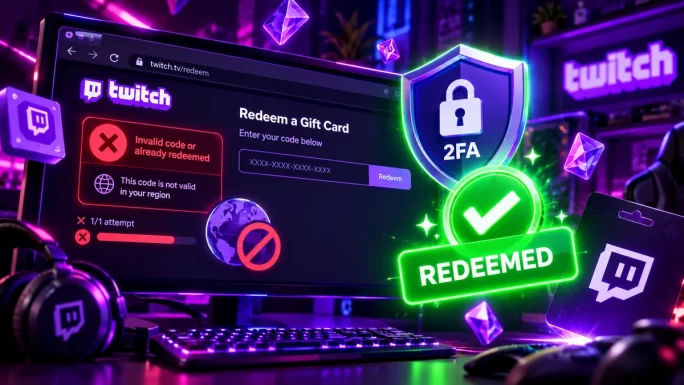
WhyThe card’s currency doesn’t match the country of your Twitch account.
FixBuy the card for your account country, such as EU or US.
WhyTwitch asks for 2FA before you can redeem a gift card.
FixTurn on two-factor authentication in your security settings, then try again.
WhyA typo, for example a capital O instead of a zero.
FixCopy the code directly from your order instead of typing it.
WhyThe code was already redeemed on an account.
FixCheck your Wallet, and contact the seller’s support if you didn’t redeem it.
WhyPurchases in the mobile app can go through the App Store or Google Play.
FixBuy subs and Bits on the Twitch website to pay with your gift card balance.
As a rule, buying on the website is also often cheaper. In the mobile apps, prices can be higher because of app store fees.
Frequently Asked Questions
You can use a Twitch gift card for channel subscriptions, gift subs, Bits and Twitch Turbo. Twitch applies the balance automatically at checkout, so you don’t need to enter the code again.
Sign in to your Twitch account, go to twitch.tv/redeem and enter the code. On a phone, open the app, tap your profile picture and go to Settings, then Wallet, to redeem it there.
Usually not. The card’s currency has to match the country of your Twitch account. Choose the EU card for accounts in eligible European countries and the US card for accounts in the United States.
No. The card and the balance don’t expire, so you can use the money whenever you want. However, the balance stays on the account where you redeemed it.
The most common reasons are a region mismatch, missing two-factor authentication, a typo in the code or a code that was already used. Check these points, then try again on the Twitch website.
Yes. Your gift card balance covers Bits as well as subs and Turbo. For the best result, buy Bits on the Twitch website, where your balance is used automatically.
Key Takeaways