robux-gift-card-global
INSTANT DELIVERY
DIGITAL KEY
5.0 / 5 (1 reviews)

Roblox Robux Gift Card Global

7.90  - 100.00 
800 Robux
1000 Robux
2000 Robux
2750 Robux
4500 Robux
5250 Robux
10000 Robux
11000 Robux

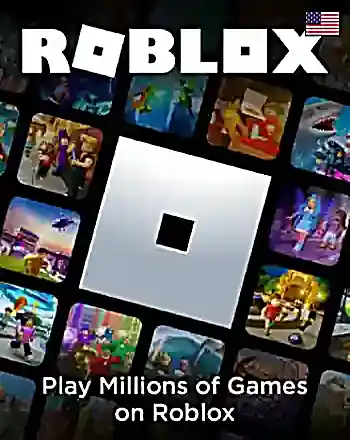
Roblox Gift Card

Activate/Redeem on Roblox

Check activation guide

Product Region: Global

About Roblox Robux Gift Card Global

The Roblox Robux Gift Card Global loads Robux straight into your account with a prepaid code. Robux is the in-game currency behind everything players buy on Roblox: avatar items, game passes, private servers, and premium features inside individual experiences. This global version works from anywhere Roblox operates, so you don't need to match a specific country or store region.

Players like this route for one simple reason. It skips the linked card entirely. You load a set amount of Robux, spend it, and that's the end of the transaction — nothing renews, nothing sits saved on the account.

Key Features

  • Instant digital delivery, ready to redeem right after purchase
  • Global version — no country or region restriction
  • Adds Robux directly to your Roblox account balance
  • No bank card or payment method saved to the account
  • Secure, single-use redemption code
  • Works on desktop, mobile and console accounts

Why This Card Works Well

Parents reach for prepaid Robux cards constantly, and the logic holds up. A child spends within a fixed amount, and the family bank card never enters the picture. Younger players get independence; the account stays clean.

Speed matters too. Your code appears the second your payment clears, so a limited-time item or a weekend event doesn't slip away while you wait on processing. For security, TopGift shows your code only in your account dashboard and on the order confirmation page. We never send codes by email.

Checkout takes a couple of minutes, and you can pay by card, PayPal, Apple Pay, Google Pay or crypto.

Redeeming Your Code

  1. Complete your purchase and find your code in your account dashboard or on the order confirmation page.
  2. Go to the official Roblox redeem page and sign in to your account.
  3. Enter your code exactly as shown.
  4. Select Redeem and confirm.
  5. Your Robux balance updates immediately and is ready to spend.

Roblox Robux Gift Card Global Reviews

Please log in to leave a review.