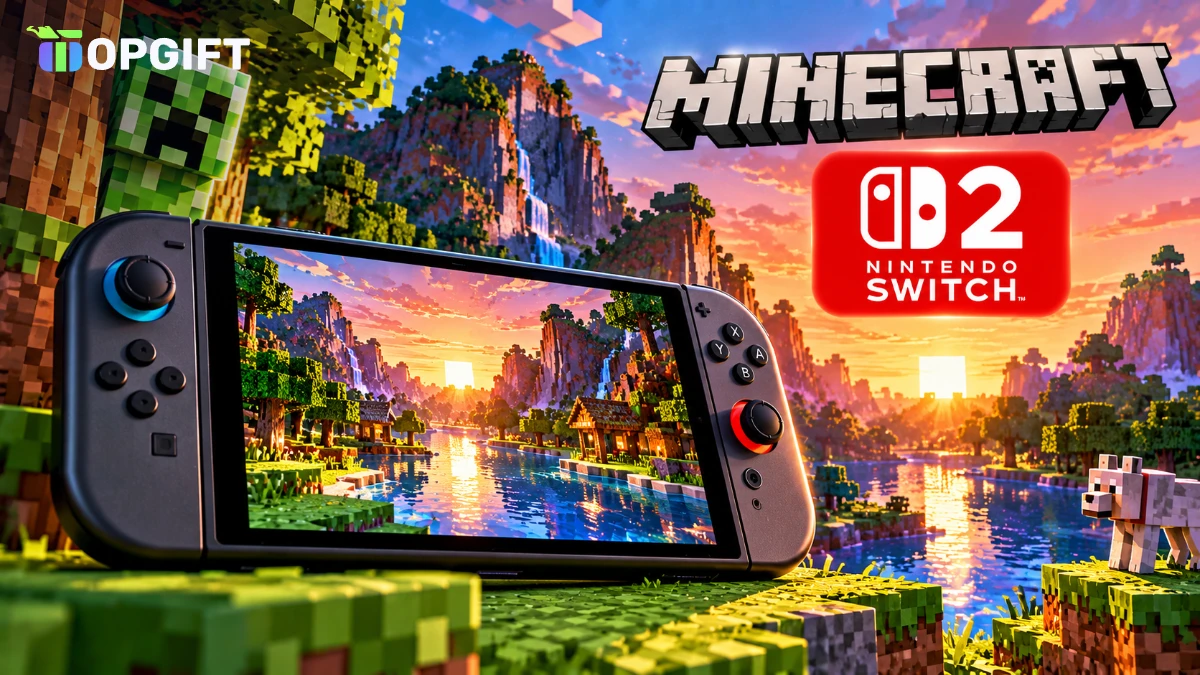
Minecraft Switch 2 is now available. The native version for Nintendo’s new console launched on October 27, 2026, with better lighting, a new default graphics mode and three editions to choose from. Best of all, most people who already own the game digitally on the original Switch can upgrade for free.
There is a catch, though. The free upgrade only runs until the end of January 2027, and it doesn’t cover physical cartridges. Here’s what the new version adds, what each edition costs and how to claim your upgrade before the deadline.
Minecraft for Switch 2 at a glance
This is a proper native release, not just the old game running through backward compatibility. Mojang and Nintendo built Minecraft Switch 2 to use the extra power of the new console, which is why the lighting upgrade is only available here. In practice, that makes Minecraft Switch 2 the best-looking way to play the game on a Nintendo console so far, both docked on a TV and in handheld mode.
What Is New on Switch 2
The biggest change is Vibrant Visuals. This graphics mode adds more realistic lighting, softer shadows and better water and sky effects. On Switch 2, it’s switched on by default, so the game looks noticeably richer the moment you load a world.
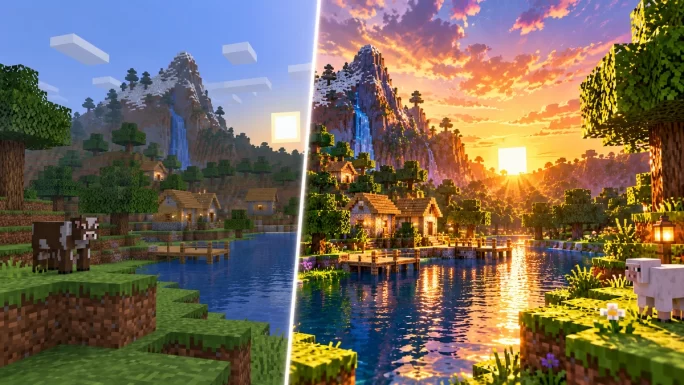
A few limits apply. Vibrant Visuals turns off in split-screen multiplayer, and some Marketplace worlds and add-ons don’t support it yet. Carrying over an old save also doesn’t make that world compatible on its own, so older worlds may still use the classic look.
Every edition also includes the Super Mario Mash-Up Pack, a Nintendo-only bundle of Mario-themed skins, textures and music. It has been updated to work with Vibrant Visuals too.
Mojang hasn’t published a full list of performance targets for the Switch 2 version. For now, the clearest improvements are the lighting and the overall image quality.
Prices and Editions
You can buy the game digitally in three editions. These are the regular US prices on the Nintendo eShop.
Minecraft for Switch 2 editions
| Edition | Price | What is included |
|---|---|---|
| Standard EditionBest pick | $29.99 | Base game and Super Mario Mash-Up Pack |
| Deluxe Collection | $39.99 | Standard, plus Celebration Food, Rescue Dogs and Plenty O’Blocks add-ons, 3 Character Creator items and 700 Minecoins |
| Ultimate Collection | $49.99 | Deluxe, plus Decocraft and Weapons + Tools add-ons, 5 Character Creator items and 1,000 Minecoins |
A physical version is also on sale in stores. It comes as a Game-Key Card, which means the box holds a key that downloads the game rather than the full game on a cartridge.
Good to knowMinecoins you get with the Deluxe or Ultimate Collection, and any you buy on a Nintendo console, can only be spent on Switch or Switch 2. They do not move to Xbox, PlayStation or mobile.
Who Gets the Free Upgrade
If you bought Minecraft digitally on the original Nintendo Switch, you can claim the Switch 2 Standard Edition at no cost. The offer is free in almost every country. Japan (100 yen) and Taiwan (30 New Taiwan dollars) charge a small fee.
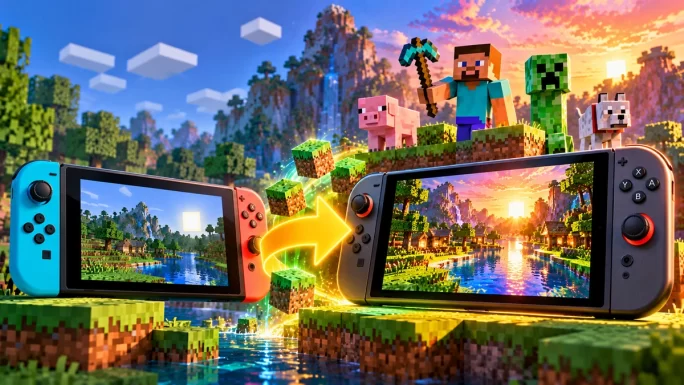
You can also upgrade straight to the Deluxe or Ultimate Collection. In that case you pay a discounted fee instead of the full price.
Physical cartridge owners are left out. Putting the original Switch game card into a Switch 2 doesn’t unlock the new version or a discount, so you’d pay the regular $29.99. Your old cartridge still plays on Switch 2 through backward compatibility, but without the new visuals.
DeadlineThe free upgrade is a limited-time offer. Claim it by January 31, 2027. After that date, the Switch 2 Standard Edition costs the full price, even if you own the original game.
How to Claim the Upgrade
Claim Minecraft for Switch 2
Your worlds come with you. Existing Switch players can carry their saved worlds over to the Switch 2 version, so you don’t start from scratch.
Switch 1 Version vs Switch 2 Version
Both versions are the same game at heart, so your skills, worlds and favourite builds still work. The difference comes down to looks and how you got your copy.
Original Switch vs Minecraft Switch 2
| Feature | Original Switch version | Switch 2 version |
|---|---|---|
| Vibrant Visuals | Not available | On by default |
| Super Mario Mash-Up Pack | Included | Included, with Vibrant Visuals support |
| Physical format | Game card | Game-Key Card |
| Price for new buyers | Lower, older version | From $29.99 |
| Upgrade for digital owners | Not needed | Free until January 31, 2027 |
What Stays the Same
Minecraft Switch 2 is still the Bedrock version of the game, just like the one on the original Switch. That means you can keep playing with friends on other Bedrock platforms once you sign in with a Microsoft account.
The Marketplace works as before, with skins, worlds and texture packs you can buy with Minecoins. Online play with friends over the internet still needs a Nintendo Switch Online membership, while local split-screen doesn’t.
Kids’ accounts and parental controls also stay in place. Parents can manage playtime and purchases through the Nintendo Switch Parental Controls app, which makes a prepaid eShop balance even easier to control.
Should You Upgrade Now
If you own the digital version, there’s no reason to wait. The upgrade is free, your worlds move across and the game simply looks better. Doing it early also means you won’t miss the January deadline.
For physical owners the choice is harder. You can keep playing the cartridge on Switch 2 for free, or pay $29.99 for the better visuals. If you mostly play split-screen with family, the difference is smaller, since Vibrant Visuals switches off in that mode anyway.
New players can start straight with the Switch 2 version. The Deluxe and Ultimate Collections only make sense if you want the extra add-ons and Minecoins, since the base game is the same in every edition.
And if you’re excited about where Minecraft goes next, read our guide to The Sift, the new Minecraft dimension.
How to Pay Without a Bank Card
You can buy any Minecraft edition, or upgrade to Deluxe and Ultimate, with eShop balance. A Nintendo eShop gift card adds funds to your Nintendo Account without a credit card, which is handy for younger players and for parents who want a fixed budget.
Make sure the card matches the country of your Nintendo Account. A card for Europe won’t work on a US account.
The eShop balance also covers the Deluxe or Ultimate upgrade fee if you decide you want the extra add-ons later. Any money left over stays in your account for other games, DLC or a Switch Online membership, so nothing goes to waste.
Many regions available
Nintendo eShop Gift Cards
Add funds to your Nintendo Account and buy Minecraft for Switch 2 without a bank card. Codes arrive within minutes.
Shop Nintendo eShop CardsWant online play too? Minecraft’s online multiplayer on Switch needs Nintendo Switch Online, which you can also buy as a Nintendo Switch Online code.
Frequently Asked Questions
The native Nintendo Switch 2 version launched on October 27, 2026.
Yes, for digital owners of the original Switch version in most countries, until January 31, 2027. Japan and Taiwan charge a small fee.
No. There is no upgrade path for physical copies. You can still play the cartridge on Switch 2 without the new visuals.
The Standard Edition costs $29.99, the Deluxe Collection $39.99 and the Ultimate Collection $49.99 in the US.
Yes. Existing Switch players can bring their saved worlds to the Switch 2 version.