Free Fire diamonds are the premium currency in Garena Free Fire and Free Fire MAX. You use them for characters, pets, gun skins, bundles, the Booyah Pass and Luck Royale events. This guide explains what diamonds buy, how to top them up with a code, which pack to choose and, above all, how to spend them wisely so every diamond counts.
Whether you are a new player looking for your first bundle or a veteran planning for the next big event, the same rules apply. So, let us start with the basics.
What Are Free Fire Diamonds
Diamonds are the paid currency of Free Fire, the fast-paced battle royale from Garena. Unlike Gold, which you earn by playing, diamonds mostly come from top-ups. As a result, they unlock the most popular items in the game, especially limited bundles and event rewards.
Importantly, most diamond purchases are about style and choice. Characters and pets add skills, but skins, bundles and emotes mainly change how you look. In other words, diamonds give you more options and a more personal look rather than a guaranteed win.
Free Fire diamonds at a glance
Because diamonds are linked to your Free Fire account, the balance follows you across devices. So, if you change phones, your diamonds stay safe as long as you log in with the same linked account.
What You Can Buy With Diamonds
Diamonds open up most of the in-game store. Here is what players spend them on most often:
- Characters with special skills that suit your play style.
- Pets that follow you into matches and add their own abilities.
- Gun skins and weapon upgrades for your favourite guns.
- Bundles and outfits, including limited collaboration sets.
- The Booyah Pass, the monthly pass with exclusive rewards.
- Luck Royale spins and special event draws.
- Emotes, banners and other cosmetics for your profile.
Above all, limited bundles are the main reason people buy diamonds. Many of the best items appear only for a short time, so having diamonds ready when an event starts makes a real difference.
Diamonds and Gold Explained
Free Fire uses two main currencies. Gold is the free one. You earn it by playing matches, completing missions and taking part in events, and you can use it for some characters, items and Gold Royale spins.
Diamonds, by contrast, are the premium currency. They buy almost everything, including the newest bundles, the Booyah Pass and most event draws. Therefore, the best approach is a mix: spend Gold on what it can buy, and save diamonds for items that only diamonds unlock.
Free Fire and Free Fire MAX Share One Account
Free Fire MAX is an enhanced version of Free Fire with better graphics and extra visual effects. However, it is not a separate account. Thanks to Garena’s shared account system, your progress, items and diamonds are the same in both versions.
That means you can top up once and use the diamonds in either app. Simply log in with the same linked account, and your balance appears in both.
How to Find Your Free Fire Player ID
Your Player ID is the number that identifies your Free Fire account. Finding it takes a few seconds. First, open Free Fire and tap your avatar in the top-left corner of the lobby. Then look at your profile, where the Player ID appears under or next to your name.
It is a good idea to copy the ID or take a screenshot. You may need it if you ever contact support about a top-up or a missing reward.
Keep in mind that the Player ID is different from your nickname. Your nickname can change, but the Player ID stays the same for the life of the account. Therefore, always use the ID, not the name, when you talk to support or check a top-up.
Link Your Account Before You Redeem
Before you redeem a code, make sure your Free Fire account is linked to a login method, such as Facebook, Google, VK, Apple or another option the game offers. This matters because guest accounts cannot redeem codes on the official redemption site.
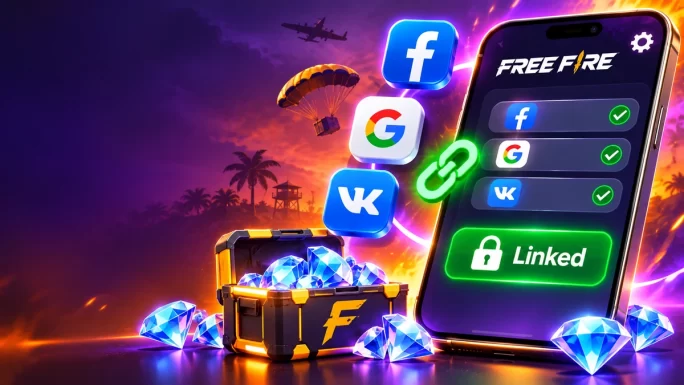
To check, open the settings in Free Fire and look at your account section. If it says you are playing as a guest, link the account first. Linking also protects your progress, so you never lose your diamonds if you change or reset your phone.
Guest accounts cannot redeem codesIf you play as a guest, link your Free Fire account to Facebook, Google, VK or another login method before you redeem a diamond code. Otherwise, the redemption site will not let you sign in.
How to Top Up Free Fire Diamonds With a Code
Once your account is linked, topping up Free Fire diamonds with a code takes about a minute.
How to top up Free Fire diamonds
In most cases, the diamonds reach your account within a few minutes. If you do not see them, restart the game and open the in-game mail section. Codes are usually a mix of letters and numbers without spaces, so type them carefully. For a short version of these steps, see our Free Fire redeem guide.
Because the code is prepaid, you do not need a bank card in the game or on the redemption site. That makes this route useful for younger players, for gifts and for anyone whose local payment method does not work. For more ways to pay, see our guide on paying for games without a credit card.
Which Free Fire Diamonds Pack to Choose
TopGift offers five Free Fire diamond packs. Each pack already includes a 10% bonus, so you get a little extra on top of the base amount. The right pack depends on what you want to buy.
Free Fire diamonds packs
| Pack | Total diamonds | Best for |
|---|---|---|
| 100 + 10 | 110 | A small bundle or testing a top-up |
| 210 + 21 | 231 | A few small items or a gun skin |
| 530 + 53Popular | 583 | The Booyah Pass or a mid-size bundle |
| 1,080 + 108 | 1,188 | Events and several bundles |
| 2,200 + 220 | 2,420 | Big events and collectors |
As a rule, check the price of the item you want in the game first. Then pick the smallest pack that covers it, or combine two smaller packs. That way, you avoid leaving large amounts of unused diamonds in your account.

Global code
Free Fire Diamonds
Top up diamonds on any linked Free Fire account with a global prepaid code. Packs from 110 to 2,420 diamonds.
Buy Free Fire DiamondsIs the Booyah Pass Worth It
The Booyah Pass is the monthly pass in Free Fire. It has a free track that everyone can play and premium tracks that you unlock with diamonds. As you play and complete missions, you level up the pass and unlock rewards, such as skins, loot boxes, an exclusive bundle and other cosmetics.
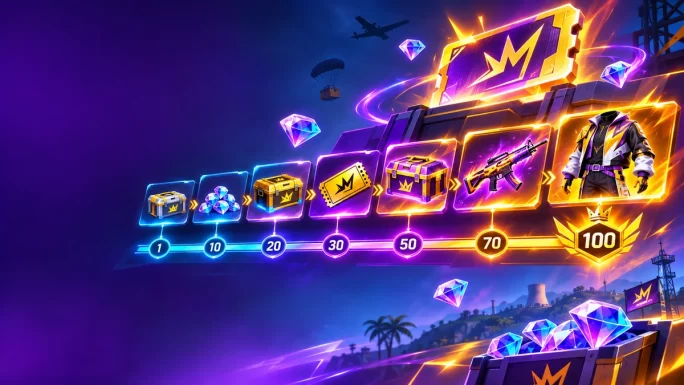
There are usually two premium options: Premium and Premium Plus. Premium unlocks the full reward ladder, while Premium Plus adds a jump of several levels and some bonus diamonds. Prices change from season to season and between regions, but Premium usually costs a few hundred diamonds and Premium Plus roughly twice as much. Therefore, always check the live price in the game before you buy.
So, is it worth it? For regular players, yes. If you play most days and like the monthly theme, the Booyah Pass gives a lot of value for its price. On the other hand, if you play only now and then, you may not reach the top levels before the season ends, and unclaimed rewards expire.
Luck Royale and Limited Events
Luck Royale is the draw section of Free Fire. Here, you spend Gold or diamonds on spins for a chance to win bundles, gun skins and other rare items. Garena changes the line-up often, so the available royales and their prices vary over time.
In addition, Free Fire runs many limited events, such as collaboration events, top-up events and seasonal celebrations. Some events reward you for reaching a certain number of diamonds topped up within a set period. Because of this, timing matters: if you plan to buy diamonds anyway, doing it during such an event can give you extra rewards.
Read the event rules firstEvery Luck Royale and top-up event has its own dates, prices and conditions. Check them in the game before you spend, so you know exactly what you can win.
Characters and Pets Worth Buying
Characters are one of the few diamond purchases that change how you play. In Free Fire, each character has a skill. Some skills are active, which means you trigger them yourself, for example to heal or speed up. Others are passive and work automatically in the background.
For most players, one or two strong active-skill characters are a better buy than many weaker ones. Popular choices change with each balance update, so it helps to check current patch notes or community tier lists before you spend. Meanwhile, pets add a smaller extra skill, such as helping with healing or detecting enemies, and they also come with their own looks.
- Start with one main character that suits your play style, such as aggressive or support play.
- Add skill slots and combinations once you know which skills work well together.
- Pick one useful pet rather than collecting many.
- Check updates before buying, since Garena regularly adjusts skills.
In short, buy characters for their skills and bundles for their looks. That keeps your diamonds working for both your style and your game.
How to Spend Free Fire Diamonds Wisely
Diamonds are easy to spend and hard to earn, so a little planning goes a long way. Here are a few habits that help:
- Decide your main goal. Pick the bundle, character or pass you want most before you spend anything.
- Use Gold first. Spend free Gold on items it can buy, and save diamonds for premium items.
- Wait for events. Many items come with discounts or extra rewards during events.
- Be careful with spins. Luck Royale can use up diamonds quickly, so set a limit first.
- Compare bundles. A bundle often costs less than buying each item on its own.
- Keep a small reserve. A few hundred diamonds let you react when a limited bundle appears.
In short, plan first and spend second. That simple rule makes each top-up go much further.
Planning a Monthly Free Fire Diamonds Budget
A simple monthly plan stops diamonds from disappearing too fast. For example, a regular player might buy the 530 + 53 pack each month to cover the Booyah Pass. Then, any extra diamonds go to one bundle or event that really matters.
- Daily player: one mid-size pack for the Booyah Pass, plus a small reserve.
- Weekend player: a smaller pack for a single bundle when an event starts.
- Collector: a larger pack timed for big collaboration events.
Above all, set your limit before an event, not during it. Draw events are designed to keep you spending, so a clear budget helps you stay in control. Younger players should also agree on a budget with a parent before they top up.
Free Diamonds and Reward Codes
You may see websites that promise free diamonds. In reality, there is no legitimate way to get large amounts of free diamonds. Garena does give small rewards through events, missions and login gifts, and special celebrations are often the most generous.
Garena also releases free reward codes through livestreams, social media and esports events. You redeem them on the same official site at reward.ff.garena.com. These free codes usually give small items, such as skins, vouchers or loot boxes, and they expire quickly. A paid code from TopGift, by contrast, adds the full number of diamonds you bought.
Diamonds on Phones, Tablets and Emulators
Your diamonds belong to your Free Fire account, not to your device. So, if you move from one phone to another, switch to a tablet or play on a PC emulator, your balance comes with you, as long as you log in with the same linked account.
This is another reason to link your account early. A linked account keeps your diamonds, characters and skins safe, even if you lose or reset your phone. Moreover, it lets you redeem codes on the official site whenever you need to.
Free Fire Diamonds Problems and Fixes
Most top-ups work on the first try. Still, a few issues come up often. Here is how to solve them.
Common Free Fire diamonds problems
| Problem | Likely cause | What to do |
|---|---|---|
| Cannot log in to the siteMost common | Guest account | Link your account in the game settings first |
| Code not accepted | Typo or extra spaces | Enter the code again exactly as shown |
| Diamonds not visible | Game not refreshed | Restart the game and open the in-game mail |
| Wrong account topped up | Logged in with another method | Always log in with the same method you use in the game |
| Free code fails | Expired or region-limited code | Try a newer code from an official source |
If none of these fixes helps, contact Garena support through the game. Likewise, if you bought your code on TopGift and it does not work, reach out to our support team with your order number, and we will check it for you.
How to Avoid Free Fire Diamonds Scams
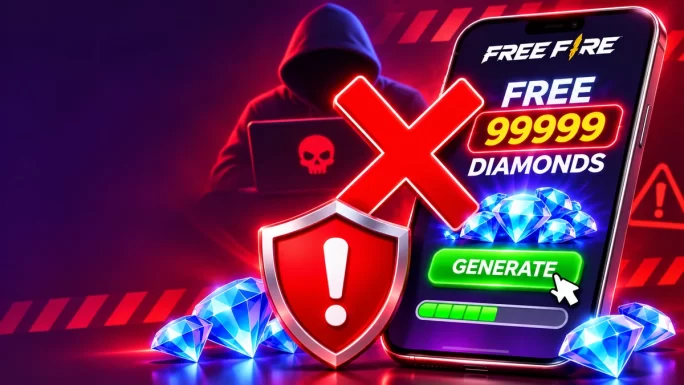
Because diamonds are popular, scammers often target Free Fire players. Fortunately, a few rules keep your account safe:
- Never use diamond generators or “unlimited diamonds” apps. They are scams and can steal your account.
- Never install modded APKs or hacks, since they risk a ban and malware.
- Never share your login details. Garena does not need your password for a top-up.
- Avoid huge discounts from unknown sellers on social media.
- Redeem only on the official site, reward.ff.garena.com, or inside the game.
If an offer sounds too good to be true, it almost always is. So, stick to the official redemption site and trusted sellers.
Why Use a Global Diamond Code
Regional payment options in Free Fire do not always work. Some stores refuse cards issued abroad, and many players, especially younger ones, do not have a card at all. A global diamond code avoids those problems, because it works regardless of where your account is registered.
It also makes a great gift. For example, you can send a code to a friend or family member who plays, and they simply redeem it on their own account. For more ideas, see our digital gift guide for gamers. If you also play other mobile games, our Mobile Legends diamonds guide explains a similar top-up.
No country limit
Garena Free Fire Diamonds Global
Get 110 to 2,420 diamonds for any linked Free Fire or Free Fire MAX account. Codes arrive within minutes.
Buy Free Fire Diamonds GlobalFrequently Asked Questions
Diamonds buy characters, pets, gun skins, bundles, the Booyah Pass, Luck Royale spins and other cosmetics in Free Fire and Free Fire MAX.
Go to reward.ff.garena.com, log in with the same method you use in the game, enter your code and click Confirm. The diamonds arrive in your account.
No. Link your Free Fire account to Facebook, Google, VK or another login method first, then redeem the code.
Yes. Free Fire and Free Fire MAX share the same account, so your diamonds appear in both versions.
Only small rewards through events and official codes. Sites that promise unlimited free diamonds are scams.
Tap your avatar in the top-left corner of the lobby. Your Player ID appears on your profile.
Key Takeaways